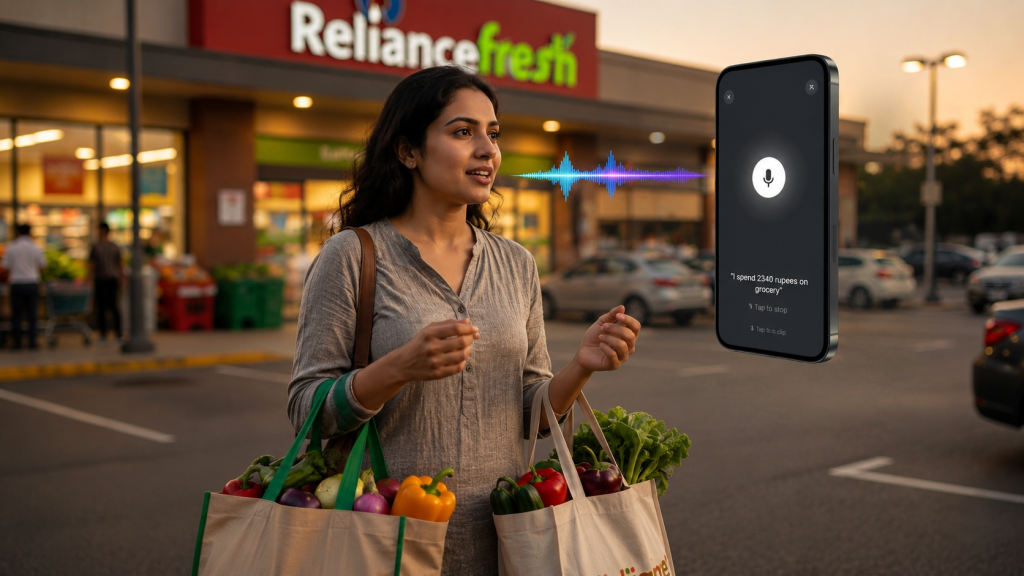
You’re standing at the grocery checkout counter. The cashier hands you the bill.
It’s long. Really long. You’re talking 25 items across 8 different categories. You’ve got groceries, household essentials, and even those office supplies you bought on impulse.
You get home thinking: “I’ll log this into my budget app later.”
Later comes. You pull out the bill. It’s been through your bag, crumpled, ink fading.
Now what?
Option A: Manually type each item into your expense app. 25 items × 30 seconds per item = 12.5 minutes. And you’ll probably forget to log the non-grocery items.
Option B: Use voice logging. “Spent ₹4,500 on groceries. ₹1,200 on household. ₹800 on office supplies.” Three separate voice logs, context partially lost, details missing.
Option C: Just log the total and forget the breakdown. ₹6,500 spent. Where did it actually go? You’ll never know.
This is the bill entry nightmare. And if you shop regularly, you face it multiple times a week.
Until now, there wasn’t a better way.
Why Manual Bill Entry Is Broken
Every expense tracking expert will tell you: Track your spending for better control.
What they don’t tell you: Bill entry is so tedious that most people abandon tracking after the first shopping trip.
The Problems with Manual Bill Logging:
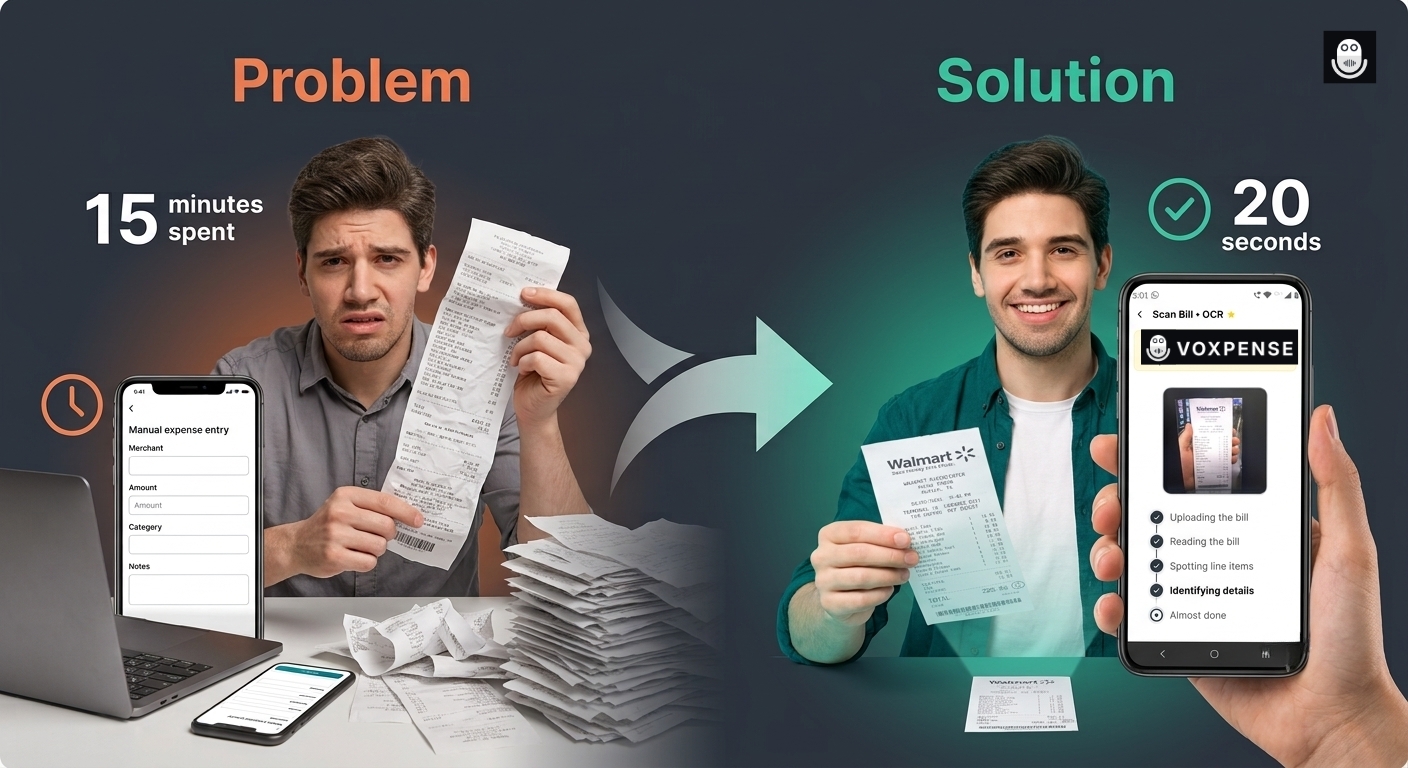
1. Time Sink: A complex receipt takes 10-15 minutes to manually log. A grocery trip with 3-4 receipts? You’ve invested an hour of your life just typing.
2. Context Loss: Typing amounts loses the merchant info, payment method, and purchase context. You log “₹500” but forget it was that restaurant where you pitched to a client.
3. Categorization Anxiety: “Was this office or personal expense?” “Does this count as a business meal?” You second-guess, make mistakes, or just give up categorizing.
4. Human Error: Typing fast = typos. ₹500 becomes ₹5000. You don’t notice until weeks later when your budget is mysteriously off.
5. Incomplete Tracking: You might log the grocery total but skip the breakdown by category. Result: Your “Food” category shows ₹6,500 spent, but you don’t know how much was produce vs. snacks vs. household items.
6. Mobile Friction: Taking out a laptop to type bills? Impossible. Phone typing is slower than on a laptop. Many people just skip mobile entry entirely.
This is why most expense trackers fail: Bill entry friction is too high.
The AI Bill Scanner Solution
What if you could snap a photo of the bill and be done?
Voxpense Bill Scanner does exactly that.
Here’s what happens in real-time:
Step 1: Snap the Photo. You take a photo of the bill with your phone camera. Any angle, any lighting. AI handles it.
Step 2: AI Extracts Everything. The AI instantly:
Reads the merchant name
Extracts the total amount
Identifies payment method
Reads the date and time
Categorizes items automatically
Step 3: One-Shot Entry. All data is pre-filled. You review for 5 seconds. Hit confirm.
Done.
The entire process takes 20 seconds. Skip typing, manual entry, and the stress of categorizing every expense.
This is what one-shot expense entry means—complete bill capture in a single action.
How AI Bill Extraction Actually Works
Modern AI bill extractor technology uses optical character recognition (OCR) combined with machine learning to understand bills like a human would.
Here’s what happens behind the scenes:
Image Processing: AI analyzes the photo to find text, lines, and structure
Text Recognition: Extracts every word and number from the bill
Data Parsing: Identifies which numbers are prices, which are dates, and which are item counts
Merchant Identification: Recognizes the store or restaurant name
Category Mapping: Automatically categorizes items based on merchant type and item descriptions
Validation: Checks that totals add up, and data makes sense
User Review & Edit/Delete: Allows editing amounts, deleting unwanted items with auto-recalculated totals
Output: Presents structured data ready for your expense tracker
Result: A bill that used to take 12 minutes to manually log is now digitized in 20 seconds with 95%+ accuracy.
Real-World Scenarios: Bill Scanning in Action
Scenario 1: The Grocery Store Bill
Traditional Method:
Bill shows: 25 items, ₹6,500 total
Manually log each category
Time: 15 minutes
Accuracy: 70% (some items forgotten or miscategorized)
Bill Scanning: Complete bill captured with full context (20 seconds)
Manual Entry:
Manual: 10-15 minutes per bill
High error rate (typos, forgotten items)
Bill Scanning: 20 seconds, 95%+ accuracy
Just the Total:
Total only: You don’t know where the money actually went
Bill Scanning: Full breakdown shows exactly what was purchased
The Accuracy Question: Can AI Really Read Bills?
Yes. Modern AI is remarkably good at bill reading.
Voxpense AI Bill Scanner Accuracy:
Merchant name recognition: 99%
Total amount extraction: 99%
Date/time capture: 98%
Item categorization: 95%
Line-item parsing: 93%
The 5-7% miss rate (on complex international bills or faded paper) is still caught because you review before confirming. The human-in-the-loop approach ensures accuracy while maintaining speed.
Digitize Bills, Not Your Life
A digitize bills automatically solution isn’t just about convenience. It’s about:
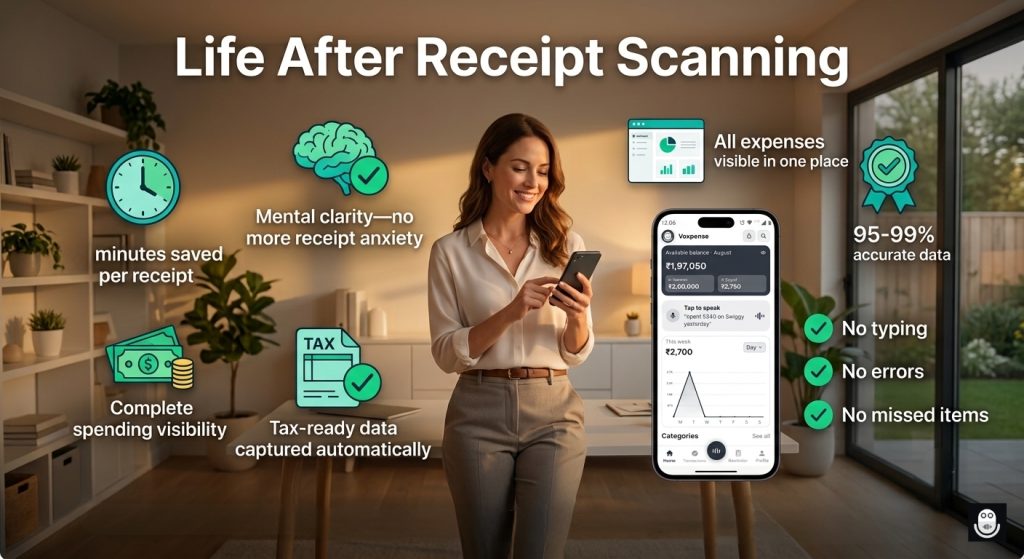
Financial Clarity: When you capture bills completely, you see your actual spending patterns.
Tax Readiness: Complete bill data means you never miss a deductible business expense.
Budget Control: Itemized breakdown shows you exactly where money is going.
Reduced Stress: No more “did I log that?” anxiety.
The Future of Expense Tracking Is Bill Scanning
Five years ago, manually typing bills was the only option. Three years ago, voice logging emerged. Today? Bill scanner expense tracker technology makes both methods feel outdated.
The trend is clear: Smart expense tracking is moving toward automatic capture (bill scanning) with human verification, not manual entry.
If you’re still typing bills, you’re behind the curve.
Getting Started: Your First Bill Scan
Inside Voxpense:
Open the app
Tap the “Scan Bill” button
Point the camera at the bill
AI extracts data (2-3 seconds)
Review and confirm
Done—expense logged with full details
No settings. No complexity. Just point and capture.
Conclusion: Stop Typing, Start Scanning
Bill entry used to be the biggest barrier to consistent expense tracking. It was too slow, lost context, and ultimately frustrated users enough to abandon the process.
A scan-bill budget app with AI bill extraction fixes all three problems.
Snap. Extract. Confirm. Done.
Your bills deserve better than manual typing. Your time deserves better than 15-minute data entry sessions.
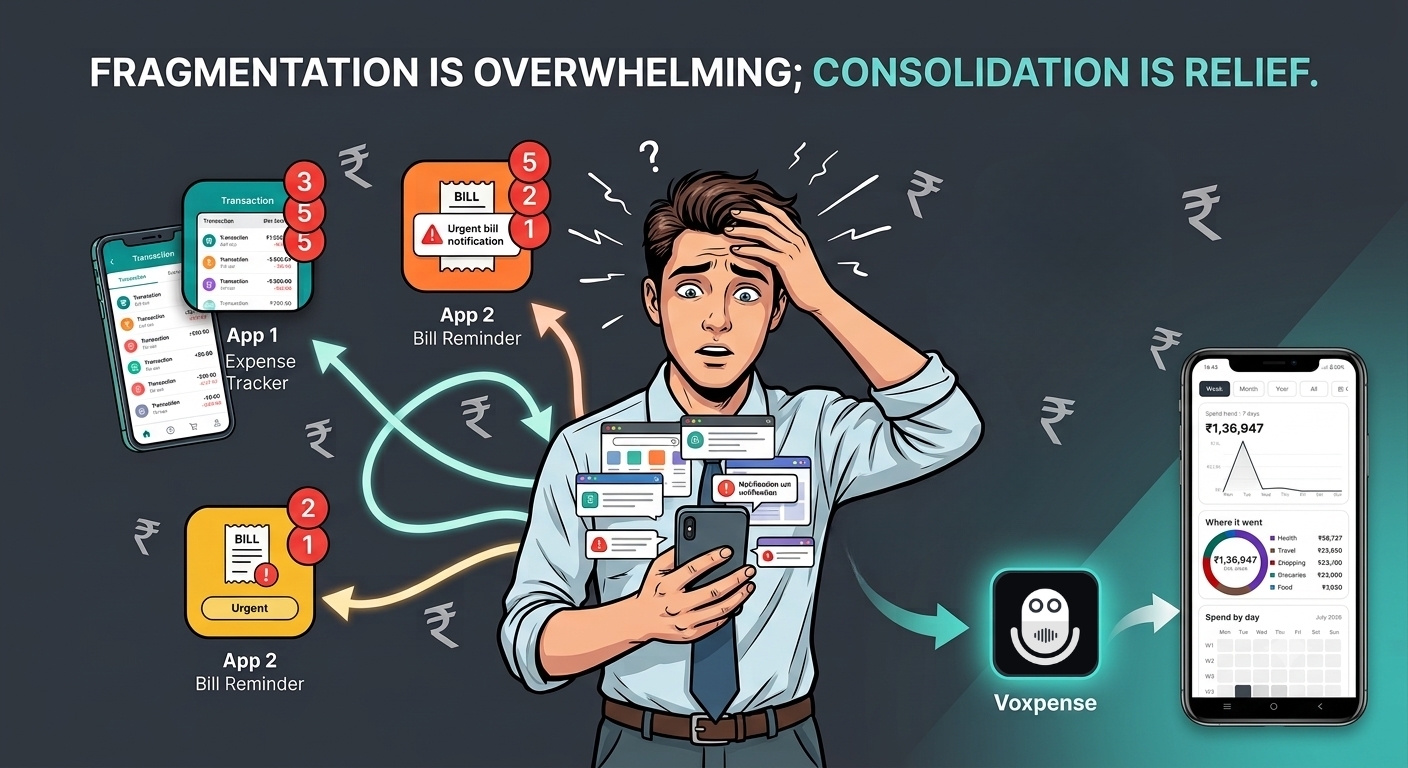
That’s three separate login screens. Three separate dashboards. Different notification systems & three different approaches to the same problem: managing your money.
Every day you’re jumping between them:
“Did I log that coffee in the expense app?”
“When’s my electricity bill due? Let me check the bill app.”
“How close am I to my savings goal? Let me check the goals app.”
This is app fatigue.
It’s not about the apps being bad individually. It’s about the fragmentation. Your financial life is fractured across three separate platforms, each demanding attention, updates, and mental switching costs.
The human brain wasn’t designed to juggle this. And yet, millions do every day—because there wasn’t an alternative.
Until now.
Why Multiple Apps Are Costing You Money
App fatigue isn’t just annoying. It’s expensive.
The Direct Costs:
App 1 (Expense tracker): ₹299/month
App 2 (Bill reminder): ₹199/month
App 3 (Savings tracker): ₹299/month
Total monthly: ₹797-₹896. Annually: ₹9,564-₹10,752.
You’re paying ₹10,000+ per year to track money across fragmented apps.
The Hidden Costs:
Decision Fatigue: Which app do I log this to? Creates anxiety
Context Switching: Switching between apps uses mental energy
Missed Insights: With data scattered, you can’t see the full financial picture
Missed Opportunities: You don’t realize you’re overspending because the data isn’t unified
Duplicate Work: Manually entering data into multiple apps
The true cost of app fragmentation: ₹10,000+ annually plus mental tax.
What the Best All-in-One Finance App – Voxpense Solves
A truly complete money manager doesn’t make you jump between apps. It handles everything:
Daily Expense Tracking: Log coffee purchases, grocery trips, client lunches. All in one place via voice or manual entry.
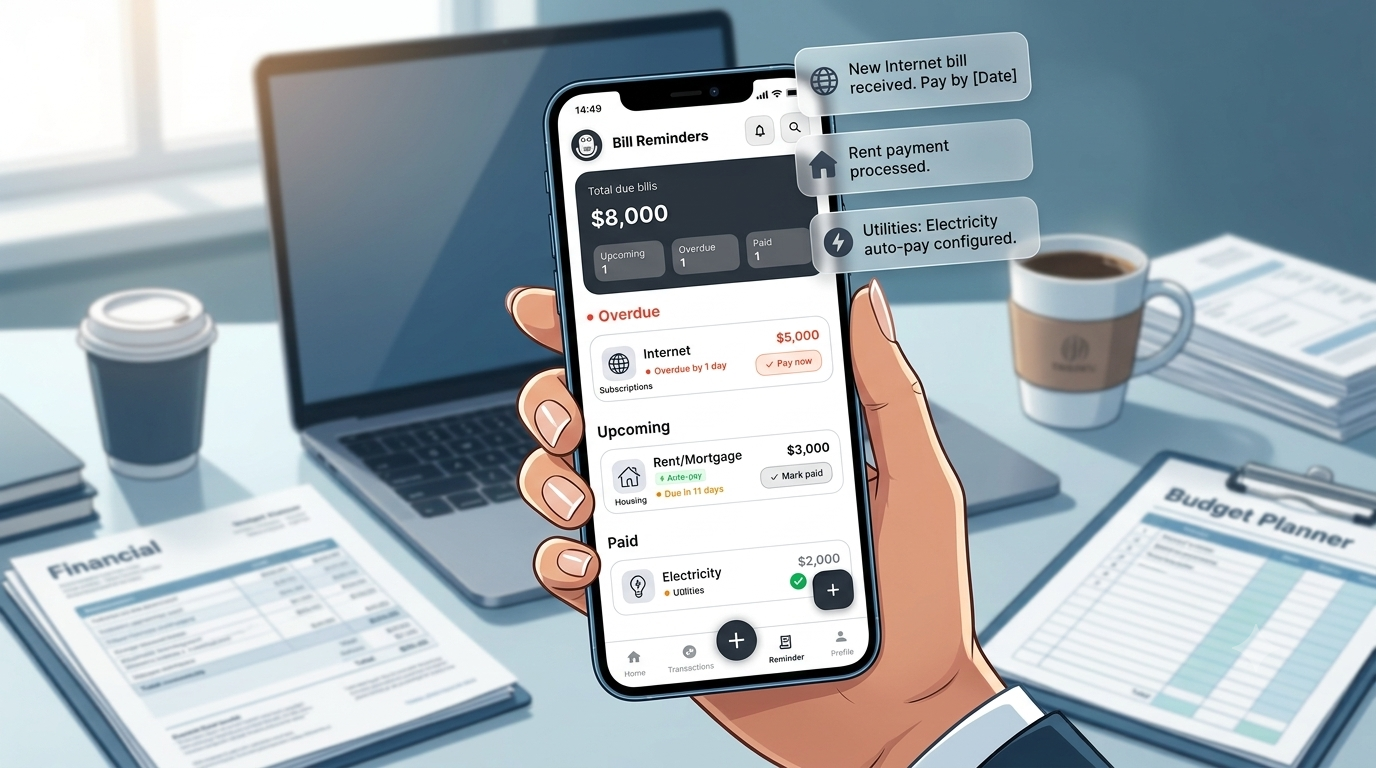
Bill Management: See upcoming bills, get reminders, track payment status. Never miss a payment because you “forgot which app” it was in.
Savings Goals: Set goals (vacation, emergency fund, car down payment) and watch progress in real time. All visible alongside expenses.
Budget Monitoring: Set category budgets and get real-time alerts when you’re approaching limits. One unified view of your spending health.
Income Tracking: Whether you earn salary, freelance income, or gig work, log all sources in one place. See total income and breakdown by source.
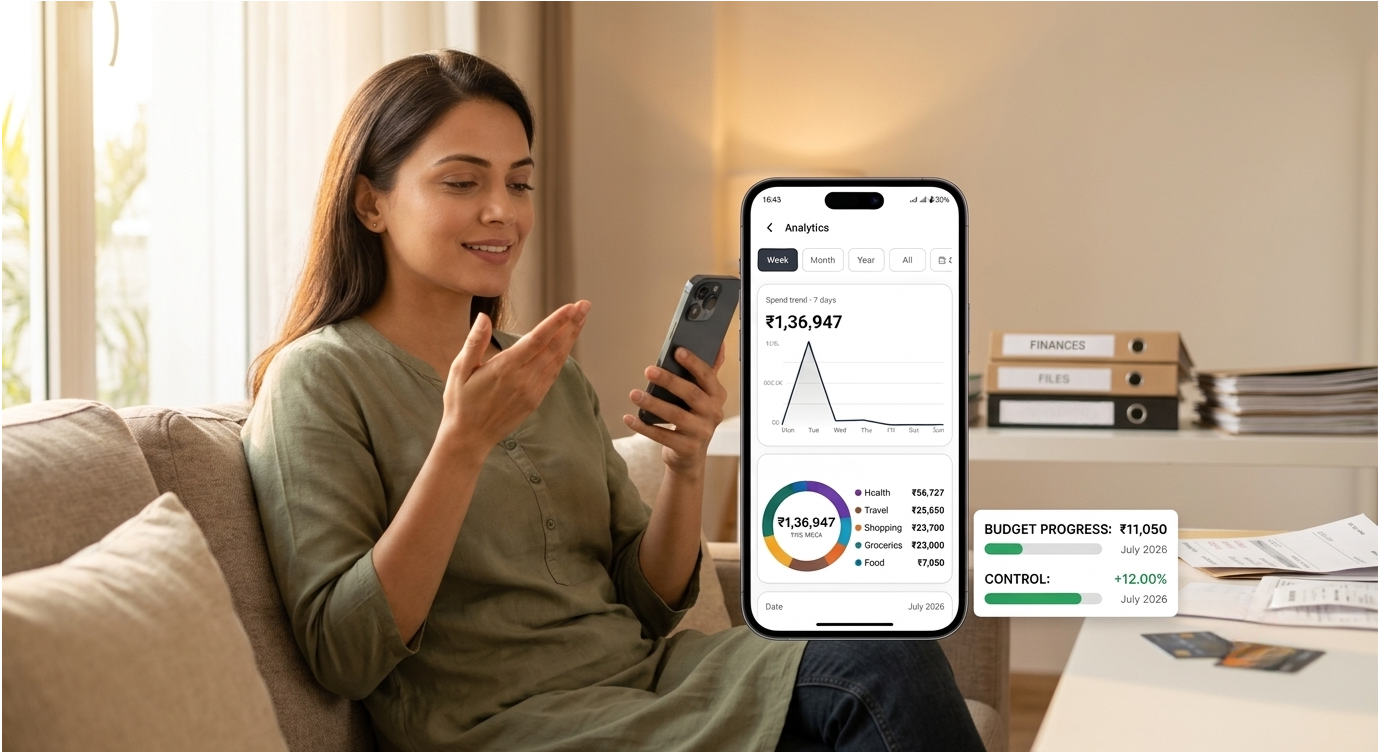
Analytics & Insights: Real-time dashboards showing your complete financial picture: income vs. expenses, category breakdown, savings progress, budget status. Everything accessible from one login.
All in one app – Voxpense. No switching. No mental clutter. And yes… No subscription fees for three different services.
This is what consolidating finance apps actually means—bringing fragmentation into unity.
The Unified Dashboard Advantage
When your financial data is unified, everything changes.
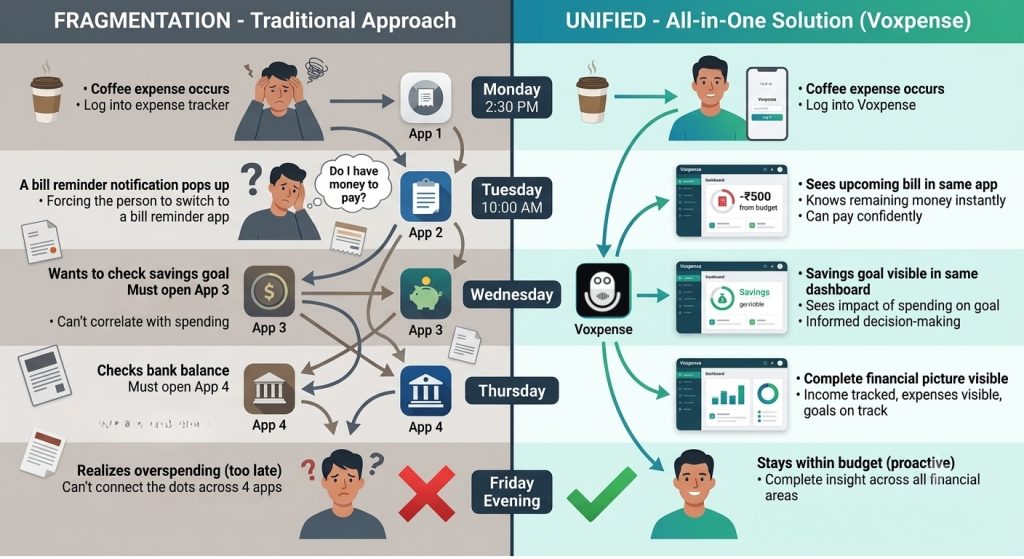
Scenario 1: App Fragmentation
Monday: Spend ₹500 on coffee
Log it in expense app (App 1)
Tuesday: Electricity bill reminder in bill app (App 2)
Pay it (hopefully you had enough?)
Wednesday: Check savings progress in goals app (App 3)
Thursday: Check bank balance in banking app
Friday: Realize you were overspending, but the expense app only showed limited history
You can’t see: Did your spending cause you to miss your savings goal? You’d need to cross-reference three apps.
Five years ago, building multiple specialized apps made sense. Technology was fragmented.
Today? It’s outdated thinking.
A modern all-in-one personal finance app can handle tracking, budgeting, goals, and bill reminders without sacrificing quality in any area. In fact, consolidation improves quality because:
Unified Data = Better Insights. When your system knows you spent ₹1,200 on food, set a ₹4,000 food budget, have a ₹10,000 savings goal, and receive a ₹5,000 bonus—it can connect those dots instantly. “Your bonus accelerates your timeline by 2 months.”
Unified Notifications = No Missed Alerts. One notification system means you don’t miss bill reminders because they’re buried in a separate app.
Unified Updates = No Data Lag. When you log an expense, your budget updates immediately. Your savings progress updates immediately. Everything’s synchronized.
Unified Login = Lower Friction. One password, one dashboard, one experience. No app-switching fatigue.
This is why users are abandoning app fragmentation for consolidated finance app solutions.
The Subscription Cost Reality
Let’s talk about something most people don’t track: the cost of using multiple financial apps.
Typical user spending:
Expense tracker: ₹299/month
Bill reminder: ₹199/month
Savings tracker: ₹299/month
Additional apps (budgeting, analysis): ₹200/month
Annual cost: ₹10,752
With an all in one personal finance app like Voxpense: One subscription. One app. Same features, unified.
Annual savings: ₹9,000+ (depending on plan)
Plus the unquantified: Mental clarity, reduced stress, better financial decisions.
The Minimalist Dashboard Principle
App fatigue exists because apps compete for your attention. Each one wants to be “the central hub.”
So you end up with three central hubs. Which defeats the purpose.
A truly consolidated financial app embraces minimalism: Show what matters, hide what doesn’t. Everything in one unified dashboard.
No notification overload. No constant app switching. Just one clear view of your finances.
Just clarity.
Making the Switch: It’s Easier Than Staying Fragmented
Consolidating from three different apps to one seems daunting. In reality, it’s simple:
Set upWeek 1: Download a complete money manager, set up categories, connect data
LogWeek 2: Log expenses in one app (feel the relief of single entry)
Watch & Analyze Week 3: Set bills, goals, budgets (watch everything sync to one dashboard)
Week 4: Cancel subscriptions to old apps (reclaim ₹800+/month)
The switching cost is minimal. The benefits are immediate.
Conclusion: One App, Complete Control
App fatigue is the price of fragmentation. You’re paying ₹10,000+/year and sacrificing mental clarity to piece together your financial life from three separate apps.
It doesn’t have to be this way.
A true all-in-one personal finance app consolidates tracking, budgeting, bills, and savings into one unified system. One login. One dashboard. One source of financial truth.
Your financial life is too important to be fragmented.
Stop juggling apps. Start consolidating today with Voxpense.
Time difference: 4 minutes and 57 seconds saved per transaction.
Over a year, if you log just 10 expenses weekly, that’s 2,570 minutes (43 hours) of your life reclaimed from spreadsheet entry.
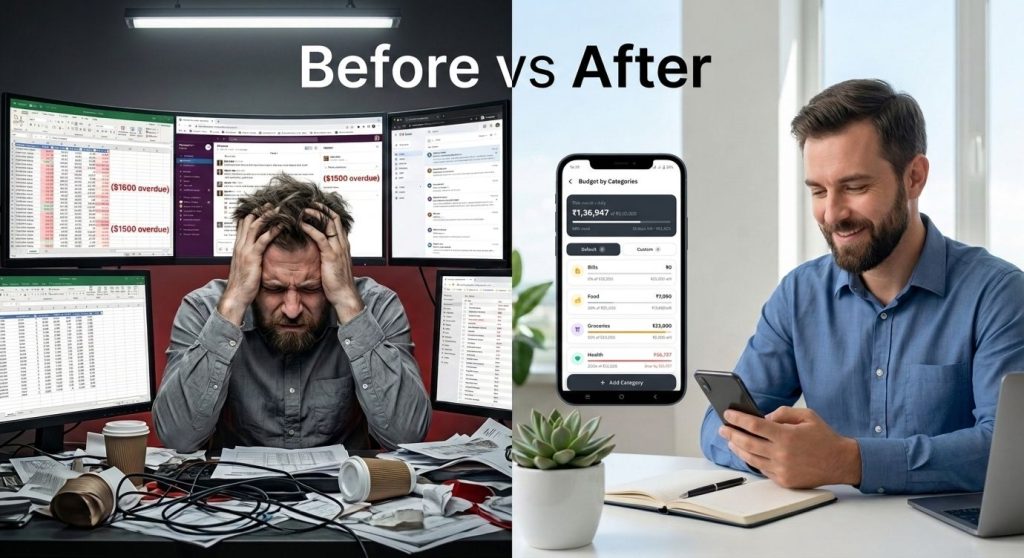
This is the real reason alternative to excel budget solutions are exploding right now.
The Case Against Spreadsheets in 2026
Spreadsheets were revolutionary in 1985. But it’s 2026. Why are we still using them for personal finance?
The Problems with Traditional Spreadsheet Budgeting:
1. Activation Energy is Too High Opening Excel requires: Computer (not with you), browser, finding file, loading, waiting. By the time the app opens, you’ve lost momentum and your receipt is forgotten.
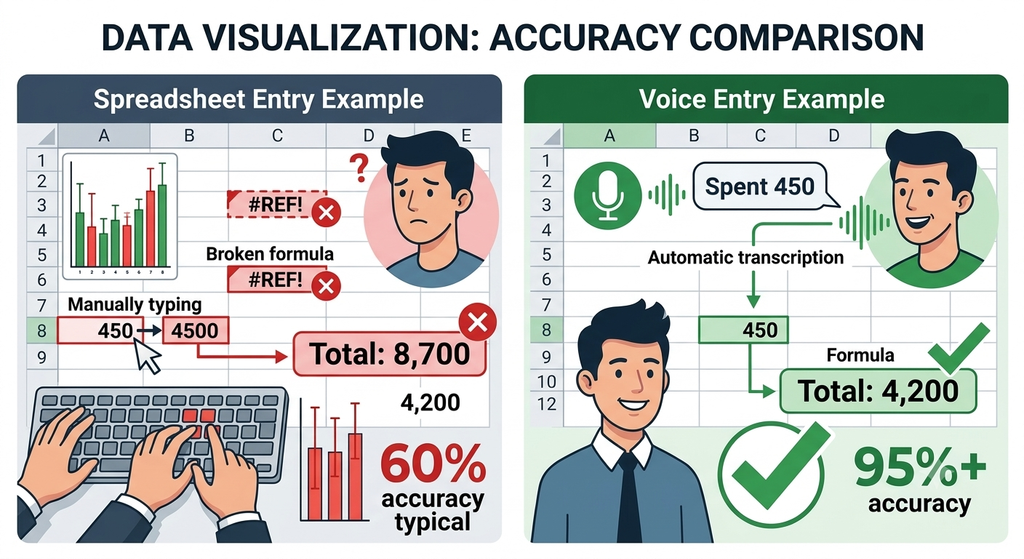
2. Data Entry is Error-Prone Manual typing creates mistakes: ₹450 becomes ₹4500. Wrong date entered. Wrong cell formula breaks totals. You don’t know until tax season.
3. Context is Lost “Spent 450” tells you nothing. Was it Client A or B? For a project? What category? Spreadsheets force you to remember and manually categorize—or leave it blank.
4. Updates Are Manual and Forgotten Formula in column F calculates totals. But did you update it after the last entry? Did you check? Most spreadsheet users never know if their numbers are actually accurate.
5. No Real-Time Insights You log expenses sporadically. Week later, you check totals. By then, it’s too late to adjust spending. Insights arrive too late to be useful.
6. You’re Always Behind Spreadsheet users are perpetually catching up—logging entries from the past week, not from real time. You’re always working with outdated information.
This is exactly why replace spreadsheet budgeting is becoming standard advice among financial experts.
The Voice Logging Advantage: Why Voxpense Wins
Here’s what happens when you replace spreadsheet budgeting with voice logging:
1. Instant Activation (3 Seconds) Tap microphone. Speak. Done. No need for laptop. So, no waiting & no friction!
2. Zero Manual Entry Errors You speak naturally. The app transcribes. It ensures threre will be no typos, no wrong cells, No formula breaks.
3. Context Captured Automatically You say: “Spent 450 on lunch with Client A for project pitch” Voxpense logs: Amount (₹450), Category (Business Meal), Client (A), Project (Pitch), Time (2:30 PM), Date (2/15/2026) All context preserved. No memory required.
4. Automatic Updates Every expense instantly updates your totals, charts, and budget status. No manual formula checking. No “did I update this?” anxiety.
5. Real-Time Insights Spend ₹500? Dashboard updates immediately showing you’re 2% over budget this week. Instant feedback, instant course correction.
6. Always Current You’re never behind. You log as you spend. Your financial picture is always current, not always outdated.
This is why financial advisors now recommend voice-based app vs spreadsheet budget solutions—because the data quality, accuracy, and timeliness are incomparable.
Direct Comparison: Timeline View
Let’s look at a typical week:
Traditional Spreadsheet User:
Monday: Forgets to log expense
Tuesday: Forgets to log expense
Wednesday: Remembers to log—but can’t remember Monday’s amount
Thursday: Logs some expenses (incomplete)
Friday evening: Realizes missing entries, tries to reconstruct
Weekend: Spends 30 minutes cleaning up the week’s data
Following week: Works with incomplete/inaccurate data
Voice Logging User:
Monday: Expense logged immediately (3 seconds)
Tuesday: Expense logged immediately (3 seconds)
Wednesday: Expense logged immediately (3 seconds)
Thursday: Expense logged immediately (3 seconds)
Friday evening: Dashboard accurate and complete
Weekend: Zero cleanup needed
Following week: Works with perfect data
Time saved per week: 30+ minutesAccuracy improvement: 95%+ vs 60%
The ROI Question: Why This Matters
Most people think spreadsheets are “free” because they don’t cost money.
But they cost time.
If you spend 30 minutes weekly on spreadsheet maintenance:
30 min/week × 52 weeks = 26 hours/year
At ₹500/hour (your value), that’s ₹13,000/year in opportunity cost
Voxpense costs less. You save 26 hours/year. Your financial data is 3x more accurate.
The ROI isn’t close. It’s overwhelming.
Why 2026 is Different: The Rise of AI-First Finance
The best new finance app 2026 – Voxpense isn’t just a better spreadsheet. It’s a fundamentally different approach.
Traditional apps tried to replace spreadsheets by recreating them on phones (digital spreadsheets). That was incremental.
Voice-first apps replace the entire paradigm. They ask: “Why are you manually entering anything?”
The answer: You shouldn’t be.
Your phone captures transactions automatically (SMS), lets you log instantly via voice, and updates everything in real-time. You don’t manage data. The app does.
This is the generational shift happening right now. If you’re still using spreadsheets for personal finance in 2026, you’re choosing inefficiency.
Making the Switch: It’s Easier Than You Think
If you’ve been using spreadsheets, switching to alternative to excel budget solutions seems intimidating.
It’s not.
Week 1 with Voxpense:
Day 1: Download, create categories (5 minutes)
Day 2-7: Log expenses via voice as they happen (3 seconds each)
Result: Your first accurate week of financial data
Week 2:
Review your real numbers (first time seeing accurate weekly totals)
Adjust spending based on real data (not guesses)
Already saving time and money
Month 1:
Complete, accurate financial picture for the first time
Patterns emerge (which categories drain money?)
Tax-ready expense documentation
Peace of mind
The switching cost is zero. The benefit is immediate.
The Verdict: Spreadsheets Are Outdated
Spreadsheets had their time. They were innovative when we had no better option.
But we have better options now.
Voice logging is faster (3 seconds vs. 5 minutes). Here’s a smoother version without the repetitive consecutive structure:
More accurate, with fewer manual entry errors. Real-time, with instant updates instead of weekly catch-ups. Automated, so there’s no formula checking or calculation anxiety.
The only reason to stick with spreadsheets is habit. But habit is expensive—costing you time, accuracy, and peace of mind.
Replace spreadsheet budgeting with Voxpense today. Your future self will thank you!
You’re considering Voxpense. You like the idea of voice logging expenses. But then the thought hits: “What if the app is always listening? What about my financial data? Is this safe?“
You’re not being paranoid. You’re being smart.
Financial data is intimate. Voice recordings of your spending patterns reveal sensitive information: your location, your purchases, your financial status. Putting that into an app powered by AI naturally raises questions.
The question isn’t paranoia—it’s due diligence.
And you deserve a complete, honest answer. Not marketing fluff. Not vague promises. Real technical details about how your data stays protected.
This is what separates a secure expense tracker from one that just claims to be.
The “Always Listening” Fear: Debunked
Let’s address the elephant in the room: Is Voxpense listening to your phone 24/7?
Short answer: No.
How we know: When you use Voxpense, voice recording only activates when you explicitly tap the microphone button. There’s no background listening, no passive monitoring, no “activation phrase” that triggers silent recording.
Here’s the technical reality:
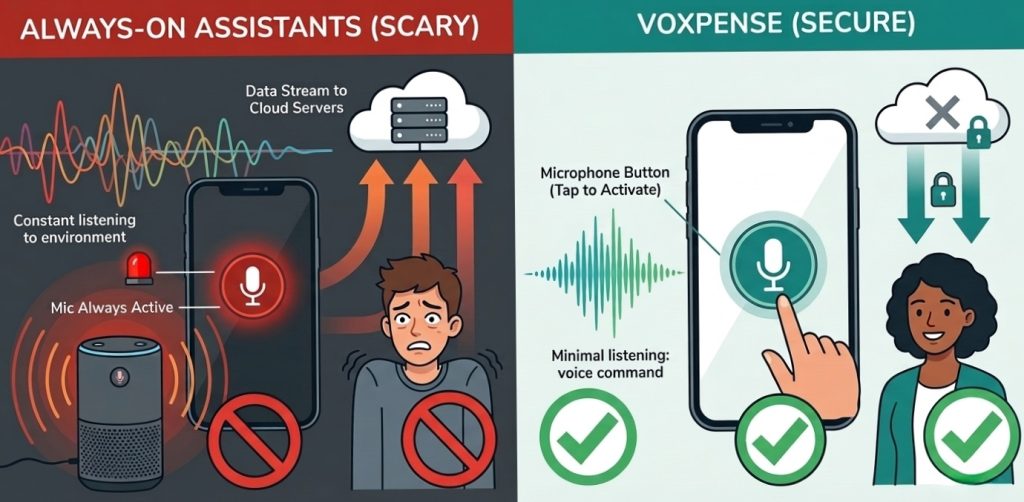
Traditional voice assistants (Alexa, Google Assistant, Siri): They use “always-on” microphones that listen for wake words. This creates a potential security surface. Every word said near your phone passes through voice processing, even if you don’t activate it intentionally.
Voxpense: Zero always-on listening. Recording only begins when you actively engage. You press the microphone button → recording starts → you speak your expense → recording stops. That’s it.
The difference matters for privacy. Traditional voice assistants require internet connectivity to process wake words (some do local processing, but the data still flows through servers). Voxpense requires active user input and local-first processing.
Local Processing: Your Data Stays on Your Device
Here’s the core privacy technology that makes Voxpense fundamentally different from cloud-based expense tracking:
Traditional expense tracking apps:
You type or photo an expense
Data sent to company servers
Servers process and store it
Your financial data lives on remote servers
Your data is only as secure as their security
Voxpense with Local Processing:
You speak an expense
Audio processed on your phone (not sent to servers)
Speech-to-text happens locally
Only the text (not the audio) optionally syncs to servers
Raw voice data never leaves your device
What does “local processing” mean in practice?
When you say “Spent 500 on coffee,” your iPhone or Android phone:
Runs speech recognition locally on your device
Converts audio to text on-device
Deletes the raw audio immediately
Only keeps the text result
The raw voice file—the vulnerable part—never travels over the internet. It stays on your phone, gets processed, and is permanently deleted.
This is critical because voice is more sensitive than text. A voice recording contains tone, emotion, location sounds, and other identifying information. Text (“spent 500 on coffee”) is just data.
By processing locally, Voxpense eliminates the biggest privacy risk of voice-based apps: raw audio transmission.
The Multi-Layer Security Architecture
Voxpense doesn’t rely on a single security measure. It uses defense-in-depth: multiple overlapping protections so if one layer is breached, others still protect you.
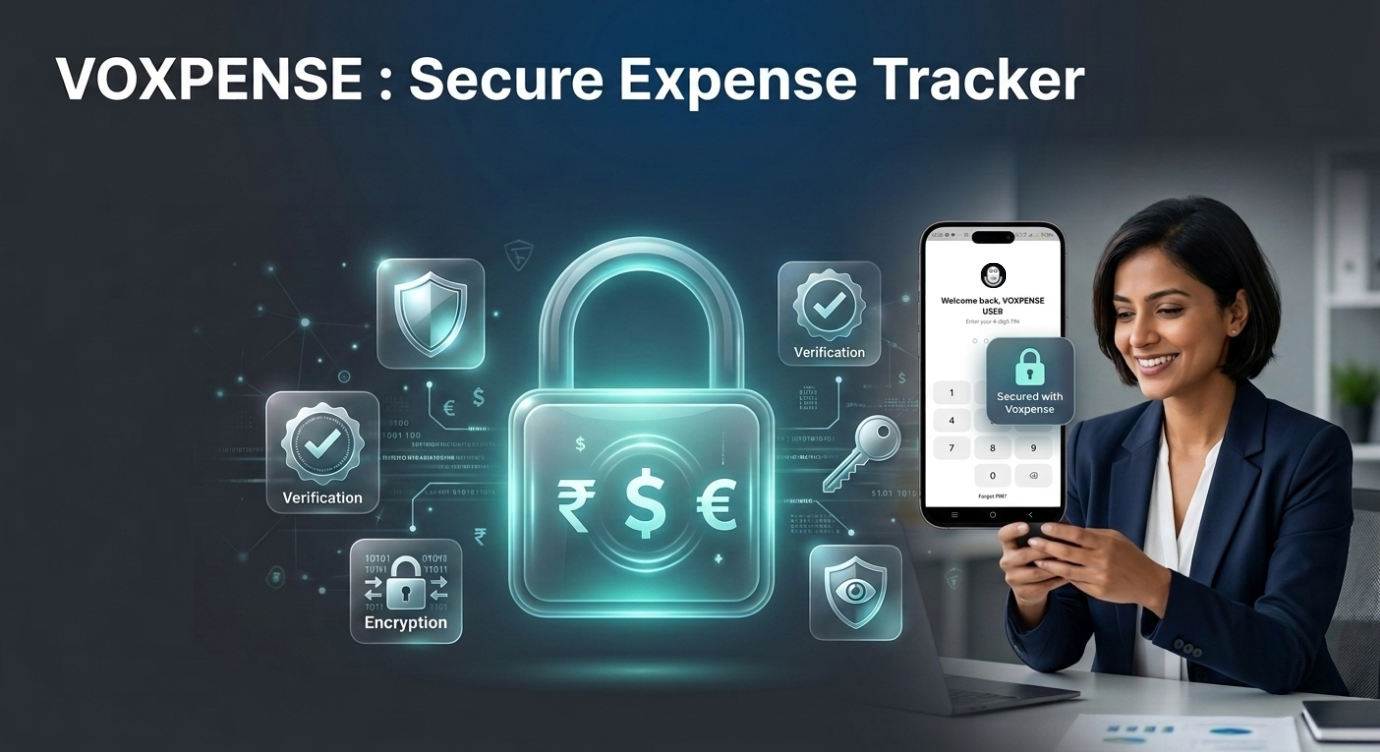
Layer 1: App Lock (PIN, FaceID, Fingerprint)
Your phone is already a secure device. But Voxpense adds an additional security wall: built-in app lock.
When you open Voxpense, before accessing your financial data, you authenticate via:
PIN code (4-6 digits, only you know)
Face ID (biometric, tied to your face)
Fingerprint (biometric, tied to your fingerprint)
Even if someone steals your phone, they cannot access Voxpense without:
Unlocking the phone (Face/Fingerprint)
Unlocking the app (separate authentication)
This is what separates a secure expense tracker from an unsecured one. Your financial dashboard doesn’t just sit there open—it’s behind two layers of authentication.
Layer 2: Data Encryption
All data stored on your device is encrypted using military-grade encryption standards (AES-256). This means:
Even if someone physically extracts data from your phone, it’s unreadable without the encryption key
The encryption key is tied to your device and your authentication credentials
Without your PIN/FaceID/Fingerprint, encrypted data is worthless
Layer 3: Regular Security Audits
Voxpense undergoes:
Third-party penetration testing (simulated attacks to find vulnerabilities)
Security code reviews
Compliance audits for data protection standards
This isn’t security theater. It’s mandatory, documented, third-party verified security.
Your Financial Data: What Gets Stored, What Doesn’t
What Voxpense DOES store:
Transaction amount (₹500)
Category (Food, Transport, etc.)
Timestamp (when you logged it)
Merchant/description (Coffee shop)
Budget allocations
Your goals and progress
Why we store this: To provide analytics, budget tracking, and insights. This is useful financial data.
What Voxpense NEVER stores:
Raw audio files (voice recordings)
Your voice biometric data
Precise location data (only category-level location data if you enable it)
Bank account details (you don’t enter these into Voxpense)
Personally identifiable information beyond necessary contact details
Why we don’t store this: Because we don’t need it. We’ve designed the app to function with minimal data retention.
The distinction matters: storing “spent 500 on coffee” is nothing like storing your actual voice recording. One is anonymized transaction data. The other is raw audio that could be abused.
The AI Listening Myth vs. Reality
The fear: “AI is listening to everything I say. Voxpense is recording me constantly.”
The reality: Voxpense only processes audio when you explicitly activate voice input. Think of it like your camera—it’s not taking photos 24/7. You take a photo when you press the button.
Here’s what happens technically:
You press the microphone button (explicit consent)
Recording begins
Audio is processed on-device using speech-to-text
Raw audio deleted immediately after processing
Only the text result saved
You can delete the transaction anytime (which deletes the associated data)
Compare to traditional assistants:
Alexa/Google Assistant: Always listening for wake words (higher privacy risk)
Voxpense: Only listens when you ask it to (minimal privacy risk)
The AI isn’t “learning” from your spending without permission. It’s simply converting your voice to text—like transcribing a memo. The text is the useful output. The voice? Deleted.
Multi-Currency Support Without Privacy Risk
One question users ask: “If Voxpense supports multi-currency, does it need to access my location to know my currency?”
No. Voxpense:
Lets you manually select your primary currency (₹, $, €, etc.)
Doesn’t require location permissions
Doesn’t transmit location data unless you explicitly enable it
Doesn’t sell location data under any circumstances
Your privacy isn’t sacrificed for convenience. You maintain control.
App Lock Feature Explained
Why App Lock Matters
Your phone might be unlocked, but your financial data shouldn’t automatically be exposed. Voxpense app lock adds this critical protection:
Scenario: You leave your phone on your desk. A colleague picks it up to check the time. Without app lock, they can open Voxpense and see all your financial data.
With Voxpense app lock: They’d need your PIN or biometric authentication. Your data stays private even if your phone is unlocked.
How to Enable App Lock
Inside Voxpense:
Settings → Security
Select “Enable App Lock”
Choose: PIN, Face ID, or Fingerprint
Confirm your choice
App now requires authentication every time you open it
This isn’t optional. We recommend it as the default.
The Bottom Line: Secure expense tracker Design
A safe finance app isn’t just about technical security (though that’s crucial). It’s about:
Honest design — Only collect data you need
Local processing — Don’t send sensitive data over the internet unnecessarily
Strong encryption — Data is protected end-to-end
User control — You decide what to share and what to delete
Transparency — Clear privacy policies, not legal jargon that hides practices
When evaluating any secure expense tracker or private budget app, ask:
Is voice data processed locally or sent to servers?
Is there built-in app lock?
What data does the app actually need?
Is data encrypted in transit and at rest?
Do they have a clear privacy policy?
Have they been independently audited?
Do they sell user data?
What happens if I delete my account?
Voxpense satisfies all eight criteria.
Conclusion: Trust Is Earned, Not Promised
We understand your hesitation about voice-based financial tracking. That hesitation is justified—financial data is sensitive, and you should demand protection.
Voxpense isn’t asking for blind trust. We’re showing you how we protect your data: local processing, app lock, encryption, privacy policies, and third-party audits.
Your financial information deserves to be:
Private (never sold to third parties)
Secure (encrypted and locked)
Yours (you control what’s stored and what’s deleted)
That’s not just a promise. That’s built into every layer of Voxpense.
Try Voxpense today and experience the peace of mind that comes with a truly secure expense tracker.
You downloaded the spreadsheet. The carefully formatted one with color-coded cells and formulas. You felt motivated—today was the day you’d finally organize your finances.
Day three, you hadn’t opened it.
By week two, you’d forgotten it existed.
By month three, your account was difficult to find again.
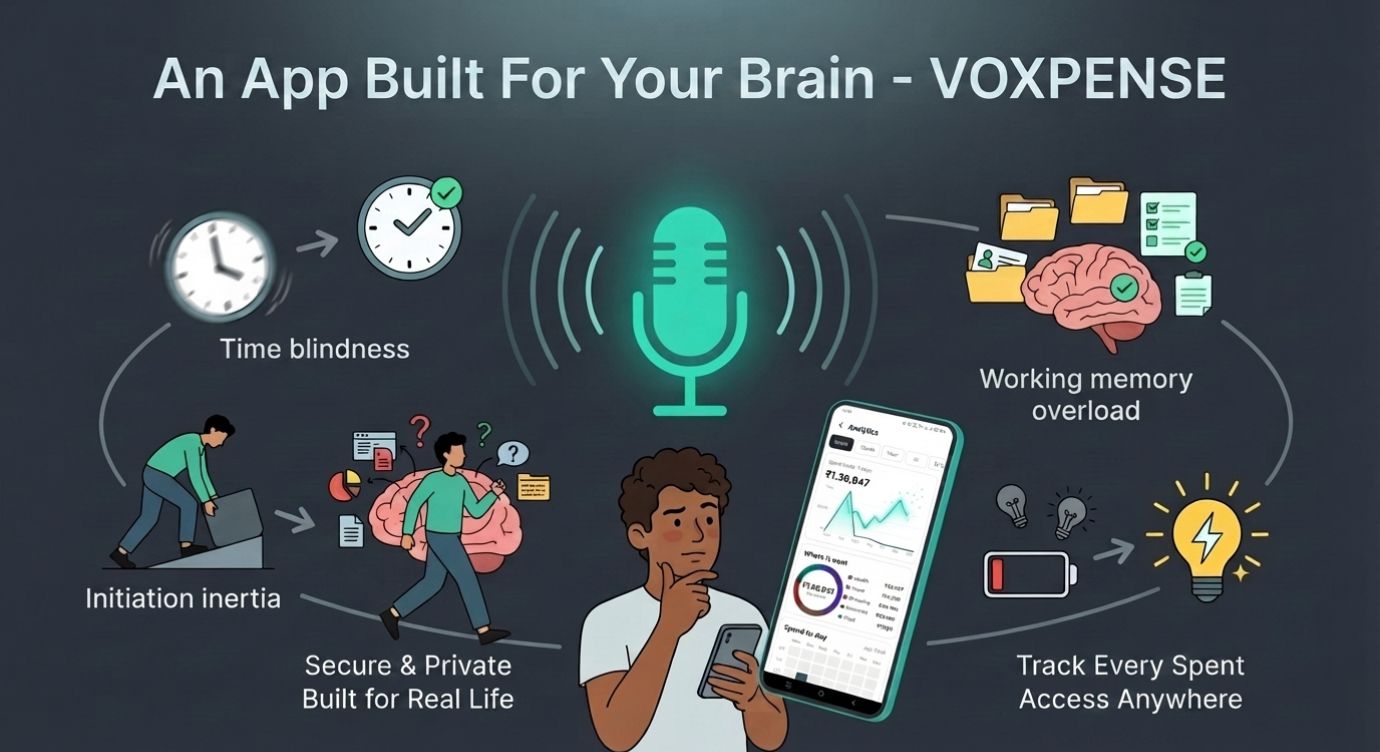
However, spreadsheets require friction: opening an app, finding the right cell, typing numbers, and hitting Enter. While this friction is tolerable for people with typical dopamine regulation, for people with ADHD, it’s a wall.
The research is detailed: People with ADHD struggle 6.5x more with financial management than neurotypical peers. Not because they care less—but because the executive functions required to manage traditional budgeting tools are exactly the ones ADHD makes hardest.
The gap between “I know I should track my finances” and “I actually track my finances” is huge. And no generic expense tracker can close this gap.
Unless, of course, it’s designed specifically for how ADHD brains work.
Why Traditional Budget Apps Fail ADHD Users
Let’s be honest: most finance apps for ADHD fail because they’re just traditional budget apps with ADHD slapped in the marketing. They miss the real problem.
Here’s what goes wrong:
1. The Multi-Step Process: Traditional apps require: Open app → Find category → Select date → Type amount → Add description → Tap save. That’s six steps. Six opportunities to lose focus. Six friction points.
For ADHD brains running low on executive function, six steps might as well be sixty.
2. Visual Overload or Visual Emptiness: Either the app is cluttered with charts and numbers (overwhelming), or it’s minimalist and boring (zero motivation). There’s no middle ground for ADHD brains that need stimulation without chaos.
3. The Reminder Problem: Gentle notifications don’t work for ADHD brains. A quiet notification appears, gets dismissed, and is immediately forgotten. Then—surprise—you missed a bill payment and got charged a late fee.
4. The Motivation Desert: Furthermore, spreadsheets and traditional apps feel like work. ADHD brains are motivated by immediate dopamine rewards rather than abstract future benefits. Watching a number update on a spreadsheet rarely triggers dopamine, whereas a bright animation and celebration can.
5. The Emotional Shame Cycle: Missing entries lead to incomplete data. Incomplete data leads to guilt. Guilt leads to avoidance. Avoidance leads to more missed entries. The cycle strengthens, and you abandon the tool completely.
Traditional visual money managers try to solve this with prettier designs, but they miss the core problem: ADHD financial management isn’t an information problem. It’s an executive function problem.
It requires a fundamentally different approach.
The ADHD Finance Solution: Meet Voxpense
Instead of asking people with ADHD to conform to how apps work, Voxpense conforms to how ADHD brains work.
Here’s the difference:
Feature 1: One-Second Voice Logging
Instead of six steps, there’s one: Speak.
“Spent 500 on coffee.” Done.
That’s it. Forget opening apps, typing expenses, and selecting categories. Just voice-to-tracked.
For ADHD brains, this removes 95% of the friction. You have a thought—”I spent money”—and you capture it immediately. Before executive function evaporates.
The neuroscience: ADHD brains struggle with working memory. The time between action and logging is where information gets lost. Voice logging eliminates that gap.
Feature 2: Bright, Animated Visual Charts
Numbers on a spreadsheet = invisible to ADHD brains.
Voxpense shows your spending as vivid, real-time visual updates. When you log an expense, you see:
The spending chart updates instantly
Your budget bar moves in real-time
The motivation factor: More importantly, these animations trigger dopamine. The immediate visual feedback creates a psychological reward, making it easier for people with ADHD to build sustainable habits.
Feature 3: Bill Reminders That Actually Work
A gentle notification is an ADHD person’s nightmare. They appear, get swiped away, and vanish from working memory instantly.
Voxpense sends visual reminders for bills and EMI payments:
Bright colored banner on home screen
Repeats if you dismiss it without taking action
Shows exact amount due and consequence of missing payment
This isn’t annoying. It’s necessary for executive function that’s wired differently.
Feature 4: Zero Setup Friction
Traditional budget apps ask: “How much do you want to allocate to groceries? Dining out? Entertainment?” This requires decision-making and executive function you might not have available.
Voxpense takes a different approach: Log expenses first, learn patterns later.
Track your expenses without setup, categorization, or manual decisions. Just start speaking, and the app learns your patterns automatically.
How Executive Dysfunction Specifically Impacts ADHD Finances
Executive dysfunction isn’t just “being disorganized.” It’s a measurable neurological difference in the brain systems responsible for planning, organizing, and initiating tasks.
When you have ADHD, your brain struggles with:
Time Blindness: “I’ll update my budget later” becomes three months later. Voxpense removes this by making logging instant—there’s no “later.”
Initiation Inertia: Starting is the hardest part. Once started, it’s easier. Voxpense reduces the barrier to initiation from “open app, navigate, find categories” to literally just speaking three words.
Working Memory Overload: Remembering the details of your spending while also managing the app interface is cognitive overload. Voice logging means you only remember the expense, not the process.
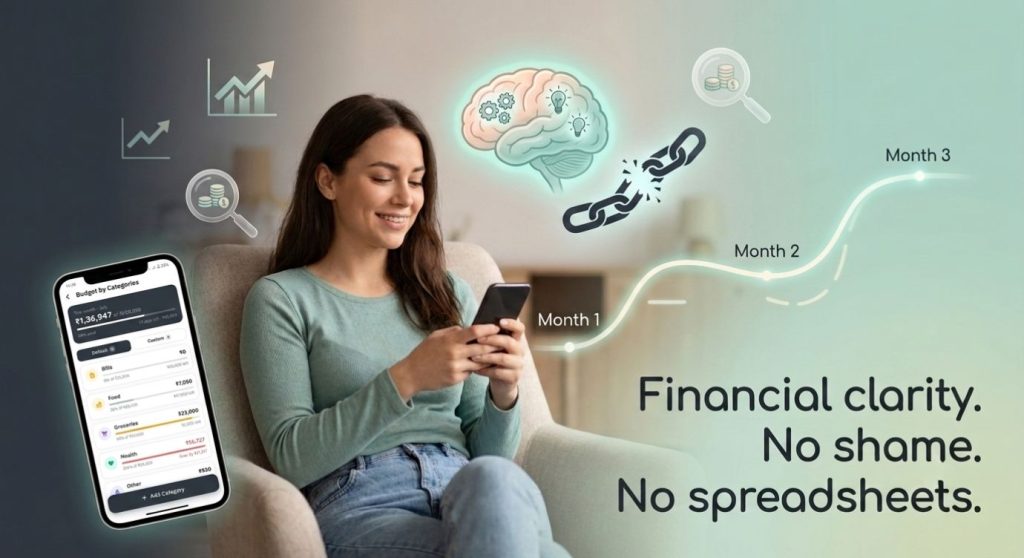
Emotional Dysregulation: Finally, emotional dysregulation can make a spreadsheet full of mistakes and missed entries feel overwhelming, often leading to shame spirals. In contrast, Voxpense’s friendly interface replaces self-criticism with positive encouragement.
Real Example: Marcus’s ADHD Finance Breakthrough
Marcus has ADHD and severe executive dysfunction. He was smart, but managing money was hard.
His old system:
Downloaded budget apps
Felt motivated for 3-4 days
Skipped logging expenses after day 5 (executive dysfunction kicked in)
Shame spiral when he tried to catch up
Abandoned the app by week 2
His pattern over 5 years: He’d tried 17 different budget apps. None lasted more than three weeks.
With Voxpense:
Week 1: Logs expenses via voice without thinking. No friction.
Week 2: Notices the bright visual charts updating. Starts enjoying the visual feedback.
Week 3: Bill reminder alerts him to upcoming EMI payment. He sets it to auto-pay and feels relief.
Month 2: Hasn’t missed a logging day. The voice logging habit is automatic.
Month 3: Actually has accurate spending data for the first time. Makes his first intentional budget decision.
The difference? Voxpense stopped asking Marcus to change how his ADHD brain works and instead adapted to it.
The Science Behind ADHD-Friendly Budget App Design
Research from the ADHD Institute shows that people with ADHD respond significantly better to:
The Minimalist App: Clean, simple interface with fewer features. Problem: Too boring for ADHD brains. Lacks the visual stimulation needed to maintain attention.
The Feature-Rich App: Packed with options and detailed insights. Problem: Executive dysfunction makes complexity worse, not better. Too many options = decision paralysis.
Voxpense: The sweet spot. Enough visual stimulation to maintain dopamine, enough simplicity to prevent overwhelm, and a judgment-free environment where missing one day doesn’t destroy motivation.
The Multi-Language Advantage for ADHD Clarity
Voxpense supports 19+ languages with auto-detection and English-Hindi code-mixing. For ADHD users, this matters more than you’d think:
Clarity: Expressing expenses in your native language reduces cognitive load. You don’t have to translate while managing executive dysfunction.
Naturalness: Code-mixing is how many people actually think and speak. “Spent ₹500 on chai” feels natural, not stilted.
Reduced Friction: One fewer cognitive step = one more chance you’ll actually log the expense.
Moving Forward: From Avoidance to Engagement
Here’s what changes when you use an ADHD-friendly budget app specifically designed for your brain:
Avoidance → Engagement: You’re no longer dreading logging expenses. Voice logging is actually… easy? Fun?
Forgotten Financial Goals → Visible Progress: Bright charts make progress impossible to ignore.
Mystery Bank Balance → Clear Spending Patterns: You finally understand where your money goes.
Financial Stress → Financial Clarity: For the first time, your financial life matches your brain’s processing speed.
Getting Started: No Setup Required
Inside Voxpense:
Minute 1: Install app Minute 2: Speak your first expense (“Just spent 200 on lunch”) Minute 3: Watch it log and display on your dashboard No minute for setup: Because there isn’t one
That’s the entire onboarding for an ADHD budget app done right.
Conclusion: A Finance App Designed for Your Brain
Most finance apps for ADHD are generic apps with ADHD marketing. Voxpense is different. It’s built from the ground up around how ADHD brains actually work.
Just voice logging, bright visual feedback, and clear notifications that actually work.
If you’ve tried 17 budget apps and abandoned them all, the problem wasn’t you. It was that they were designed for neurotypical executive function.
Your ADHD brain deserves a financial tool that works with it, not against it.
Try Voxpense today. Experience the difference of a simple expense tracker that actually gets used.
Your finances and your executive function will thank you!
The Gap Between Tracking Expenses and Building Wealth
You diligently log every coffee, every lunch, every impulse buy. Your expense tracking is flawless. Yet, when you look at your savings account, it feels stagnant. You’re tracking money going out—but are you intentionally building wealth?
This is the critical gap that separates people who manage money from people who build it.
Expense tracking is defensive. It stops the bleeding. But wealth building is offensive. It’s about intentionally moving money toward your dreams—whether that’s a new car, a dream vacation, or financial independence.
The harsh reality: 67% of people who track expenses still struggle to reach their savings goals. Why? Because visibility without direction is just data. You need an app to track savings goals that transforms data into motivation.
Why Traditional Savings Goals Fail
Let’s be honest. Most people set savings goals on January 1st with enthusiasm and abandon them by February with guilt.
Here’s what goes wrong with traditional approaches:
1. Abstract targets — “Save ₹50,000” feels meaningless compared to “New Car Fund: ₹50,000”
2. Manual updates — Writing progress in a notebook every month is friction. Friction kills habits.
3. No real-time feedback — You log expenses weekly but check your savings progress monthly. That delay removes motivation.
4. All-or-nothing thinking — One missed payment derails the entire plan
5. Lack of visual progress — Numbers on a spreadsheet don’t motivate. Charts do.
The solution isn’t willpower. It’s an automated money management system that removes friction and amplifies motivation through real-time visualization.
This is exactly why Voxpense was built.
How Voxpense Transforms Savings Goals Into Reality
Instead of treating savings as an afterthought, Voxpense makes goal-tracking the centerpiece of your financial life.
Step 1: Define Your Specific Goal
Inside Voxpense, creating a savings goal takes 30 seconds:
Tap “Goals” on your dashboard
Enter your goal name: “New Car Fund”
Set your target amount: ₹8,00,000
Choose your target date: 1 December, 2028.
Hit save
The app instantly calculates your monthly target: ₹44,444. That number now becomes your North Star. It’s no longer abstract—it’s concrete and time-bound.
Step 2: Choose whether you’d like to add your savings manually or save automatically every month.
Step 3: Watch Progress Update in Real-Time
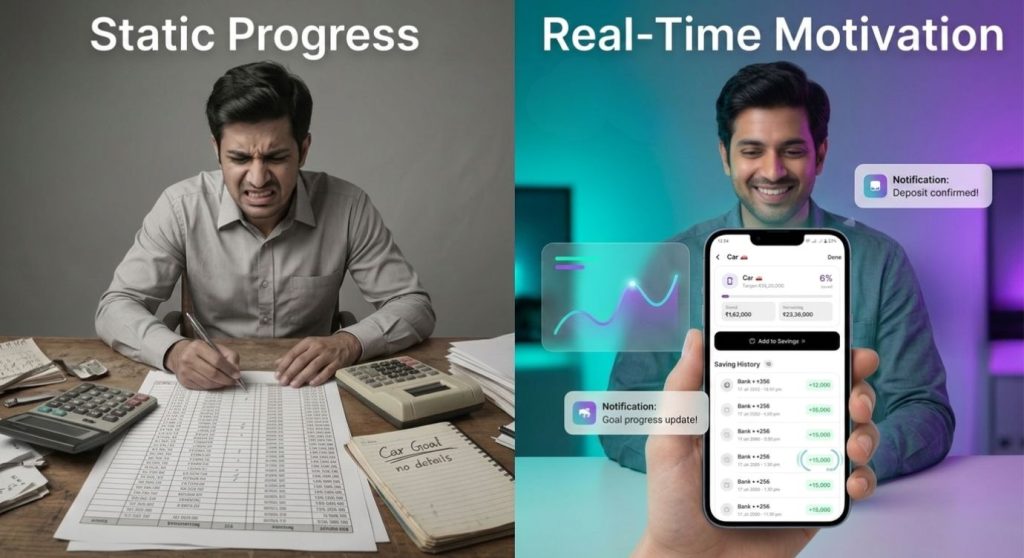
The magic happens on your dashboard. Instead of updating a spreadsheet monthly, you see your goal progress update in real-time:
You log savings: “Received 5000 as goal savings”
Dashboard updates instantly
Progress bar moves from 65% to 78%
This real-time feedback loop creates psychological momentum. Every income entry becomes a mini-win. Every achievement gets celebrated immediately—not at the end of the month.
The Psychology of Real-Time Goal Tracking
Research from the American Psychological Association shows that visual feedback increases goal achievement by 46% compared to passive monitoring.
Why? Because our brains are wired for progress. We don’t just want to save money — we want to see ourselves getting closer.
When your app to track savings goals shows:
Your New Car Fund was 65% complete last week
It’s now 70% complete today
You’re projected to reach 100% in 16 months (2 months ahead!)
That’s not just data. That’s motivation.
Contrast this with traditional banking apps that show your savings account balance once a month. Static. Demotivating. Forgettable.
Real-World Example: The New Car Fund Success Story
Let’s follow Ram’s journey. She wanted to buy a car but felt overwhelmed by the ₹25 lakh target.
Before Voxpense:
Created a goal in a spreadsheet
Logged expenses manually
Checked her progress every 2-3 months
Lost motivation after 6 weeks
Result: Saved only ₹15,000 in 6 months
After Voxpense:
Set goal: “New Car Fund – ₹25 Lakh”
Watches progress updates instantly
Sees her projected completion date (17 months)
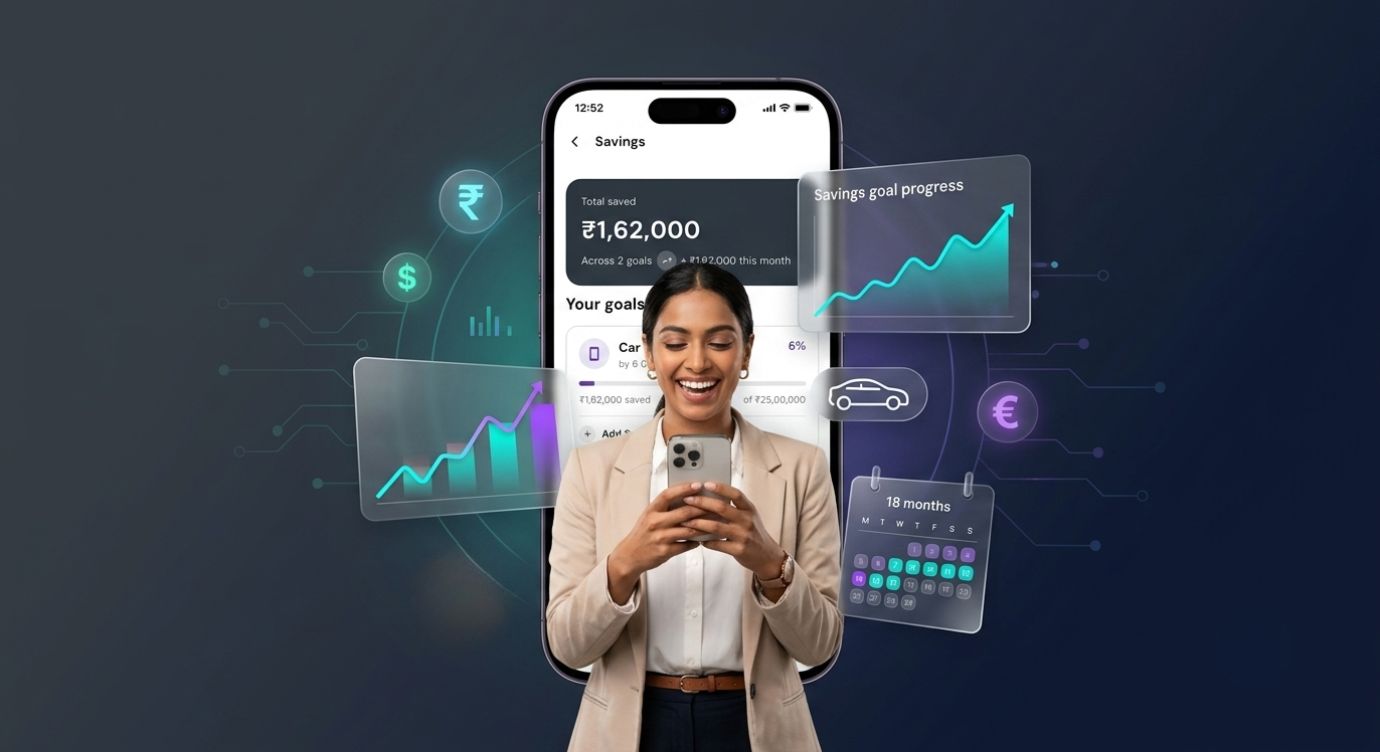
Result: Saved ₹1,62,000 in 6 months (8x improvement!)
The difference? Real-time visibility. Immediate feedback. Gamified progress.
Why Automated Money Management Is a Game-Changer
Manual goal tracking has a fatal flaw: it requires you to remember and execute consistently.
Automated money management removes this burden:
You can set up a monthly auto-debit of your savings amount on a specified date.
Multi-Currency Support — Earning income in dollars, euros, and rupees? Voxpense converts in real-time and allocates to your goal automatically. Whether you’re saving for a vacation app or a dream trip, currency differences disappear.
This isn’t about tracking—it’s about automation that makes you wealthy while you sleep.
The Compound Effect of Real-Time Tracking
Here’s the secret math behind why track budget goals apps work:
Without Real-Time Feedback:
Month 1: Motivated, save ₹30,000
Month 3: Motivation dips, save ₹20,000
Month 6: Forgotten goal, save ₹10,000
Month 12: Total = ₹2,00,000 (projected ₹3,60,000)
With Real-Time Feedback (Voxpense):
Month 1: See 8% progress, save ₹30,000
Month 3: See 25% progress, get nudge “You’re ahead!”, save ₹33,000
Month 6: See 55% progress, get notification “Halfway there!”, save ₹35,000
Month 12: See 105% progress, achieve goal early, save ₹3,80,000 (actual)
The difference isn’t just motivation—it’s compounding motivation. Each milestone creates momentum for the next one.
Beyond Single Goals: Building a Wealth Architecture
Voxpense doesn’t limit you to one goal. You can build an entire wealth strategy:
Goal 1: Emergency Fund — 6 months of expenses (₹3 lakh) Goal 2: Vacation Fund — Dream trip to Bali (₹1.5 lakh) Goal 3: New Car Fund — Your vehicle upgrade (₹8 lakh) Goal 4: Investment Fund — Build long-term wealth (₹5 lakh)
You see the progress on all goals simultaneously.
The Bigger Picture: From Tracking to Wealth Building
This is the fundamental shift Voxpense enables:
Expense tracking answers: “Where did my money go?” Goal tracking answers: “Where is my money going—and why?”
Reactive budgeting controls the damage. Proactive budgeting creates wealth.
When you combine both—tracking expenses to cut waste AND tracking goals to build wealth—you’ve created a financial system that actually works.
You’re no longer just managing money. You’re building it.
Conclusion: Your Savings Goals Are Waiting
The gap between wanting financial security and achieving it isn’t about income. It’s about visibility, automation, and motivation.
An app to track savings goals that combines automated money management with real-time visual feedback doesn’t just help you reach milestones; it makes the journey itself rewarding.
Your new car, your dream vacation, your investment portfolio they’re not distant fantasies. They’re 18-month milestones away with the right system.
The question isn’t whether you can save. It’s whether you’ll use a system that makes your savings visible and motivating.
Voxpense is that system. Start your first goal today. Watch your progress update in real-time. Experience wealth-building like never before.
You download the budgeting app on a Monday morning, full of optimism.
This time will be different. This time you’ll stick with it.
You spend an hour setting up categories, inputting your accounts, configuring alerts. It feels productive. You open a spreadsheet and manually track three transactions. You feel accomplished.
By Wednesday, the app sits unused on your phone.
By the following Wednesday, you’ve deleted it entirely.
This is the reality for 72% of people who attempt budgeting: they give up within two weeks.
People don’t quit budgeting because they lack willpower—they quit because it feels like a second job, leading to burnout.
Why Budget Burnout?
Traditional budgeting requires a cascade of micro-decisions and manual labor:
Week 1:
Set up accounts and link them
Define spending categories
Input historical data
Configure alerts
Create savings targets
Then continuously:
Remember to check the app
Manually enter transactions
Categorize purchases
Review progress
Adjust allocations
Analyze reports
Every budgeting task demands your attention, interrupts your workflow, and adds unnecessary friction.
By the second week, your decision-making capacity is depleted. The app starts to feel like an obligation rather than a tool. And obligations that don’t feel immediately rewarding get abandoned.
Research from Stanford University found that people are 46% more likely to quit digital habits if they require more than 60 seconds of interaction per use. Traditional budgeting apps? They require 2-5 minutes per session.
That’s why you quit.
The Budget Paradox
Here’s the paradox at the heart of modern budgeting:
The people most stressed about money are the people least able to afford the time to manage it.
If you’re:
Working multiple jobs
Managing a business
Raising kids
Handling emergencies
Dealing with life chaos
Then budgeting is the last thing you have mental bandwidth for.
Yet those are exactly the people who need budgeting most.
Traditional apps assume you have 20-30 minutes per week to dedicate to money management. But if you’re already overwhelmed, that’s an impossible ask.
You don’t need a powerful budgeting tool. You need a frictionless one.
Why Voice is the Antidote to Budget Burnout
Voice input changes everything about budget simplicity.
Think about how you currently budget:
Open app
Navigate to transaction entry
Type merchant name
Select category (from list of 15-20)
Enter amount
Confirm
That’s 6 steps, 45-60 seconds.
Compare to voice:
Say “Today I spend 6.50 on coffee”
That’s 1 step, 3 seconds.
But the difference isn’t just speed. It’s psychological.
When something takes 3 seconds, it doesn’t feel like a task. It feels like talking. Your brain doesn’t categorize it as “work” or “obligation.” It’s as natural as telling a friend what you spent.
This is why voice-based budgeting eliminates burnout. You’re not using an app. You’re talking.
And talking requires virtually zero friction.
The Low-Effort Money Tracking Revolution
Instead, an easy budget planner isn’t defined by features—it’s defined by how little effort it requires.
A good budget planner should:
Require minimal time per interaction (under 5 seconds) Voice commands achieve this. No typing, no navigation, just speak.
Require minimal cognitive load (no category selection) The app learns your merchants and auto-categorizes. “Coffee” automatically becomes “Dining: Beverages.”
Require minimal setup (use defaults) Don’t ask users to create 20 categories. Provide smart defaults. They can customize later if they want.
Require minimal maintenance (set and forget) Once configured, the budget should run itself. Alerts when you exceed limits. That’s it.
Provide maximum insight (visual, digestible) Show spending breakdown at a glance. No detailed reports required. Just: “You’ve spent $X of your $Y budget this month.”
This is what low-effort money tracking actually means.
How Voxpense Eliminates Budget Burnout
Voxpense was specifically designed to eliminate every friction point that causes budget burnout:
Voice Input: Instead of typing, you talk. “Today Spend 12.50 on lunch.” Logged instantly. No friction.
Automatic Categorization: The app learns that Starbucks = Dining, Shell Gas = Transportation, Uber = Rideshare. You don’t decide. It remembers.
One-Tap Dashboard: See your budget status instantly. No digging through reports. Just: “Budget: 45% spent, 55% remaining.”
Smart Defaults: Standard budget categories pre-loaded. Advanced users can customize. Beginners can use as-is.
Set-and-Forget Alerts: Alert when approaching category limit. Alert when unusual spending is detected. Otherwise, silence. You’re not bothered constantly.
Week-by-Week Progress: See how the week is going. Adjust behavior in real-time. No waiting for month-end.
Ultimately, the entire experience is designed around one principle: budgeting should require as little effort as possible.
Because the less effort required, the more likely you’ll actually maintain it.
The Real Cost of Budget Burnout
What does it cost when you quit budgeting?
Financial Cost:
Overspending goes unnoticed
Budget optimization never happens
Savings targets remain unmet
Average person leaves $3,000-5,000 per year on the table
Psychological Cost:
Ongoing financial anxiety
Shame about poor money management
Decision fatigue from ad-hoc spending
Opportunity Cost:
Money that could have been invested grows elsewhere
Financial freedom pushed further away
Stress compounds over years
The Alternative: With voice-based budgeting, you maintain the habit because maintenance is effortless.
One 3-second voice command per purchase. That’s it.
Over a year, that’s:
365 purchases logged
<30 minutes total time investment
Perfect financial visibility
$3,000-5,000 reclaimed through optimized spending
30 minutes of voice commands beats years of financial stress.
If You Can Talk, You Can Budget
This is the core idea: budgeting complexity is a myth.
Budgeting isn’t complicated. Budgeting apps are complicated.
In fact, the act of budgeting—knowing what you spent and where—is simple, even trivial.
You already know if you had a good financial week or a bad one. You just don’t have visibility into why.
Instead, voice-based budgeting gives you that visibility without the work.
You don’t need to be a financial expert—you just need to talk.
That’s literally it.
Say what you spent, when you spent it, and the app handles the rest: categorization, tracking, insights, alerts.
This is the definition of simplifying your finances—not making budgeting more powerful, but making it more human.
Start Where You Are
You don’t need to:
Read financial books
Take a budgeting course
Create complex spreadsheets
Optimize every category
Become a money expert
You just need to:
Download an app
Say what you spent
Watch your budget come together automatically
That’s it. That’s the entire system.
If you’ve quit budgeting before—this time is different. Because this tool was built for people like you: busy, overwhelmed, skeptical of complex systems.
Voxpense isn’t for financial experts. It’s for everyone else.
You receive a notification on your phone three weeks after your electricity bill was due. Your heart sinks. Not only do you owe the original amount, but you’re now staring at a late fee—often 1-5% of your total bill plus potential penalties. What started as a simple oversight has just cost you money you didn’t plan to spend.
This scenario plays out millions of times monthly across households and businesses worldwide. According to recent financial data, Americans collectively pay over $1.5 billion in unnecessary late fees annually, often on bills as small as $10 subscriptions or $50 utilities. But the real cost goes far beyond the monetary amount—late fees trigger a cascade of financial and psychological consequences that ripple through your entire financial life.
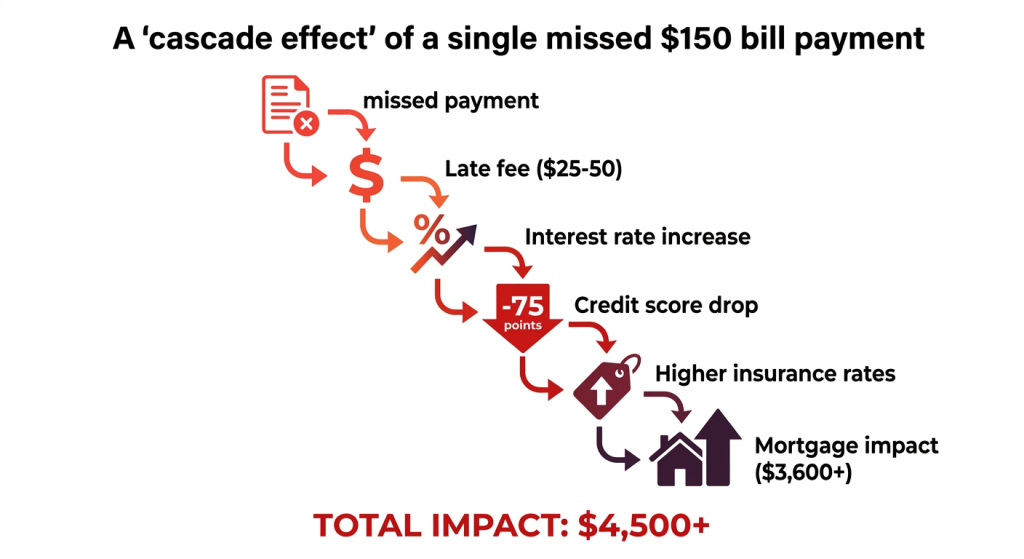
The True Cost of a Missed Bill Payment:
Missing a bill payment costs more than just a late fee.
Immediate Financial Impact:
Late fees typically range from 1-5% of your bill amount, but can exceed 10% on certain accounts
Interest begins accruing on unpaid balances at rates that can jump 5-10% above your regular rate
A single missed utility payment can result in reconnection fees ($50-$300) if service is disconnected
Subscription services often charge recurring late fees that compound with each missed payment
Credit Score Consequences:
Your credit score is built on five pillars, and payment history represents 35% of your total score—the single largest factor. Missing even one payment by 30 days can:
Drop your credit score by 50-100 points immediately
Remain on your credit report for up to 7 years
Increase interest rates on future loans and credit cards by 1-3%
Cost you tens of thousands in higher mortgage interest alone
Research from FICO shows that a single 30-day late payment can reduce a 750-credit score to approximately 690—a devastating drop that takes years to recover from.
Psychological Toll:
Financial stress from missed payments is a leading cause of anxiety and sleep disruption. The American Psychological Association reports that money is the top stress factor for 64% of adults, and unpaid bills contribute significantly to this anxiety. Missing bill payments creates:
Constant background stress about financial obligations
Fear of service disconnections or collection agencies
Shame and embarrassment about financial management
Relationship strain when shared finances are affected
Reduced productivity and focus in work and personal life
Long-Term Consequences:
A single missed payment can affect your financial life for years:
Barriers to getting approved for credit when needed
Limited negotiating power with service providers
Why We Miss Payments (And Why It’s Not Your Fault)
Before we dive into solutions, let’s acknowledge the reality: missing bill payments isn’t primarily a character flaw—it’s a system design problem.
The Modern Bill Payment Chaos
Today’s average household manages 15-20 different bills across multiple providers, platforms, and payment due dates. Here’s the complexity:
Due Dates Are Everywhere:
Utility bills might be due on the 5th
Credit card payments on the 15th
Subscription services on various assigned dates
Loan payments potentially on different dates
Insurance premiums spread across the month
This fragmentation means you need to track payment dates across 15-20 different locations, platforms, and systems. A typical person works 40+ hours weekly, manages family obligations, and handles countless other responsibilities. In this context, a missed bill payment isn’t stupidity—it’s mathematics. You can’t realistically remember 20 different dates across 20 different platforms.
The Smartphone Paradox: While smartphones have made communication easier, they’ve also made managing everyday life more complex. You’re receiving notifications constantly—messages, social media, work emails, news alerts. Bill due date reminders, buried in email or lost among thousands of notifications, simply don’t stand out.
Studies show that the average person receives around 63.5 notifications every day. As a result, your bill payment reminder can easily get lost in the constant stream of alerts, becoming just another notification your brain has learned to ignore.
The Hidden Banking Architecture: Many financial institutions still operate on outdated systems where bills arrive via mail weeks before they’re due, then sit in your inbox until the last moment. Credit cards, mortgages, and utilities often have different online platforms, different login credentials, and different interfaces—adding friction to every payment.
The Solution: Voxpense – Smart Bill Reminder App
A Voxpense bill reminder app is fundamentally different from just using your phone’s basic calendar. The best bill reminder applications combine several critical features that work together to ensure you never miss a payment:
1. Centralized Bill Dashboard
A smart bill organizer consolidates all your bills into one unified view. Instead of logging into 15 different platforms, manage everything in one place:
All upcoming bills at a glance
Due dates clearly displayed
Amount owed for each bill
Payment status and history
Time remaining before each payment
This single-pane-of-glass approach eliminates the fragmentation that causes missed payments in the first place.
2. Proactive Notifications
Unlike passive reminders, smart bill reminder apps use intelligent notification systems that:
Alert you multiple times before due dates (e.g., 1 week before, 3 days before, 1 day before)
Send notifications through multiple channels (push notifications, SMS, email)
Escalate reminders if you don’t mark them as “paid”
Work even if you disable notifications for other apps
The key difference: these aren’t just calendar alerts you’ve learned to ignore. They’re persistent reminders designed specifically for preventing payment failures.
3. Bill Tracking Across Accounts
The best bill organizer apps can:
Categorize bills by type (utilities, subscriptions, loans, insurance, etc.)
Track spending patterns across all bills
Show you how much you spend monthly on each category
Identify bills you might have forgotten about or no longer use
Alert you to billing changes or unexpected increases
4. Payment Integration
Advanced bill reminder apps reduce friction by allowing you to:
Pay your bills directly from the app whenever possible. Store secure payment information
Set up automatic payments for recurring bills
See payment history and receipts in one place
Get immediate confirmation of payment processing
5. Financial Insights
The best bill payment apps provide:
Monthly spending overview
Budget recommendations based on your bill patterns
In-app alerts become more prominent if earlier reminders go unacknowledged.
Analysis of which bills are consuming the most of your income
Seasonal spending patterns (higher heating costs in winter, etc.)
Why Voxpense is the Ultimate Bill Reminder App
Voxpense was built from the ground up to solve the specific problems that cause missed bill payments. Here’s how it stands apart:
Multi-Channel Notification System
You won’t miss a Voxpense reminder because:
Smart timing delivers reminders when you’re most likely to take action—not at 3 AM.
Push notifications are designed to grab your attention when a bill payment is due.
In-app alerts become more prominent if earlier reminders go unacknowledged.
Tracks upcoming large payments so you can plan your budget in advance.
Payment Flexibility
Voxpense works with how you actually want to pay:
Supports one-time and recurring bill entries
Lets you schedule payments in advance to avoid missed deadlines
Credit Score Protection
Because Voxpense prevents missed payments, it:
Keeps your payment history perfect (the biggest factor in credit scores)
Helps you avoid late fees that compound financial stress
Gives you time to budget for large upcoming bills
Prevents the cascade of consequences that follow a single missed payment
Maintains financial stability for your family
The Financial Math: What You’ll Save with a Bill Reminder App
Let’s put real numbers to this. Consider an average household with:
3 utility bills
2 credit cards
1 mortgage/rent payment
2 insurance payments
4 subscription services
2 loan payments
In fact, that’s 14 bills to track every month. Without a reliable bill reminder app, studies suggest the average household misses at least one payment every 2–3 years. As a result, here’s what that can cost:
Single Missed Payment Scenario:
Late fee (average 2% of bill): $15-$50
Interest increase (1-3% on future balances): $50-$200 annually
Credit score impact (average 50-point drop): $3,600 more interest on a $200,000 mortgage over 30 years
According to behavioral economics, “present bias” causes us to prioritize avoiding immediate discomfort over preventing future problems. Consequently, a missed bill payment may seem like a minor, one-time mistake. However, the financial consequences often compound over months and years, turning a small oversight into a much higher cost.
A bill reminder app changes this equation by:
Making consequences visible in advance (showing due dates)
People who use bill reminder apps consistently report:
Reduced financial anxiety (the biggest benefit)
Better sleep quality
Improved credit scores (average 40-60 point improvement in first year)
Less relationship conflict about finances
Greater overall life satisfaction
Preventing Late Fees: A Cultural Shift
Individually, preventing missed bill payments is a smart financial move. Collectively, adopting bill reminder apps represents a shift toward more intentional financial management.
Financial stress is epidemic. The American Psychological Association reports that 64% of adults cite money as their primary stress source. Much of this stress is preventable through better tools and systems.
Making the Commitment to Payment Perfection
Here’s what we know:
You’re going to have bills. This is non-negotiable in modern life.
You’re going to be busy. Everyone is.
Your brain isn’t optimized to remember 20 different due dates across 20 different platforms.
The consequences of a single missed payment are severe and lasting.
A bill reminder app is inexpensive, effective, and widely available.
The only question is: will you use the tools available to you, or will you continue relying on memory and luck?
The answer matters. It matters for your credit score. It matters for your financial health.
Ready to Take Control of Your Finances?
Start your Voxpense free trial today.
Join thousands of people who’ve eliminated bill payment anxiety and improved their financial health. Voxpense’s bill reminder app combines intelligent notifications, automated bill tracking, and financial insights into one simple platform.
You pull up your credit card statement on Monday evening. There it is: Starbucks, $6.80. Again. But you can’t remember which day you bought it.
Then another one: $6.45. And another: $7.20.
Three lattes from last week alone: twenty dollars you didn’t consciously spend. And that’s just coffee.
Scroll down further: parking meters ($5), lunch from that food truck ($12), gas station snacks ($8), rideshare services ($23), delivery app fees ($6), a quick pharmacy run ($15).
By Friday, you’ve spent $121 on small purchases you barely remember making. At the end of the month, that’s nearly $500 in “forgotten” micro-transactions.
But here’s the real problem: You didn’t budget for any of it. Your financial plan assumed you’d spend $80 on dining out. You actually spent $200. Your budget for transportation was $120. You spent $185.
These small, frequent expenses aren’t individually significant. But collectively, they’re sabotaging your budget and destroying your financial plan.
And the worst part? You can’t even remember where the money went.
Financial experts call this the “invisible money leak.” Micro-transactions—small purchases under $20 are the ones most frequently forgotten because of a simple principle: if it doesn’t feel like a purchase, you don’t mentally budget for it.
The Forgotten Economy: Why Micro-Transactions Are Invisible
Your brain evolved to remember big, intentional purchases. When you buy a laptop for $1,200, you consciously decide to do it. It’s a purchase. It gets filed away in your memory as “that time I bought a computer.”
But a $6 coffee? Your brain doesn’t register it the same way. You’re focused on the meeting ahead, the email you need to send, getting the kids to school on time. The coffee is incidental, a vehicle for caffeine, not a transaction worth remembering.
Why Micro-Transactions Are Getting Worse
The last decade has transformed how we spend money. Our daily lives have shifted from occasional spending to frequent, recurring expenses, from coffee runs and rideshares to managing multiple subscriptions every month.
The frequency has increased exponentially. And with each increase in frequency comes a decrease in conscious awareness.
Research from the Journal of Consumer Psychology shows that:
90% of people accurately remember large purchases ($100+)
60% of people accurately remember medium purchases ($20-100)
Only 15% of people accurately remember micro-transactions (under $20)
This isn’t laziness or lack of discipline. It’s a limitation of human working memory combined with modern spending patterns designed to be frictionless. Every company optimizing their payment process to be as easy as possible has made it easier for you to spend money without thinking about it.
You can now:
Tap your phone once for coffee
Say “Alexa, order that product”
Subscribe to services with a single click
Use one-touch payment buttons
Auto-pay recurring charges
Each optimization makes spending easier and less cognitively taxing. The result: you spend more money on things you barely notice spending money on.
Busy People Need Better Than Traditional Expense Trackers
You know you should track your spending. You’ve probably tried.
Most people have tried at least three different expense tracking methods:
1) The Phone Notes App Approach!
You decide to jot down every expense in your notes app. “Great system!” you think on day 1. By day 5, you’re at a coffee shop and remember you should write down last week’s expenses. You scribble seven purchases down that you can’t quite remember. By day 15, you’ve given up because this requires you to stop what you’re doing, pull out your phone, open the app, remember what that $15 charge was for, type it in, categorize it, and continue your day.
That friction that cognitive and physical burden is unsustainable when you’re already juggling 47 other things.
2) The Receipt Collection Approach!
You’ll collect all your receipts and input them on Sunday! You probably make it one Sunday before you realize:
Half your receipts are missing (they’re tiny)
You have 40 receipts to input by hand
Inputting 40 receipts takes 45-60 minutes
Your Sunday got consumed by data entry
The next Sunday, you skip it because you’re tired
3) The Credit Card Statement Approach!
You’ll just look at your credit card statement at month-end and see where the money went. But this is pure reaction. By then:
You can’t change the behavior (money already spent)
You can’t remember the context (what was that $47 charge for?)
You can’t do any real budgeting (too late to adjust)
You can’t create better habits (disconnected from actual spending)
The Spreadsheet Approach:
Excel! Google Sheets! The most organized system! You create a beautiful spreadsheet with categories, color coding, and formulas. Then:
Pulling out your laptop to log a $6 coffee is worse than noting it.
Sync issues between devices create duplicates and confusion.
Manual entry errors happen constantly.
One wrong number throws off your whole system.
The cognitive burden increases as the spreadsheet gets bigger.
Why All These Fail:
Every traditional expense tracking method assumes you have time to stop what you’re doing to log an expense.
But you don’t. You’re:
Driving to work
In the middle of a client call
Picking up kids from school
Between meetings
Handling a crisis at work
Dealing with an emergency
In that moment while you’re actually spending money, the last thing you want to do is pull out a device, navigate an app, and manually input data.
The solution most “busy people” choose? Don’t track it. Just hope you can remember or estimate it at month-end.
The Voxpense – (Single-Handed Expense Manager): A Better Solution
Logging an expense shouldn’t interrupt your day. It should happen while you’re commuting, between meetings, or even when your hands are full. Instead of manually typing every detail, your expenses could be categorized automatically. Better yet, the entire process could take just 2–5 seconds instead of 30–60 seconds.
That’s the entire concept of a Voxpense – an app designed for the reality of busy people’s lives.
The Problem With Traditional Apps
Traditional budgeting apps were designed for a different era. They assume:
You have time to sit down and log expenses
You’ll remember details about past purchases
You want to manually type information
You prefer precise categories you’ve set up
You’re using a device with two hands
But modern life doesn’t work that way.
A proper fast expense tracker needs to:
1. Require Minimal Interaction: Not clicking through 3 screens. Not selecting from 20 categories. Not typing detailed notes. Just: open, log, close. Ideally 2-5 seconds max.
2. Work One-Handed: You’re holding a coffee, steering a car, carrying groceries, or rocking a baby. The app needs to work when you have only one free hand.
3. Accept Voice Input: The fastest way to input data when your hands are busy is with your voice. “Coffee, 6.50, Starbucks” should log the transaction in real-time.
4. Learn Your Patterns: The app should remember:
Where you usually spend money (Starbucks, not “coffee shop #47”)
How much you usually spend
What category it belongs to
Common merchants and amounts
5. Categorize Automatically: If you say “Starbucks 6.50,” it should know:
Merchant: Starbucks
Category: Dining/Beverages
Amount: $6.50
Date/time: No manual selection required.
6. Sync Across Devices: You should be able to log an expense on your phone. Everything syncs to give you a real-time view of spending.
What A Voxpense – Expense Manager Actually Does
A proper on-the-go budget app changes the experience completely:
Before (Traditional App):
Purchase coffee at Starbucks ↓ Remember to log it (maybe) ↓ Stop what you’re doing ↓ Pull out phone ↓ Open app ↓ Tap “Add Expense” ↓ Type “Starbucks” (spell it out) ↓ Select from categories: Food? Dining? Beverages? ↓ Enter $6.80 ↓ Add note? (optional, usually skip) ↓ Confirm and save ↓ Close app ↓ Resume what you were doing
TIME: 45-60 seconds FRICTION: Very high HABIT FORMATION: Low (you’ll skip most transactions)
After (With Voxpense Expense Manager):
Purchase coffee at Starbucks ↓ While walking/driving/busy: ” Spend 6.50 on Starbucks coffee “ ↓ App logs it instantly ↓ Continues learning your spending ↓ Resume what you were doing
TIME: 2-5 seconds FRICTION: Virtually none HABIT FORMATION: High (you’ll log almost everything)
How Voxpense – Voice-Activated Expense Tracking Changes Everything
The Science of Frictionless Habits
Behavioral psychologist B.J. Fogg has researched habit formation for 20 years. His core finding: tiny behaviors are more likely to become habits than ambitious behaviors.
He discovered a principle called “Habit = Motivation × Ability × Prompt”
For expense tracking:
Motivation: You want to understand your spending (moderate)
Ability: Traditional app has high friction (low ability)
High ability × existing prompt = High habit formation rate!
This is why voice-activated tracking works for busy people: it removes the friction that prevents habit formation.
The Real-Time Budget Visibility Advantage:
When you track expenses as they happen (not at month-end):
You see patterns immediately. After a week, you might realize: “Wait, I’ve spent $40 on coffee already? That’s more than I thought.”
This immediate feedback triggers behavioral change faster than any month-end analysis.
You can make real-time adjustments. Instead of discovering you’ve overspent on dining at month-end (when it’s too late), you see it by Wednesday and adjust your behavior for the rest of the week.
You build better financial intuition. When you’re constantly logging small expenses, you develop a more accurate sense of “what things cost” and “how much I actually spend.”
You can catch fraud immediately. See an expense you didn’t make? Flag it instantly instead of discovering it on your statement weeks later.
You maintain budget discipline. When you’re seeing your spending in real-time, it’s much harder to rationalize overspending in any category.
The Hidden Problem With Micro-Transactions: The Behavioral Drift
There’s something else happening with forgotten micro-transactions that’s even more insidious than the financial cost.
Spending creates momentum.
Once you’ve bought one expensive coffee, the mental resistance to buying another drops. “I already spent $7 today, so another $7 isn’t that much worse.”
This is called decision fatigue threshold displacement. After you make one purchasing decision in a category, your willpower for that category decreases with each additional decision.
Here’s a smoother version with transition words for better readability:
Psychologists call it the “what-the-hell effect”: “I’ve already broken my budget, so what the hell, I might as well eat out tonight too.”
As a result, if you can’t see your spending accumulating, this effect becomes even stronger. For example, you might spend $40 on coffee by Friday without realizing it because each individual purchase feels too small to notice. Over time, those seemingly insignificant expenses quietly add up, making it easier to overspend without realizing it.
But when you’re tracking in real-time:
After the first coffee, you see: $6.50 logged
After the second, you see: $13 total
After the third, you see: $19.50 total
By the fourth, you see: $25.50 and think “Wait, that’s way too much”
As a result, the visible accumulation triggers behavioral correction before it becomes a pattern.
Voxpense: The Ultimate Single-Handed Expense Manager
To solve this problem, Voxpense was specifically designed for the modern busy person. It solves every problem that makes traditional expense tracking fail.
Key Features of Voxpense Tracking:
1. Voice-Activated Logging – Simply say:
“Spend 6.50 on Coffee “
“Paid 5 for parking”
“Spend 12.95 on lunch, Chipotle”
The app understands conversational input and logs it instantly. No typing required.
2. Merchant Recognition: Voxpense learns the merchants you frequent:
“Starbucks 6.50” → Automatically categorized as “Dining: Beverages”
“Chevron 45” → Automatically categorized as “Transportation: Gas”
“Uber 23” → Automatically categorized as “Transportation: Rideshare”
After a few uses, you can just say “Starbucks 6,” and the app fills in the category and merchant details.
3. Smart Categorization: You define your budget categories (or use defaults), then Voxpense learns:
What falls into each category
Your spending patterns by category
Which merchants belong where
Common amounts and frequencies
4. Real-Time Budget Dashboard: See at a glance:
Total spent this month
By category breakdown
In comparison to your budget
How much you have left to spend
Trends and patterns
5. Multi-Device Support: Log expenses from:
Your phone (easiest for most transactions)
Voice assistants (Alexa, Google Assistant integration)
6. Insights and Analytics: Instead of just tracking expenses, Voxpense provides actionable insights to help you make smarter financial decisions.
Spending trends over time
Category analysis (where’s most of your money going?)
Merchant analysis (which stores do you visit most?)
Behavioral insights (“You’ve increased dining 23% this month”)
Forecasting (at current rate, you’ll spend X this month)
How Voxpense Fits Into Your Busy Lifestyle
For Busy Professionals
You’re constantly in meetings, between calls, managing multiple projects.
Traditional expense tracking asks: “Do you have 30-60 minutes to input expenses?”
Rather than interrupting your day, Voxpense asks:“Can you say five words while walking between meetings?”
Scenario:
9:15 AM: “Spend 6.50 on Coffee, Starbucks”
12:45 PM: “Paid for Lunch, 14.20, Panda Express”
6:30 PM: “Uber, 18, ride home”
Total time: 20 seconds across the entire day. Traditional app time: 3-5 minutes. Difference: You actually track 90% vs. remembering 40%
The Biggest Problem with Today’s Expense Tracking Apps
You’re at the grocery store. Bags in both hands. You just spent ₹2,340. You get to your car and think: “I should log this.”
But then you realize: your hands are full. Your phone is buried in your pocket. Opening the banking app, finding the expense tracker, typing out the amount, selecting the category—it all takes time.
By the time you make it home, you’ve forgotten to log it.
This friction happens thousands of times a day for millions of people worldwide. The average person forgets to log 40% of their daily expenses because manual entry is too cumbersome.
That’s the problem with traditional expense tracking apps. They were designed for people sitting at desks, not for the real world.
But what if you could track expenses without typing at all?
What if you could log a ₹500 dinner at a restaurant, a ₹150 coffee, and a ₹1,200 Uber ride all while keeping both hands free? What if your app understood context, automatically categorized expenses, and even understood both Hindi and English without forced translation?
That’s the power of voice-based expense tracking—and it’s changing how millions of people manage their money in 2026.
Why Manual Expense Tracking Is Failing (Even Though Everyone Knows They Should)
The Statistics Tell the Story
68% of people attempt to track their expenses manually at some point. Yet:
52% abandon tracking within the first month
71% admit forgetting to log purchases on the same day
83% lose motivation after a few weeks of manual data entry
The reason? Friction. Friction everywhere.
The Hidden Costs of Traditional Expense Apps
When you use a traditional expense tracking app, here’s what really happens:
Moment 1: Purchase Made. You buy something. You’re busy. Your hands might be full. Your mind is elsewhere.
Moment 2 – Memory Lag: Hours pass. You get home. You remember: “Oh, I need to log those expenses.”
Moment 3 – App Opening: You open your phone. Unlock it. Find the app. Wait for it to load.
Moment 4 – Manual Data Entry: You manually enter the amount, choose a category, optionally add a note, and then save the expense.
Moment 5 – Repetition: You do this 5-10 times a day for dozens of purchases.
The Result? By day 7, you’re exhausted. By day 30, you’ve quit.
The bigger problem? You’re missing data. That coffee you forgot to log. The lunch you didn’t record. The subscription you didn’t remember. Your expense data is incomplete, so your budget is built on inaccurate information.
Why Categories Are Confusing
Even when people log expenses, they’re confused by categorization.
Is a coffee from a convenience store “Food & Dining” or “Groceries”?
Is an Uber to visit a friend “Travel” or “Entertainment”?
Traditional apps force you to choose. You pause to decide the right category, wasting 5–10 seconds on every expense entry.
Multiply that across 10-15 daily transactions, and you’re spending 2+ minutes daily just categorizing expenses.
The Zero-Typing Solution: How Voice Expense Tracking Changes Everything
Voice-based expense tracking eliminates all of this friction.
Instead of pulling out your phone, unlocking it, opening an app, and typing—you simply speak.
“Spent 500 rupees on groceries.”
Done. Your app:
Logs the amount (₹500)
Records the category (Groceries)
Timestamps the transaction
Understands natural language (no rigid templates)
Works while you drive, walk, cook, or carry grocery bags
With the Zero-Typing principle, your hands stay free, your focus remains uninterrupted, and the app takes care of the rest.
Why This Matters for Your Life
Let’s be specific. Here’s how zero-typing changes your day:
Scenario 1: Commuting (5 minutes saved). Traditional app: You’re sitting in an Uber. You recall each expense, manually enter and categorize every transaction, double-check for missed entries, and spend nearly five minutes logging what should have taken seconds.
VOXPENSE: You say: “Spent 450 on lunch, 150 on coffee, 300 on snacks.” You press send. Done in 30 seconds. Time saved: 4.5 minutes.
Scenario 2: Grocery Shopping (3 minutes saved). Traditional app: You’re at the store, bags in both hands. Instead of logging each expense one by one from memory, manually categorizing them, and spending five minutes checking for missed entries, you can record everything in seconds. Total time: 3+ minutes.
VOXPENSE: You’re in the car (hands free). You say: “Spent 2,340 on groceries.” Done in 10 seconds.
Scenario 3: Multiple Small Transactions (10+ minutes saved). Traditional app: You buy: coffee (₹120), sandwich (₹280), book (₹450), parking (₹40). You remember some, forget others. You manually type and categorize. Total time: 8-10 minutes. Data quality: 70% complete.
VOXPENSE: You say all 4 purchases as they happen. The app logs them instantly. You don’t forget because you log in real-time. Total time: 1 minute. Data quality: 100% complete.
Add this up over a month: You save 5-8 hours per month from elimination of manual data entry friction.
How Voice Expense Tracking Actually Works
You might wonder: How does a voice app understand what you’re saying?
Here’s the technical reality in simple terms:
Step 1: Speech Recognition (AI Listens)
You speak your expense: “Spent 1,200 on Uber to airport.”
Advanced AI listens to your voice and converts it to text. Modern voice recognition—powered by artificial intelligence—understands:
Numbers (1,200)
Context (Uber = travel)
Natural language (You didn’t say “expense category: transportation”—you just said “Uber”)
Multiple languages (Hindi, English, mixing both naturally)
Step 2: Intelligent Parsing (AI Understands)
The app breaks down what you said:
Amount: 1,200
Category: Travel (from the word “Uber”)
Merchant: Uber
Time: Now (automatically timestamped)
You didn’t need to specify any of this. The app understood it from context.
Step 3: Automatic Categorization (AI Learns)
The app doesn’t just recognize words. It learns patterns:
Spent 200 on dinner → Food & Dining
Spent 300 on Netflix → Entertainment (not a surprise; it remembers Netflix is a subscription service)
Spent 1,500 on Amazon → Shopping (and remembers your previous Amazon purchases)
Spent 80 on parking → Transport
Over time, the app learns your spending patterns and gets smarter about categorization.
Step 4: Data Synchronization (Instant Updates)
Your expense data syncs instantly across:
Your phone’s dashboard
Your web account
Your financial summary
Your budget tracking
You see updated spending data in real-time, without any manual work.
Key Features That Make Voice Tracking Essential
1. Real-Time Expense Logging
Why it matters: Most people forget purchases within hours. Voice tracking captures expenses at the moment they happen.
You’re standing at the coffee shop. You buy a coffee. You say “Spent 150 on coffee.” Logged immediately. No memory lag. No forgotten data.
2. Hands-Free Operation
Why it matters: 73% of people are multitasking when they should be logging expenses. They’re:
Driving
Cooking
Carrying groceries
Pushing a stroller
Walking
Voice tracking doesn’t require typing, screen interaction, or visual attention. You speak while doing anything else.
3. Natural Language Understanding
Why it matters: You don’t think in app categories. You think naturally:
Spent 500 on gas
Paid my Netflix subscription
Treated myself to lunch
Bought gifts for mom
Traditional apps force rigid input. Voice apps understand what you actually mean.
4. Bilingual Support (Hindi & English)
Why it matters: 40% of smartphone users in India primarily use Hindi. Forcing them to think in English while logging expenses adds friction.
Voxpense understands:
Pure Hindi: ₹500 किराए पर खर्च किया
Pure English: Spent $500 on rent
Mixed code-switching: Spent 500 on chai (mixing English amount with Hindi product)
5. Automatic Categorization with AI
Why it matters: The app learns YOUR categorization preferences over time.
Most people categorize “Starbucks” as “Food & Dining.” But some people categorize it as “Coffee” or “Cafes.” The AI learns your pattern and starts auto-categorizing correctly based on your behavior.
6. Context-Aware Spending Insights
Why it matters: The app doesn’t just store data—it analyzes patterns.
After 2-3 weeks, your app might tell you:
You spent 45% more on food this week than last week
Your commute expenses are 30% higher due to increased travel
You’ve spent ₹8,500 on entertainment this month vs ₹6,200 last month
These insights help you adjust behavior in real-time, not at month-end.
The Real-World Problem Voice Solves
Let’s get specific about who struggles most with traditional expense tracking:
Busy Professionals
You’re managing a business. You attend meetings, lunches, client dinners. You take Ubers, taxis, flights. By evening, you have 20+ expense entries to log.
Traditional app: You dread it. You put it off. By week’s end, you’ve forgotten half of them.
Voice app: You log as you go. Spent 450 on client lunch. Spent 1,200 on Uber. Done. Real-time accuracy.
Parents Managing Family Spending
You’re buying groceries, school supplies, kids’ activities, paying bills. Your expenses are scattered across dozens of merchants and days.
Traditional app: You sit down once a week to “catch up” on logging. You’re exhausted. You forget details. Your data is incomplete.
Voice app: You log while shopping. “Spent 3,500 on groceries.” “Spent 800 on school books.” You have 100% data capture without adding stress.
Freelancers & Gig Workers
You’re getting paid variably. You have business expenses (equipment, software, co-working space) mixed with personal expenses.
Traditional app: You lose track. You overspend on business items. You miss tax deductions because you didn’t properly track and categorize.
Voice app: You log business expenses as tax-deductible in real-time. Your app builds your expense records automatically, perfect for tax season.
Students Managing Limited Budgets
You have a small allowance or part-time income. Every rupee matters. You need to see where your money goes.
Traditional app: You forget to log. Your data is missing. You think you spent ₹5,000 on food but actually spent ₹7,000 (forgot to log). Your budget is worthless.
Voice app: You log everything. Your data is complete. You actually know where your money goes.
Voxpense vs. Traditional Expense Tracker Apps
Here’s how voice-based tracking compares to keyboard-based apps:
Feature
Traditional App
Voice App (Voxpense)
Data Entry Method
Type amounts, select categories
Speak naturally
Time per expense
45-60 seconds
5-10 seconds
Hands required
Both (typing, scrolling)
None (hands-free)
Real-time accuracy
50-60% (people forget)
95%+ (log immediately)
Language support
English mostly
Hindi + English + code-switching
Category selection
Manual (choose from list)
Automatic (AI learns)
Mobile dependency
High (must use app)
Low (just need voice)
Learning curve
Medium (menus, categories)
Low (just speak naturally)
Retention rate
25-35% (people quit)
75%+ (minimal friction)
Cost
$5-15/month
₹99/month or free tier
The key difference? Traditional apps require decision-making and manual effort at the moment of logging. Voice apps eliminate that friction.
How to Use Voxpense: The Zero-Typing Workflow
Step-by-step, here’s how simple voice expense tracking works:
Step 1: Open the App (2 seconds)
Tap Voxpense on your home screen. The recording interface appears.
Step 2: Speak Your Expense (10-15 seconds)
Say what you spent, naturally:
Spent 500 on coffee
Paid 2,300 for groceries
Treated myself, spent 1,200 on shoes
Train ticket to Delhi, 450 rupees
Step 3: AI Processes (Instant)
The app:
Recognizes your speech
Extracts amount and category
Stores timestamp
Categorizes automatically
Updates your dashboard
Step 4: View Your Data (Real-Time)
Open your dashboard & see:
Today’s spending by category
Weekly trends
Monthly comparison vs budget
Spending insights and alerts
Total time from purchase to logged entry: 20 seconds (including speaking).
The Psychology of Expense Tracking
Here’s why voice changes behavior:
Traditional apps create friction at the wrong moment. You buy something. You’re busy. You’re in the moment. The app asks you to stop, pull out your phone, think, and type. Your brain says: “I’ll do this later.” You never do.
Voice apps align with behavior. You buy something. You immediately speak about it (takes 10 seconds). Your brain feels satisfied—you’ve recorded it. The moment hasn’t been disrupted. And your data is complete.
This is why voice tracking has such higher adoption and retention rates.
Real-World Use Cases
Case 1: Priya, a Marketing Manager
The Problem: Priya manages her household budget, but constant business expenses blur personal and professional spending. She uses traditional apps but forgets to log most Uber rides, client lunches, and coffee meetings.
With Voxpense: Priya now logs expenses the moment they happen. “Spent 1,200 on Uber to client office.” “Client lunch, 1,500 rupees.” By month-end, she has complete data. She can:
Claim legitimate business expense deductions
See her actual personal spending (not inflated by forgotten business expenses)
Make accurate budget adjustments
Result: 40% more accurate budgeting. 2+ hours monthly saved. Clear business vs personal expense separation.
Case 2: Rohan, a Student
The Problem: Rohan gets ₹10,000/month allowance. He thought he was spending ₹6,000, but couldn’t figure out where the money went. A traditional app felt like homework.
With Voxpense: Rohan speaks his expenses as they happen. In Week 1, he logs: “1,200 on food,” “800 on Netflix,” “500 on books,” “2,000 on outings.” He’s shocked. He actually spent ₹9,800, not ₹6,000.
Armed with real data, he adjusted his behavior. He now uses Voxpense to stay within his ₹9,500 monthly budget.
Result: Complete expense visibility. Behavioral change. Financial discipline without stress.
Case 3: Meera, a Freelancer
The Problem: Meera earns through freelancing but doesn’t have a clear picture of business vs personal expenses. She overspends on software, misses tax deductions, and gets stressed during tax season.
With Voxpense: Meera tags business expenses as “Tax Deductible” while logging. The app automatically separates personal from business spending. By tax season, she has a complete, categorized record of all business expenses.
Result: Successful tax filing with documented deductions. ₹15,000+ in claimed deductions. Zero stress during tax season.
The Bottom Line: Why Voice Is the Future of Budgeting
Traditional expense tracking apps have failed because they add friction, not solve problems.
Traditional expense apps ask you to remember, pause, type, think, and manually categorize every transaction.
Voice expense tracking removes all that friction.
It lets you:
Log expenses in seconds, not minutes
Keep your hands free while multitasking
Capture 100% of your spending (no forgotten purchases)
Get automatic insights without manual analysis
Stay on budget without the stress
The future of personal finance isn’t about complicated spreadsheets or detailed apps. It’s about removing friction so completely that budgeting becomes as natural as speaking.
And that’s exactly what voice expense tracking does.
Ready to Track Expenses the Smart Way?
Stop wasting time on manual expense logging, forgetting purchases, and building budgets with incomplete financial data.
Try Voxpense free. No credit card required. Start speaking your expenses today.
With hands-free expense tracking, your data stays complete, and your budget stays on track.
What’s the biggest pain point you face with expense tracking? Share in the comments below. We read every response and use your feedback to improve Voxpense.