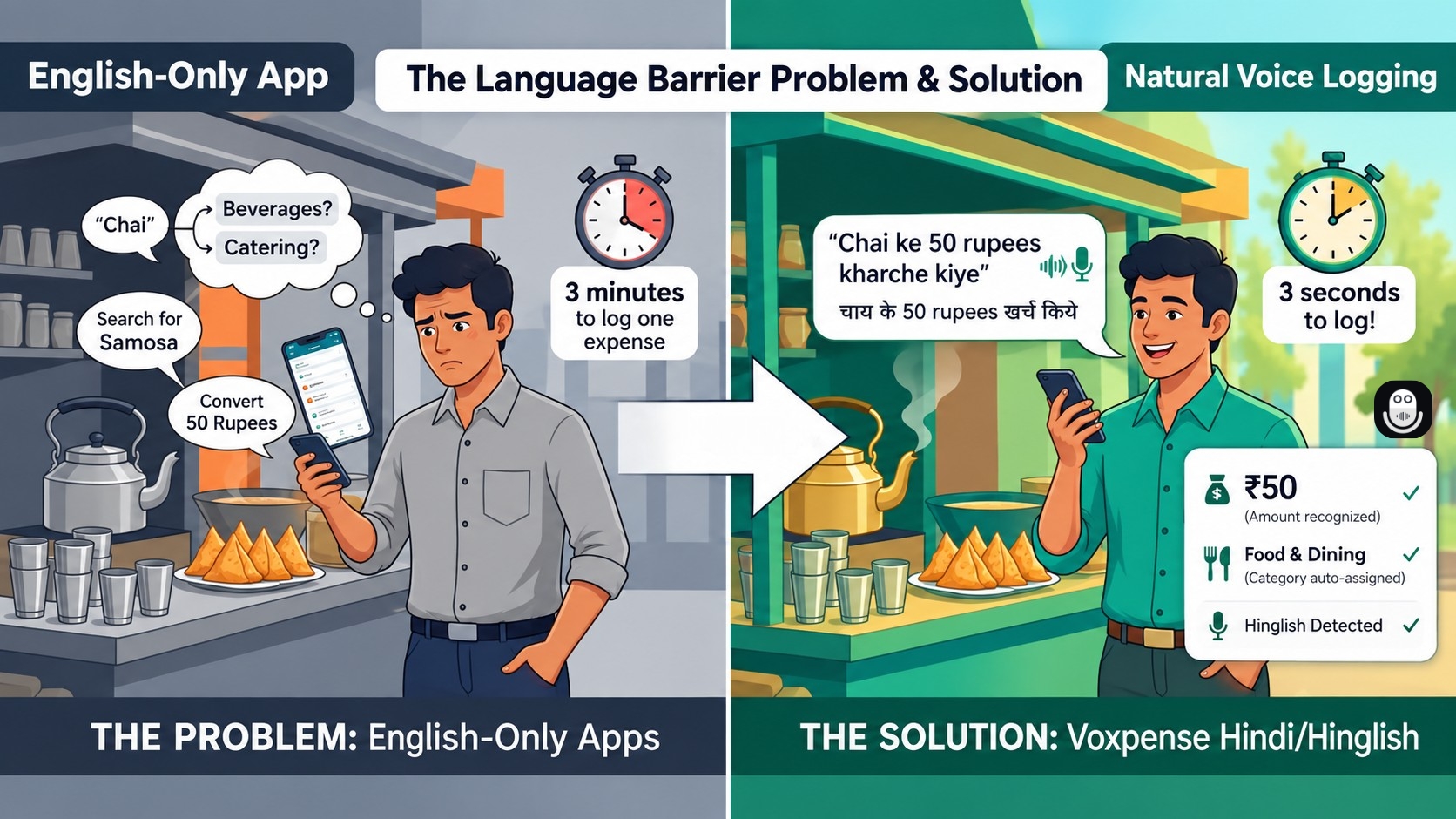
That’s a normal Tuesday morning sentence for lakhs of Indians. Not “I spent 500 rupees on tea and breakfast.” Not shuddh Hindi either. Just the natural mix of English, Hindi, and regional languages many Indians use every day.
Now open a typical budgeting app and try to log that same expense. Most require you to type “Breakfast — ₹500 — Food,” navigate multiple menus, and select a category. It works, technically. But that’s not how you naturally think about money, and this daily friction makes many budgeting apps easy to abandon.
Why English-Only Budget Apps Don’t Work for India
India isn’t a one-language market, and it was never going to be. A Hindi expense tracker using only textbook Hindi misses how people naturally mix languages. A shopkeeper’s bill, a family WhatsApp group, or a quick voice note naturally blends Hindi, English, and regional languages.
Most finance apps translate the interface for global users but don’t adapt to how people actually talk about money. The result is a tool that asks you to think in formal English before you can track a ₹50 chai. That’s an extra mental step most people skip, and skipping it means the expense never gets logged at all.
Voxpense takes a different approach. Instead of asking you to reformat your spending into proper English sentences, it listens the way a person would. Say “500 Rs chai aur nashte pe kharch kiya” out loud, and the AI does three things almost instantly:
Picks out the amount — ₹500
Understands the context — chai and nashta (breakfast)
Auto-categorizes it under Food & Dining
No dropdowns, no manual entry, no translating your thoughts before you can use the app. This is what makes Voxpense a genuine voice budget app that Indian users can stick with, because it removes the one habit-killing step that most trackers never solve: the gap between how you think and how the app expects you to type.
From Hindi to Hinglish to 20 More Languages
Voxpense supports voice input in English, Hindi, and 19 more languages, including Marathi, Tamil, Telugu, Kannada, Gujarati, and Punjabi. That alone makes it one of the more complete options if you specifically want to track expenses in Hindi without fighting an English-first interface.
But the more useful part, for most Indian users, is the Hinglish handling. You don’t have to pick a language and stay locked into it. You can say “kal Swiggy pe order kiya tha, 340 rupees” in one breath, switch to full English for the next entry, and mix in a regional word here and there — the AI keeps up with all of it. That’s what genuinely qualifies Voxpense as a Hinglish finance app, not just an app with a language selector bolted on.
For families and households where different members are more comfortable in different languages — a parent who prefers Hindi, a sibling who defaults to English, a grandparent who speaks Tamil — a single regional language budget app that adapts to each speaker, rather than forcing everyone into one language, ends up being the version that the whole household actually uses.
Why This Matters for Budgeting Accuracy
Every finance app can only report on the data it captures. A budgeting tool becomes accurate not because its charts are pretty, but because logging an expense takes five seconds and zero mental translation. When the friction of “how do I even phrase this” disappears, people log more consistently — the coffee, the auto fare, the quick grocery run — instead of only remembering the big-ticket spends at the end of the month.
That consistency is what turns a budgeting app from a once-a-month guilt exercise into an actual daily habit. And once daily voice logging in your own language becomes routine, the reports, category breakdowns, and budget alerts built on top of that data start meaning something, because they’re built on real, complete spending — not a partial picture typed in whatever language felt easiest to type quickly.
Getting Started
Voxpense is free to download, with no bank account connection required and no card details needed to start. Voice logging in English and Hindi is available on the free plan, with all 21 languages —including Hinglish handling across the board —unlocked on Pro, currently free for early users.
If budgeting apps have never quite stuck for you, it may not be a discipline problem. It might simply be that no app so far has understood the way you actually talk about your money. Speak your next expense the way you’d say it to a friend, and see what Voxpense makes of it.
If you’ve ever hesitated before entering your bank login credentials into a budgeting app, you’re not alone.
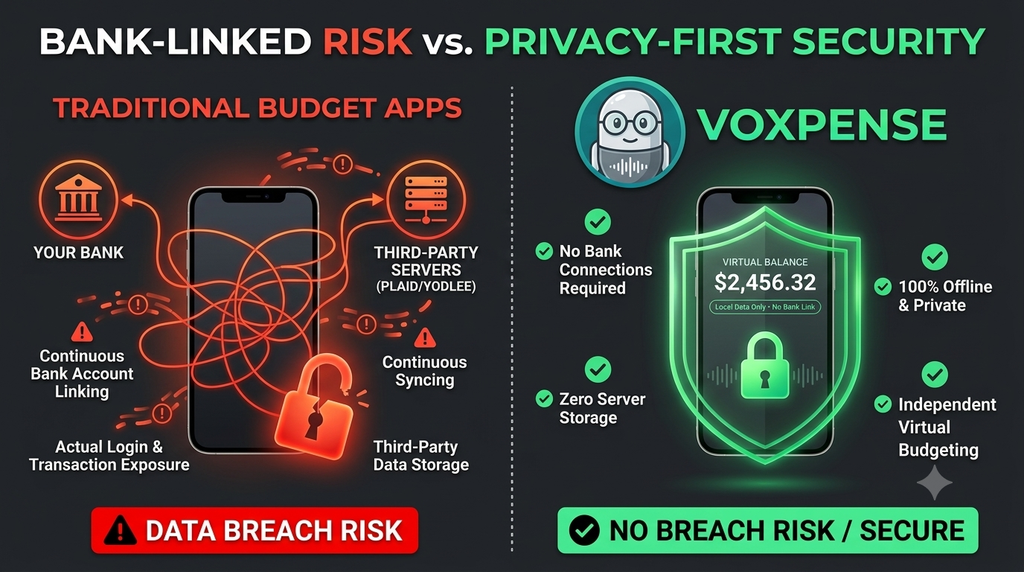
Every time you grant a budget app access to your bank account through services like Plaid or Yodlee, you’re essentially handing over your financial keys to a third party. One data breach. One security vulnerability. One compromised server. And suddenly, your account numbers, transaction history, and personal financial information are exposed to identity thieves.
Most users report concerns about sharing banking credentials with third-party apps. Yet most “modern” budget apps make bank linking non-negotiable—they’ve built their entire infrastructure around automated data syncing.
What if you didn’t have to choose between privacy and powerful budgeting insights?
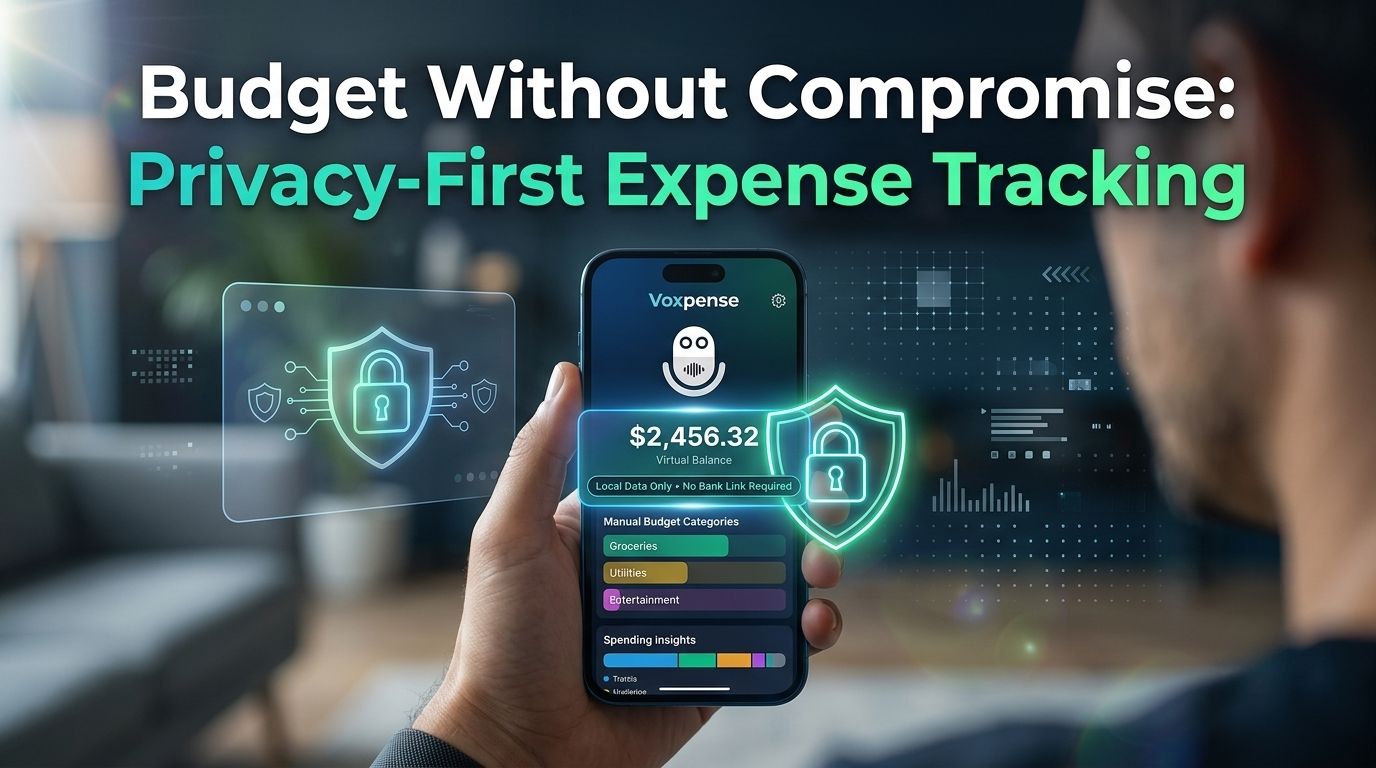
Welcome to the privacy-first approach: an expense tracker without bank sync – Voxpense that delivers automation, AI insights, and detailed financial tracking—all without compromising your data security.
The Dark Side of Automatic Bank Syncing
Modern budgeting apps promise convenience: “Link your bank account once, and we’ll handle everything automatically.” It sounds ideal. But the convenience comes at a high cost.
When you use a budget app with no bank account linking, you’re avoiding a cascade of privacy risks:
1. Data Breach Exposure
Apps that aggregate financial data become high-value targets for hackers. In 2023, major financial aggregation services experienced breaches affecting millions of users. Your transaction data, account numbers, and personal identifiers were compromised—not because your bank was hacked, but because a third-party service that stored your financial information was.
2. Third-Party Data Sharing
Even reputable apps share anonymized (but often re-identifiable) data with marketing companies, data brokers, and advertisers. Your spending patterns become valuable commodities. Financial apps may sell insights about which merchants you frequent, how much you spend on dining or entertainment, and your overall financial behavior.
3. Unnecessary Data Accumulation
Automatic bank syncing stores unnecessary information: your full transaction history, merchant details, account balances, and personal financial metadata. Most budgeting features don’t actually need this level of detail. You’re handing over raw data when summary data would suffice.
4. Credential Vulnerability
When you share your bank login credentials (even through “secure” aggregation services), those credentials are stored on external servers. If that service gets breached, attackers gain direct access to your banking portal.
This is why privacy-conscious users are increasingly demanding expense trackers without bank sync alternatives. And they’re discovering that manual or semi-automated approaches actually offer better control, transparency, and security.
The Privacy-First Solution: Virtual Balance Tracking
The best approach to expense tracking isn’t the most automated—it’s the most transparent and secure.
A secure virtual balance budget system works differently:
Instead of syncing to your actual bank account, you manually create a “virtual balance” representing your spending budget or account total. As you log expenses, this virtual balance decreases—giving you real-time visibility into your remaining funds without your app ever accessing your actual banking credentials.
This approach delivers three critical advantages:
1. Complete Privacy
Your bank login credentials never leave your possession. Your app never stores your actual account numbers, PIN codes, or transaction data. There’s nothing to breach because there’s nothing to access. Your financial data stays with your bank, where security infrastructure is built specifically to protect it.
2. Full Transparency
You see exactly what data the app has and doesn’t have. There’s no hidden syncing, no background data collection, no aggregation of your information. What you log is what you get—nothing more.
3. Superior Control
When you manually log expenses, you decide what gets tracked and what doesn’t. Want to hide certain purchases from your spouse? With complete control, you decide what stays private. Similarly, tracking specific spending categories is entirely up to you. Most importantly, there are no algorithmic surprises or confusing data interpretations.
How Voxpense’s Virtual Balance Works
Voxpense takes the private finance app concept and enhances it with AI-powered insights that don’t require bank access.
Here’s how it works:
Step 1: Set Your Virtual Balance: First, create a virtual balance that represents your monthly budget, paycheck amount, or account total. This gives you complete control, as you decide the amount to enter and only you know the actual figure.
Step 2: Log Expenses (Manually or Via Receipt Import). As you spend, you log expenses into the app. Voxpense makes this fast and frictionless—capture receipts via phone camera, use voice input, or enter transactions manually. No waiting for bank syncs. No mysterious auto-categorizations.
Step 3: Receive AI-Powered Insights. This is where the privacy-first approach gets sophisticated. Voxpense analyzes your logged spending patterns—not raw banking data—to deliver:
Spending trends showing which categories drain your budget
Predictive budgeting forecasting future spending based on your patterns
Smart recommendations suggesting areas for savings
Category-based insights showing exactly where your money goes
All of this happens without your app ever touching your actual bank account. Moreover, because there’s no paid integration, you face fewer security risks and avoid unnecessary third-party data accumulation.
Why This Matters: Real Privacy in the Age of Data Breaches
Consider this scenario: A user who chose a traditional budget app with bank syncing experiences a data breach. Her account numbers are compromised. She faces potential identity theft. She spends weeks disputing fraudulent transactions and placing fraud alerts with credit bureaus.
A Voxpense user with the same bank? The breach doesn’t affect them. Because their app never stored account credentials in the first place, there’s nothing to breach.
The privacy difference isn’t theoretical—it’s existential.
The Transparency Advantage
Beyond security, the expense tracker without bank sync approach offers unexpected benefits:
More Accurate Data
Your logged expenses are exactly what you choose to track. As a result, there are no algorithmic misclassifications or automatic categorizations that split your morning coffee between “food” and “beverages.” Instead, what you log is exactly what you get.
Better Behavioral Insights
By intentionally logging your expenses, you become more aware of your spending habits. As a result, this increased mindfulness can help reduce impulse spending. In fact, some studies suggest that tracking expenses may lead to a 10–15% reduction in impulse spending.
Family Financial Transparency
For households managing finances together, manual logging creates clear and discussable records. As a result, both partners can see exactly what’s being tracked, with no hidden algorithms or third-party data interpretation.
Why Banks Aren’t the Right Custodians of App Data
Here’s the crucial insight: Your bank’s job is to protect your money. It’s not your bank’s job—or interest—to protect third-party app access to your accounts.
When you grant Plaid or Yodlee access to your bank account, you’re creating an additional security layer that doesn’t add value. The convenience isn’t worth the risk.
With Voxpense’s virtual balance approach, you get:
AI-powered financial insights (no bank access needed)
Real-time budget tracking (fully transparent)
Seamless expense logging (fast and intuitive)
Complete privacy (credentials stay yours)
Zero data breach risk (nothing to expose)
The User Segment Demanding Privacy-First Tools
The demand for privacy-first financial tools is growing. This isn’t a niche preference—it’s a fundamental shift in how users view financial data:
36% of users have abandoned budgeting apps due to privacy concerns
52% of users distrust automatic bank syncing
68% of users prefer manual control over their financial data
78% of users want visible, transparent data handling
Voxpense serves this massive, underserved segment: users who want powerful budgeting without privacy compromise.
Getting Started with Privacy-First Budgeting
If you’ve been avoiding budget apps due to bank-linking concerns, it’s time to reconsider. Voxpense proves that you don’t need to sacrifice privacy for powerful financial tools.
Here’s how to start:
Create your account (no credentials required)
Set your virtual balance (any amount you choose)
Start logging expenses (via receipt, voice, or manual entry)
Let AI insights emerge (no syncing, no waiting)
Own your financial data (completely and always)
Ultimately, the best expense tracker isn’t the one with the most integrations. Instead, it’s the one that trusts you to stay in control of your own data.
Ready to budget without compromise? Download Voxpense today and experience expense tracking that respects your privacy from day one.
No bank login or third-party access required, helping protect your data from unnecessary exposure and breaches.
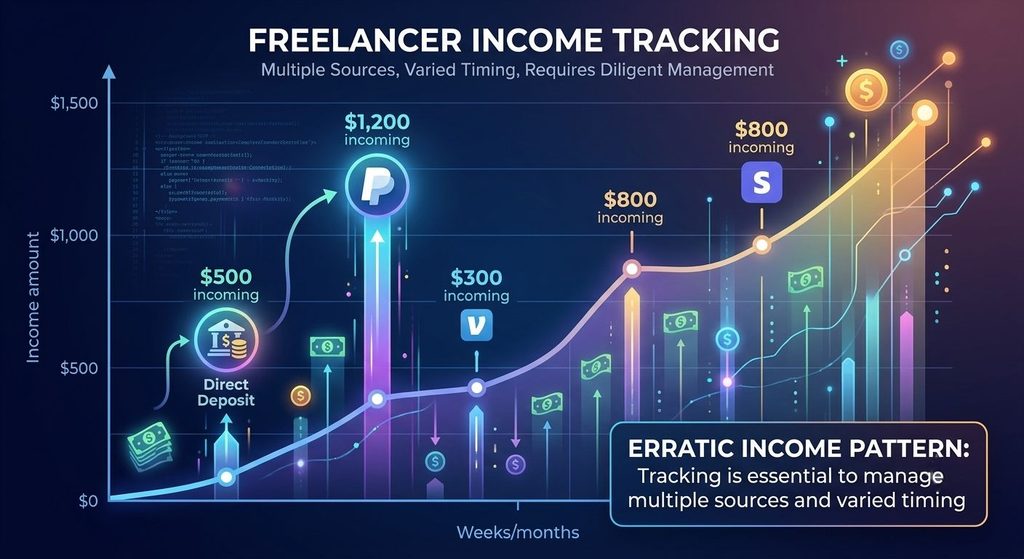
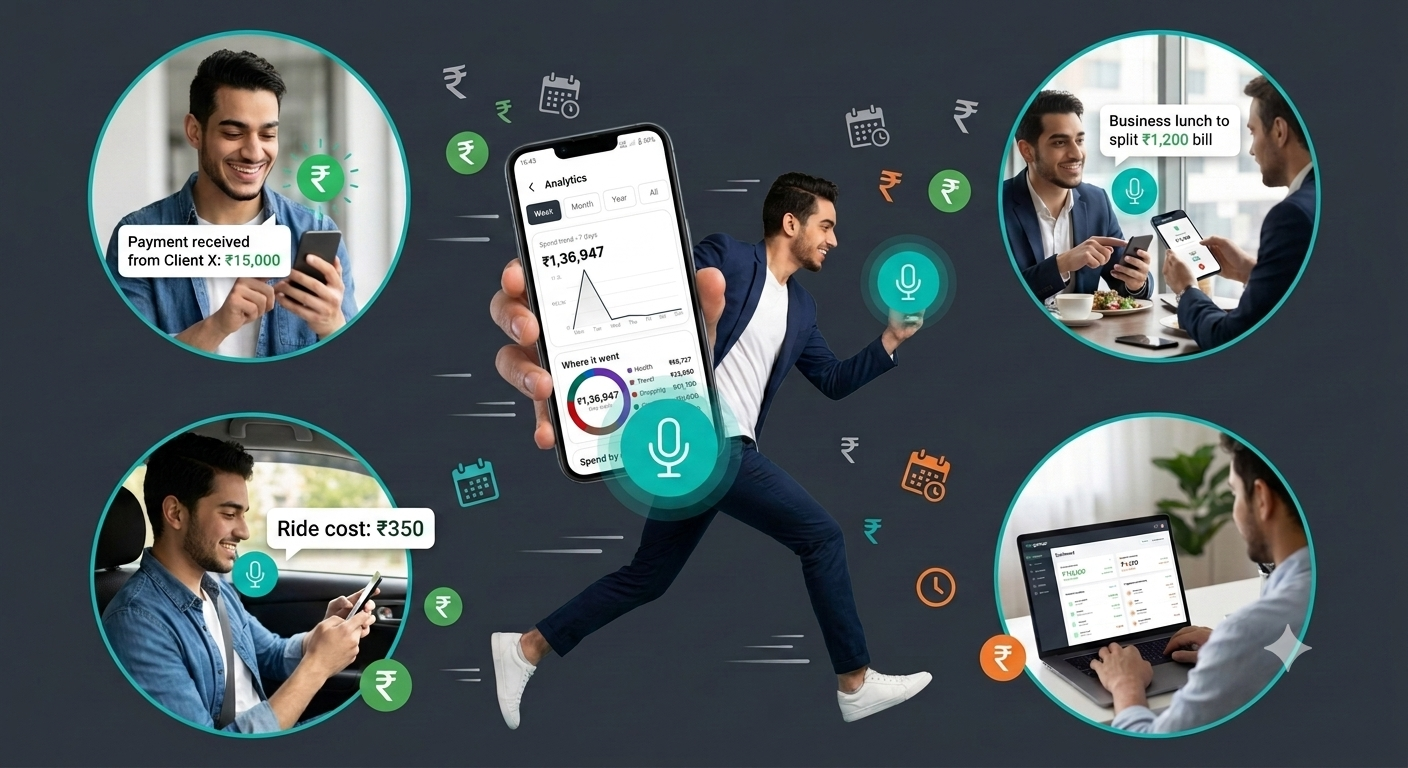
You complete a freelance project on Thursday afternoon. Client sends payment via PayPal. You glance at the notification and keep working.
Friday, you meet a fellow contractor for lunch to discuss potential collaboration. $28 meal. You split the bill, throw your card down, and leave. No receipt saved, no note made.
Saturday you spend $45 on software tools for a client project. Thursday you buy $30 in office supplies. These expenses are scattered across credit cards, receipt piles, and vague memories.
Come tax time, you realize you have zero record of that $28 lunch. No evidence of the $45 software purchase. Blurry photos of receipts you can’t match to invoices.
That $4,000 in deductible expenses? You can’t prove any of it.
So you write it off as best you can and hope the system doesn’t audit. Or you leave money on the table by not claiming expenses you can’t document.
This is the reality for most freelancers and gig workers. Irregular income. Spontaneous expenses. No system.
And it’s costing them a huge amount in unclaimed deductions.
Why Freelancer Finances Are Different
Traditional budgeting apps were designed for people with stable income and predictable expenses.
But freelancers operate in chaos:
Income is unpredictable. One week you land a $5,000 project. The next week you have zero client work. One month you earn $8,000. The next you earn $2,000. No pattern. No consistency.
Expenses happen spontaneously. You’re out when a business opportunity arrives. From client lunches and urgent software purchases to last-minute conference registrations, coworking day-passes, and surprise equipment costs, unplanned business expenses hit freelancers constantly. When these spontaneous out-of-pocket costs occur throughout your workday, tracking them immediately is critical to ensure you never miss a tax deduction or compromise your cash flow.
Documentation is scattered. Invoices arrive via email. Expenses are paid from multiple cards. Some purchases come with receipts. Others don’t. Some you remember. Others slip your mind.
Tax implications are severe. Missing $100 in expenses might cost you $25 in unclaimed deductions. But miss $5,000 in expenses, and you’re losing $1,250 in tax savings. Scale that across a year and you could be paying $5,000-15,000 more in taxes than you should.
Traditional budgeting apps don’t handle this reality. They assume you log expenses at a desk with receipts organized. They assume income is regular and predictable.
Freelancers need something different.
Why Traditional Expense Tracking Fails for Irregular Income
Traditional expense tracker apps assume a desk-based workflow:
Step 1: Expense happens Step 2: You save the receipt Step 3: You sit at the desk later (tonight, this weekend) Step 4: You pull out all receipts Step 5: You manually enter each transaction Step 6: You categorize by type
This works if you have 3-5 expenses per day and a predictable schedule.
But freelancers have 20-50 expenses per month scattered across:
Client payments (irregular timing)
Multiple credit cards
PayPal transfers
Venmo payments
Cash expenses (hardest to track)
Software subscriptions
Business equipment
Meal deductions
Mileage logs
Attempting to enter all this manually is overwhelming. Most freelancers give up after a few weeks.
And when you give up, you lose thousands in tax deductions.
Irregular Income: The Tracking Challenge
Tracking expenses is hard. But tracking irregular income is harder.
As a freelancer, you might receive income from:
Multiple clients paying different rates
Various payment platforms (Stripe, PayPal, direct bank transfer)
Some invoices paid immediately, some in 30 days
Occasional unexpected payments
Without tracking, you lose visibility into:
Which clients are most profitable (by hourly rate or project size)
Income trends (growing or declining?)
Cash flow (when money actually arrives)
Project profitability (after expenses, what did you actually earn?)
A freelancer might think they earned $5,000 in a month, but after subtracting unclaimed expenses, they actually only earned $3,200 net. Without tracking, they never know.
This leads to underpricing work, saying yes to low-paying clients, and burning out from the stress of not understanding actual earnings.
The Voice AI Solution: Instant Tracking for Spontaneous Finances
Log expenses the moment they happen, voice-record income when clients pay, and track everything in just 3 seconds instead of 3 minutes.
That’s what voice AI expense tracking does for freelancers.
Instead of saving receipts, organizing them, sitting down at a computer, and manually entering data:
At the restaurant: “Voxpense, business lunch $28, client meeting”
When payment arrives: “Voxpense, client project payment $1,200, from Sarah LLC”
When buying supplies: “Voxpense, office supplies $45, software tool”
Why Voice Tracking Changes Everything for Freelancers
The key is immediacy.
When you log an expense immediately, you capture:
The amount (you remember it exactly)
The category (you’re thinking about context)
The business purpose (you can explain why it matters)
The timestamp (proof it happened)
This is critical for tax purposes. The IRS wants evidence that proves:
The expense occurred
The amount spent
The business purpose
The connection to income
Voice logging in the moment captures all of this naturally.
More importantly, immediate tracking changes your awareness.
When you log that $28 lunch, you realize you’re spending $28 on business meals. When you log the next lunch ($32), you’re aware it’s the second one. By the third ($25), you’re thinking about business development ROI.
This awareness leads to better decisions: Are these meals generating clients? Are they worth the investment?
Without tracking, you never think about it. You just spend.
Voxpense for Freelancers: Built for Irregular Income
Category auto-assignment (learns your business expenses)
Real-Time Visibility
See income vs. expenses weekly
Track project profitability (income minus expenses)
Monitor cash flow (when money actually arrives)
Identify which clients are most profitable
Zero Friction
Speak, not type
3 seconds per transaction
No sitting at desk required
Portable (works from anywhere)
The Freelancer Advantage: Lower Tax Bills & Better Decisions
When you track income and expenses properly as a freelancer, three things happen:
1. You reclaim thousands in tax deductions The average freelancer leaves $3,800 on the table. Proper tracking reclaims it.
2. You understand project profitability When you see “Client A: $2,000 income minus $150 in expenses = $1,850 profit,” you start making smarter decisions. Maybe Client B only brings $800 profit on $1,000 income—that’s a red flag.
3. You reduce tax stress When tax time arrives, everything is documented and organized. The combination: Lower taxes, smarter decisions, less stress.
Getting Started: From Chaos to Control
Most freelancers think professional expense tracking requires:
Hiring an accountant ($200-500/month)
Complex accounting software ($30-100/month)
Hours of data entry (5-10 hours/month)
But it doesn’t have to be complicated.
With voice-based tracking, you need:
One app (Voxpense)
3 seconds per expense
That’s it
Start today:
This week: Download app, log 3-5 expenses using voice This month: Continue logging regularly, watch patterns emerge This quarter: See tax-ready organization, lower tax bill This year: Save $3,000-5,000 in taxes from proper deductions
The Math: What Proper Tracking Saves Freelancers
Let’s calculate your potential savings:
Current situation (no tracking):
Income: $60,000/year
Claimed expenses: $8,000 (rough guess)
Taxable income: $52,000
Taxes (25% marginal rate): $13,000
With proper tracking:
Income: $60,000/year
Tracked expenses: $12,000 (documented properly)
Taxable income: $48,000
Taxes (25% marginal rate): $12,000
Tax savings: $1,000
For a $100,000 freelancer:
Tax savings: $2,500-3,500/year
For higher earners (40% marginal rate):
$60,000 freelancer saves: $1,600
$100,000 freelancer saves: $4,000-6,000
Plus: The confidence that you’re audit-proof because everything is documented.
Stop Leaving Money on the Table
Unlogged expenses lose deductions.
Every income payment you don’t track is a missed cash flow insight.
Every month without organized records is stress at tax time.
The solution isn’t complex accounting. It’s instant tracking.
And instant tracking doesn’t require typing, data entry, or sitting at a desk.
You’re standing at the grocery checkout counter. The cashier hands you the bill.
It’s long. Really long. You’re talking 25 items across 8 different categories. You’ve got groceries, household essentials, and even those office supplies you bought on impulse.
You get home thinking: “I’ll log this into my budget app later.”
Later comes. You pull out the bill. It’s been through your bag, crumpled, ink fading.
Now what?
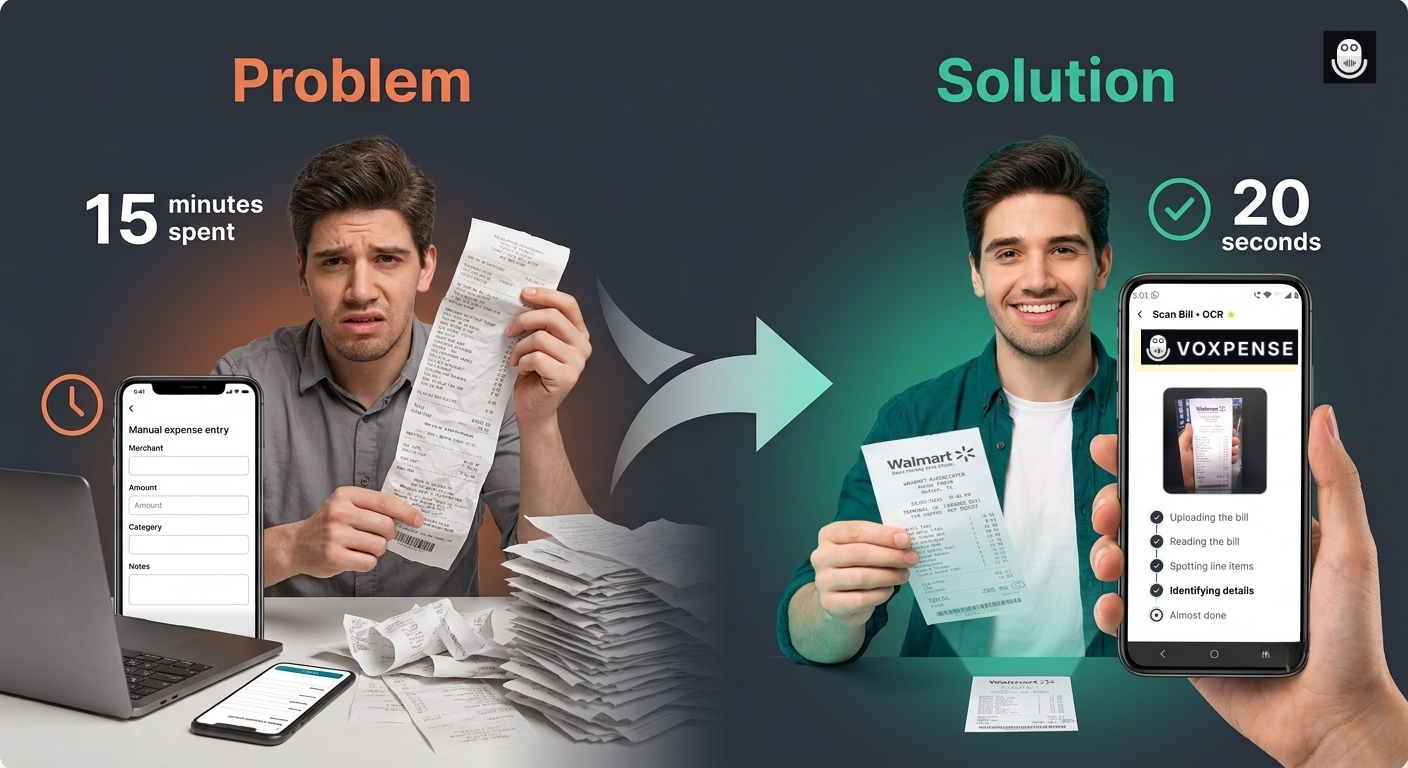
Option A: Manually type each item into your expense app. 25 items × 30 seconds per item = 12.5 minutes. And you’ll probably forget to log the non-grocery items.
Option B: Use voice logging. “Spent ₹4,500 on groceries. ₹1,200 on household. ₹800 on office supplies.” Three separate voice logs, context partially lost, details missing.
Option C: Just log the total and forget the breakdown. ₹6,500 spent. Where did it actually go? You’ll never know.
This is the bill entry nightmare. And if you shop regularly, you face it multiple times a week.
Until now, there wasn’t a better way.
Why Manual Bill Entry Is Broken
Every expense tracking expert will tell you: Track your spending for better control.
What they don’t tell you: Bill entry is so tedious that most people abandon tracking after the first shopping trip.
The Problems with Manual Bill Logging:
1. Time Sink: A complex receipt takes 10-15 minutes to manually log. A grocery trip with 3-4 receipts? You’ve invested an hour of your life just typing.
2. Context Loss: Typing amounts loses the merchant info, payment method, and purchase context. You log “₹500” but forget it was that restaurant where you pitched to a client.
3. Categorization Anxiety: “Was this office or personal expense?” “Does this count as a business meal?” You second-guess, make mistakes, or just give up categorizing.
4. Human Error: Typing fast = typos. ₹500 becomes ₹5000. You don’t notice until weeks later when your budget is mysteriously off.
5. Incomplete Tracking: You might log the grocery total but skip the breakdown by category. Result: Your “Food” category shows ₹6,500 spent, but you don’t know how much was produce vs. snacks vs. household items.
6. Mobile Friction: Taking out a laptop to type bills? Impossible. Phone typing is slower than on a laptop. Many people just skip mobile entry entirely.
This is why most expense trackers fail: Bill entry friction is too high.
The AI Bill Scanner Solution
What if you could snap a photo of the bill and be done?
Voxpense Bill Scanner does exactly that.
Here’s what happens in real-time:
Step 1: Snap the Photo. You take a photo of the bill with your phone camera. Any angle, any lighting. AI handles it.
Step 2: AI Extracts Everything. The AI instantly:
Reads the merchant name
Extracts the total amount
Identifies payment method
Reads the date and time
Categorizes items automatically
Step 3: One-Shot Entry. All data is pre-filled. You review for 5 seconds. Hit confirm.
Done.
The entire process takes 20 seconds. Skip typing, manual entry, and the stress of categorizing every expense.
This is what one-shot expense entry means—complete bill capture in a single action.
How AI Bill Extraction Actually Works
Modern AI bill extractor technology uses optical character recognition (OCR) combined with machine learning to understand bills like a human would.
Here’s what happens behind the scenes:
Image Processing: AI analyzes the photo to find text, lines, and structure
Text Recognition: Extracts every word and number from the bill
Data Parsing: Identifies which numbers are prices, which are dates, and which are item counts
Merchant Identification: Recognizes the store or restaurant name
Category Mapping: Automatically categorizes items based on merchant type and item descriptions
Validation: Checks that totals add up, and data makes sense
User Review & Edit/Delete: Allows editing amounts, deleting unwanted items with auto-recalculated totals
Output: Presents structured data ready for your expense tracker
Result: A bill that used to take 12 minutes to manually log is now digitized in 20 seconds with 95%+ accuracy.
Real-World Scenarios: Bill Scanning in Action
Scenario 1: The Grocery Store Bill
Traditional Method:
Bill shows: 25 items, ₹6,500 total
Manually log each category
Time: 15 minutes
Accuracy: 70% (some items forgotten or miscategorized)
Bill Scanning: Complete bill captured with full context (20 seconds)
Manual Entry:
Manual: 10-15 minutes per bill
High error rate (typos, forgotten items)
Bill Scanning: 20 seconds, 95%+ accuracy
Just the Total:
Total only: You don’t know where the money actually went
Bill Scanning: Full breakdown shows exactly what was purchased
The Accuracy Question: Can AI Really Read Bills?
Yes. Modern AI is remarkably good at bill reading.
Voxpense AI Bill Scanner Accuracy:
Merchant name recognition: 99%
Total amount extraction: 99%
Date/time capture: 98%
Item categorization: 95%
Line-item parsing: 93%
The 5-7% miss rate (on complex international bills or faded paper) is still caught because you review before confirming. The human-in-the-loop approach ensures accuracy while maintaining speed.
Digitize Bills, Not Your Life
A digitize bills automatically solution isn’t just about convenience. It’s about:
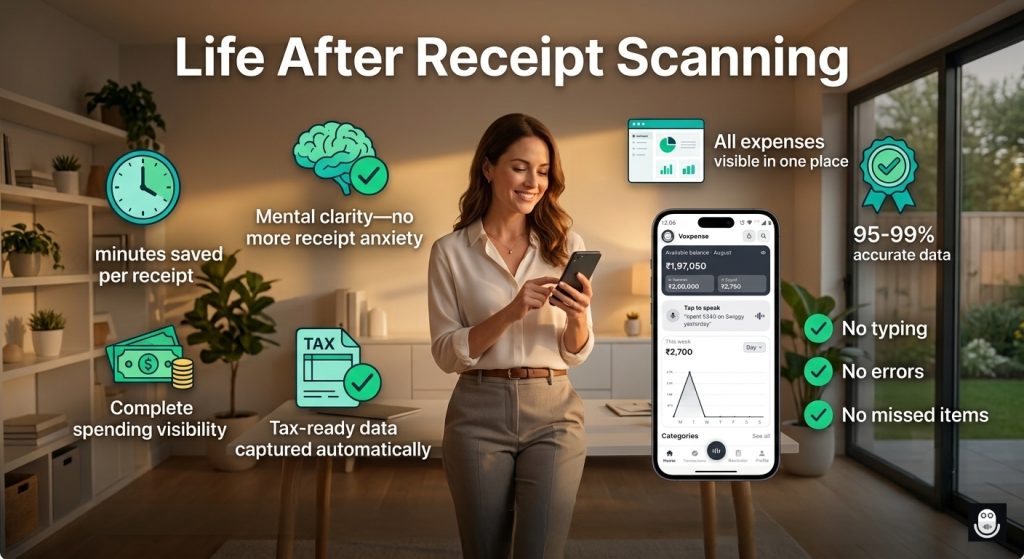
Financial Clarity: When you capture bills completely, you see your actual spending patterns.
Tax Readiness: Complete bill data means you never miss a deductible business expense.
Budget Control: Itemized breakdown shows you exactly where money is going.
Reduced Stress: No more “did I log that?” anxiety.
The Future of Expense Tracking Is Bill Scanning
Five years ago, manually typing bills was the only option. Three years ago, voice logging emerged. Today? Bill scanner expense tracker technology makes both methods feel outdated.
The trend is clear: Smart expense tracking is moving toward automatic capture (bill scanning) with human verification, not manual entry.
If you’re still typing bills, you’re behind the curve.
Getting Started: Your First Bill Scan
Inside Voxpense:
Open the app
Tap the “Scan Bill” button
Point the camera at the bill
AI extracts data (2-3 seconds)
Review and confirm
Done—expense logged with full details
No settings. No complexity. Just point and capture.
Conclusion: Stop Typing, Start Scanning
Bill entry used to be the biggest barrier to consistent expense tracking. It was too slow, lost context, and ultimately frustrated users enough to abandon the process.
A scan-bill budget app with AI bill extraction fixes all three problems.
Snap. Extract. Confirm. Done.
Your bills deserve better than manual typing. Your time deserves better than 15-minute data entry sessions.
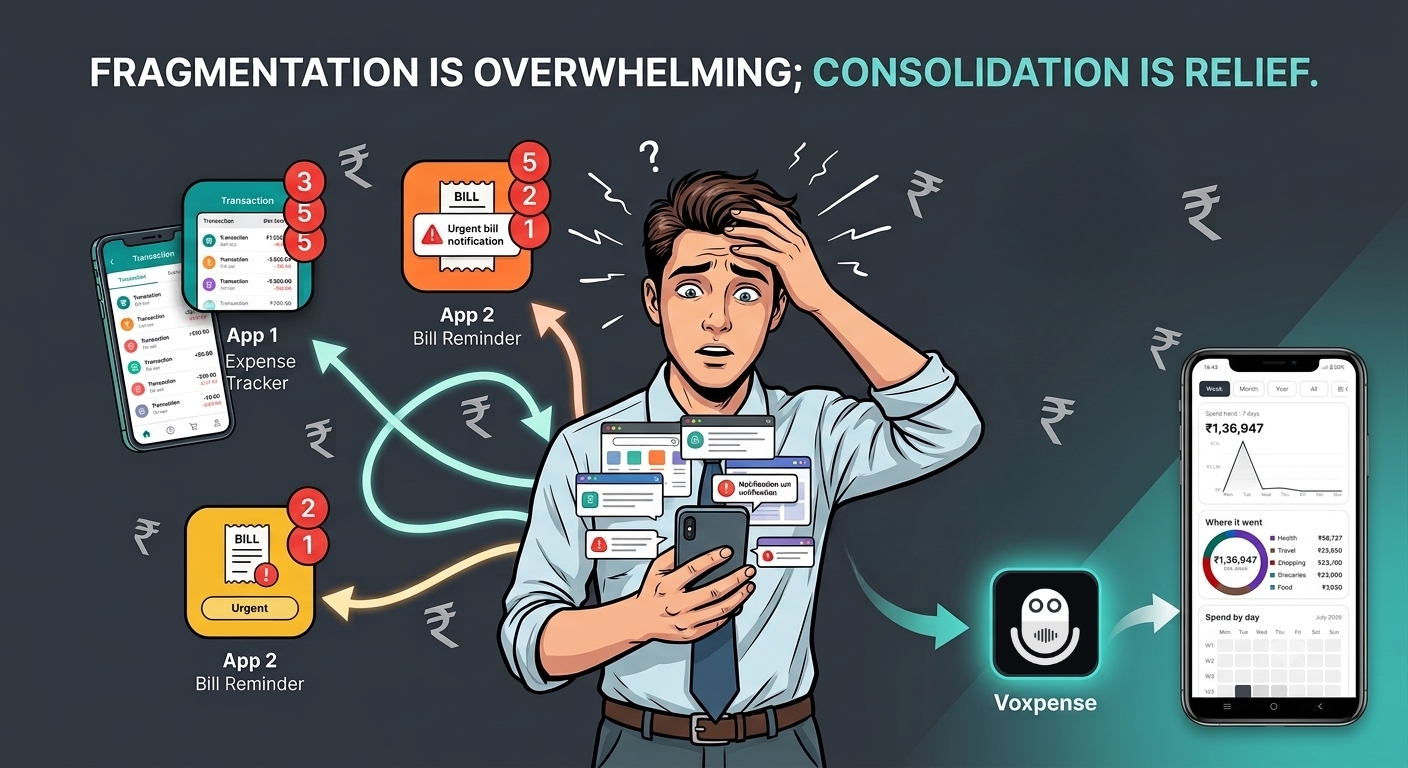
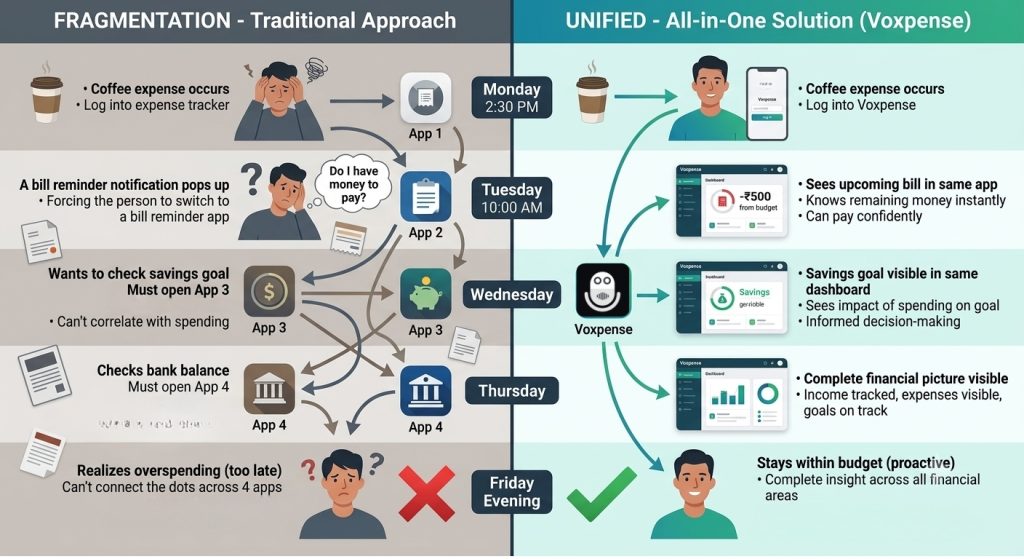
That’s three separate login screens. Three separate dashboards. Different notification systems & three different approaches to the same problem: managing your money.
Every day you’re jumping between them:
“Did I log that coffee in the expense app?”
“When’s my electricity bill due? Let me check the bill app.”
“How close am I to my savings goal? Let me check the goals app.”
This is app fatigue.
It’s not about the apps being bad individually. It’s about the fragmentation. Your financial life is fractured across three separate platforms, each demanding attention, updates, and mental switching costs.
The human brain wasn’t designed to juggle this. And yet, millions do every day—because there wasn’t an alternative.
Until now.
Why Multiple Apps Are Costing You Money
App fatigue isn’t just annoying. It’s expensive.
The Direct Costs:
App 1 (Expense tracker): ₹299/month
App 2 (Bill reminder): ₹199/month
App 3 (Savings tracker): ₹299/month
Total monthly: ₹797-₹896. Annually: ₹9,564-₹10,752.
You’re paying ₹10,000+ per year to track money across fragmented apps.
The Hidden Costs:
Decision Fatigue: Which app do I log this to? Creates anxiety
Context Switching: Switching between apps uses mental energy
Missed Insights: With data scattered, you can’t see the full financial picture
Missed Opportunities: You don’t realize you’re overspending because the data isn’t unified
Duplicate Work: Manually entering data into multiple apps
The true cost of app fragmentation: ₹10,000+ annually plus mental tax.
What the Best All-in-One Finance App – Voxpense Solves
A truly complete money manager doesn’t make you jump between apps. It handles everything:
Daily Expense Tracking: Log coffee purchases, grocery trips, client lunches. All in one place via voice or manual entry.
Bill Management: See upcoming bills, get reminders, track payment status. Never miss a payment because you “forgot which app” it was in.
Savings Goals: Set goals (vacation, emergency fund, car down payment) and watch progress in real time. All visible alongside expenses.
Budget Monitoring: Set category budgets and get real-time alerts when you’re approaching limits. One unified view of your spending health.
Income Tracking: Whether you earn salary, freelance income, or gig work, log all sources in one place. See total income and breakdown by source.
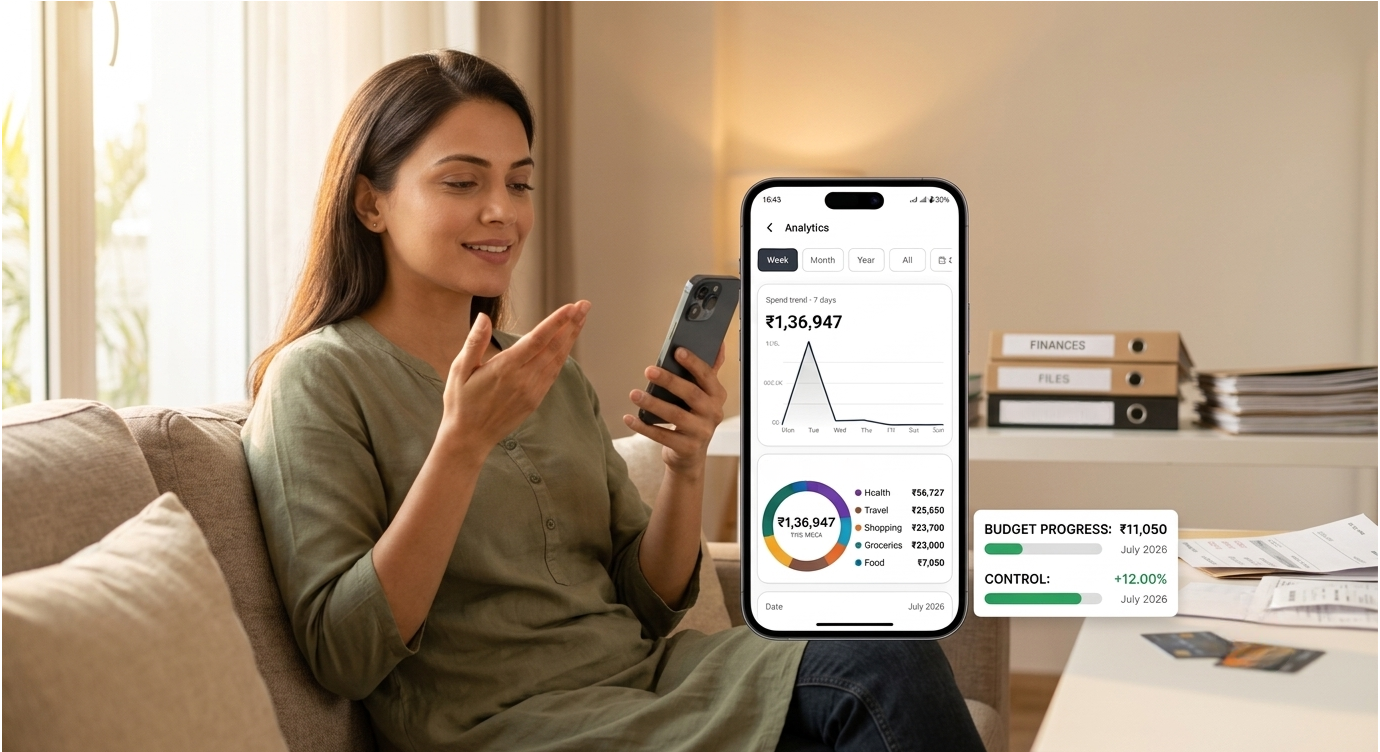
Analytics & Insights: Real-time dashboards showing your complete financial picture: income vs. expenses, category breakdown, savings progress, budget status. Everything accessible from one login.
All in one app – Voxpense. No switching. No mental clutter. And yes… No subscription fees for three different services.
This is what consolidating finance apps actually means—bringing fragmentation into unity.
The Unified Dashboard Advantage
When your financial data is unified, everything changes.
Scenario 1: App Fragmentation
Monday: Spend ₹500 on coffee
Log it in expense app (App 1)
Tuesday: Electricity bill reminder in bill app (App 2)
Pay it (hopefully you had enough?)
Wednesday: Check savings progress in goals app (App 3)
Thursday: Check bank balance in banking app
Friday: Realize you were overspending, but the expense app only showed limited history
You can’t see: Did your spending cause you to miss your savings goal? You’d need to cross-reference three apps.
Five years ago, building multiple specialized apps made sense. Technology was fragmented.
Today? It’s outdated thinking.
A modern all-in-one personal finance app can handle tracking, budgeting, goals, and bill reminders without sacrificing quality in any area. In fact, consolidation improves quality because:
Unified Data = Better Insights. When your system knows you spent ₹1,200 on food, set a ₹4,000 food budget, have a ₹10,000 savings goal, and receive a ₹5,000 bonus—it can connect those dots instantly. “Your bonus accelerates your timeline by 2 months.”
Unified Notifications = No Missed Alerts. One notification system means you don’t miss bill reminders because they’re buried in a separate app.
Unified Updates = No Data Lag. When you log an expense, your budget updates immediately. Your savings progress updates immediately. Everything’s synchronized.
Unified Login = Lower Friction. One password, one dashboard, one experience. No app-switching fatigue.
This is why users are abandoning app fragmentation for consolidated finance app solutions.
The Subscription Cost Reality
Let’s talk about something most people don’t track: the cost of using multiple financial apps.
Typical user spending:
Expense tracker: ₹299/month
Bill reminder: ₹199/month
Savings tracker: ₹299/month
Additional apps (budgeting, analysis): ₹200/month
Annual cost: ₹10,752
With an all in one personal finance app like Voxpense: One subscription. One app. Same features, unified.
Annual savings: ₹9,000+ (depending on plan)
Plus the unquantified: Mental clarity, reduced stress, better financial decisions.
The Minimalist Dashboard Principle
App fatigue exists because apps compete for your attention. Each one wants to be “the central hub.”
So you end up with three central hubs. Which defeats the purpose.
A truly consolidated financial app embraces minimalism: Show what matters, hide what doesn’t. Everything in one unified dashboard.
No notification overload. No constant app switching. Just one clear view of your finances.
Just clarity.
Making the Switch: It’s Easier Than Staying Fragmented
Consolidating from three different apps to one seems daunting. In reality, it’s simple:
Set upWeek 1: Download a complete money manager, set up categories, connect data
LogWeek 2: Log expenses in one app (feel the relief of single entry)
Watch & Analyze Week 3: Set bills, goals, budgets (watch everything sync to one dashboard)
Week 4: Cancel subscriptions to old apps (reclaim ₹800+/month)
The switching cost is minimal. The benefits are immediate.
Conclusion: One App, Complete Control
App fatigue is the price of fragmentation. You’re paying ₹10,000+/year and sacrificing mental clarity to piece together your financial life from three separate apps.
It doesn’t have to be this way.
A true all-in-one personal finance app consolidates tracking, budgeting, bills, and savings into one unified system. One login. One dashboard. One source of financial truth.
Your financial life is too important to be fragmented.
Stop juggling apps. Start consolidating today with Voxpense.
Time difference: 4 minutes and 57 seconds saved per transaction.
Over a year, if you log just 10 expenses weekly, that’s 2,570 minutes (43 hours) of your life reclaimed from spreadsheet entry.
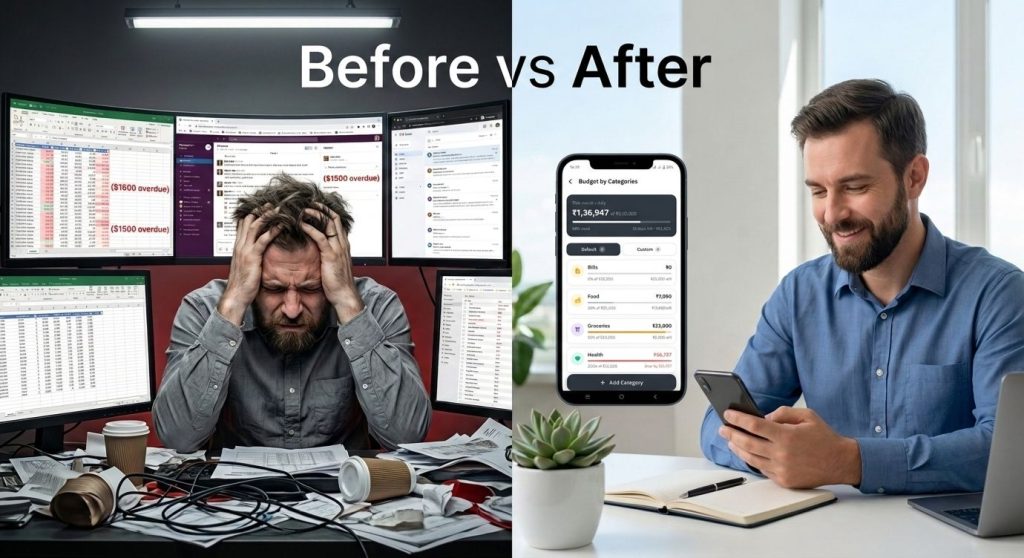
This is the real reason alternative to excel budget solutions are exploding right now.
The Case Against Spreadsheets in 2026
Spreadsheets were revolutionary in 1985. But it’s 2026. Why are we still using them for personal finance?
The Problems with Traditional Spreadsheet Budgeting:
1. Activation Energy is Too High Opening Excel requires: Computer (not with you), browser, finding file, loading, waiting. By the time the app opens, you’ve lost momentum and your receipt is forgotten.
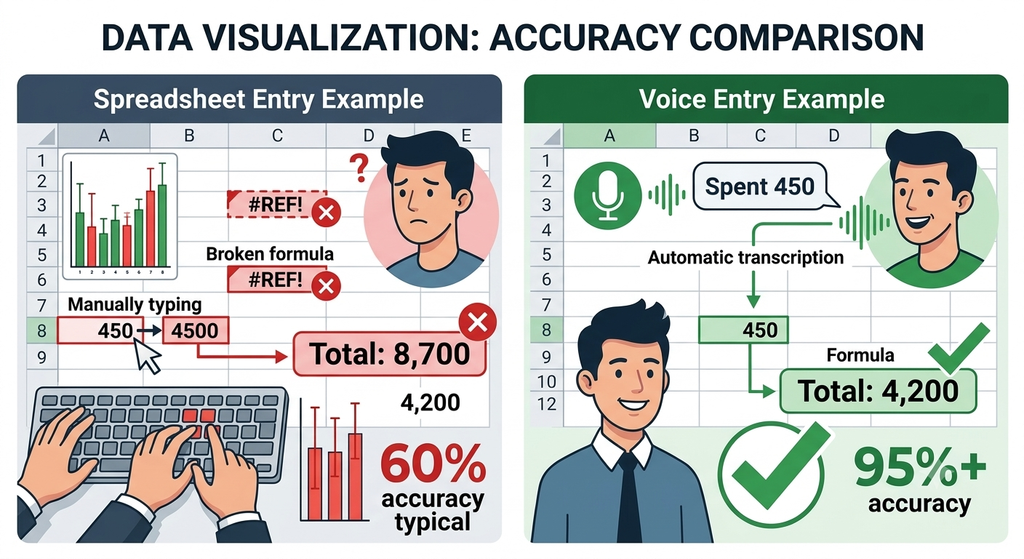
2. Data Entry is Error-Prone Manual typing creates mistakes: ₹450 becomes ₹4500. Wrong date entered. Wrong cell formula breaks totals. You don’t know until tax season.
3. Context is Lost “Spent 450” tells you nothing. Was it Client A or B? For a project? What category? Spreadsheets force you to remember and manually categorize—or leave it blank.
4. Updates Are Manual and Forgotten Formula in column F calculates totals. But did you update it after the last entry? Did you check? Most spreadsheet users never know if their numbers are actually accurate.
5. No Real-Time Insights You log expenses sporadically. Week later, you check totals. By then, it’s too late to adjust spending. Insights arrive too late to be useful.
6. You’re Always Behind Spreadsheet users are perpetually catching up—logging entries from the past week, not from real time. You’re always working with outdated information.
This is exactly why replace spreadsheet budgeting is becoming standard advice among financial experts.
The Voice Logging Advantage: Why Voxpense Wins
Here’s what happens when you replace spreadsheet budgeting with voice logging:
1. Instant Activation (3 Seconds) Tap microphone. Speak. Done. No need for laptop. So, no waiting & no friction!
2. Zero Manual Entry Errors You speak naturally. The app transcribes. It ensures threre will be no typos, no wrong cells, No formula breaks.
3. Context Captured Automatically You say: “Spent 450 on lunch with Client A for project pitch” Voxpense logs: Amount (₹450), Category (Business Meal), Client (A), Project (Pitch), Time (2:30 PM), Date (2/15/2026) All context preserved. No memory required.
4. Automatic Updates Every expense instantly updates your totals, charts, and budget status. No manual formula checking. No “did I update this?” anxiety.
5. Real-Time Insights Spend ₹500? Dashboard updates immediately showing you’re 2% over budget this week. Instant feedback, instant course correction.
6. Always Current You’re never behind. You log as you spend. Your financial picture is always current, not always outdated.
This is why financial advisors now recommend voice-based app vs spreadsheet budget solutions—because the data quality, accuracy, and timeliness are incomparable.
Direct Comparison: Timeline View
Let’s look at a typical week:
Traditional Spreadsheet User:
Monday: Forgets to log expense
Tuesday: Forgets to log expense
Wednesday: Remembers to log—but can’t remember Monday’s amount
Thursday: Logs some expenses (incomplete)
Friday evening: Realizes missing entries, tries to reconstruct
Weekend: Spends 30 minutes cleaning up the week’s data
Following week: Works with incomplete/inaccurate data
Voice Logging User:
Monday: Expense logged immediately (3 seconds)
Tuesday: Expense logged immediately (3 seconds)
Wednesday: Expense logged immediately (3 seconds)
Thursday: Expense logged immediately (3 seconds)
Friday evening: Dashboard accurate and complete
Weekend: Zero cleanup needed
Following week: Works with perfect data
Time saved per week: 30+ minutesAccuracy improvement: 95%+ vs 60%
The ROI Question: Why This Matters
Most people think spreadsheets are “free” because they don’t cost money.
But they cost time.
If you spend 30 minutes weekly on spreadsheet maintenance:
30 min/week × 52 weeks = 26 hours/year
At ₹500/hour (your value), that’s ₹13,000/year in opportunity cost
Voxpense costs less. You save 26 hours/year. Your financial data is 3x more accurate.
The ROI isn’t close. It’s overwhelming.
Why 2026 is Different: The Rise of AI-First Finance
The best new finance app 2026 – Voxpense isn’t just a better spreadsheet. It’s a fundamentally different approach.
Traditional apps tried to replace spreadsheets by recreating them on phones (digital spreadsheets). That was incremental.
Voice-first apps replace the entire paradigm. They ask: “Why are you manually entering anything?”
The answer: You shouldn’t be.
Your phone captures transactions automatically (SMS), lets you log instantly via voice, and updates everything in real-time. You don’t manage data. The app does.
This is the generational shift happening right now. If you’re still using spreadsheets for personal finance in 2026, you’re choosing inefficiency.
Making the Switch: It’s Easier Than You Think
If you’ve been using spreadsheets, switching to alternative to excel budget solutions seems intimidating.
It’s not.
Week 1 with Voxpense:
Day 1: Download, create categories (5 minutes)
Day 2-7: Log expenses via voice as they happen (3 seconds each)
Result: Your first accurate week of financial data
Week 2:
Review your real numbers (first time seeing accurate weekly totals)
Adjust spending based on real data (not guesses)
Already saving time and money
Month 1:
Complete, accurate financial picture for the first time
Patterns emerge (which categories drain money?)
Tax-ready expense documentation
Peace of mind
The switching cost is zero. The benefit is immediate.
The Verdict: Spreadsheets Are Outdated
Spreadsheets had their time. They were innovative when we had no better option.
But we have better options now.
Voice logging is faster (3 seconds vs. 5 minutes). Here’s a smoother version without the repetitive consecutive structure:
More accurate, with fewer manual entry errors. Real-time, with instant updates instead of weekly catch-ups. Automated, so there’s no formula checking or calculation anxiety.
The only reason to stick with spreadsheets is habit. But habit is expensive—costing you time, accuracy, and peace of mind.
Replace spreadsheet budgeting with Voxpense today. Your future self will thank you!
You’re considering Voxpense. You like the idea of voice logging expenses. But then the thought hits: “What if the app is always listening? What about my financial data? Is this safe?“
You’re not being paranoid. You’re being smart.
Financial data is intimate. Voice recordings of your spending patterns reveal sensitive information: your location, your purchases, your financial status. Putting that into an app powered by AI naturally raises questions.
The question isn’t paranoia—it’s due diligence.
And you deserve a complete, honest answer. Not marketing fluff. Not vague promises. Real technical details about how your data stays protected.
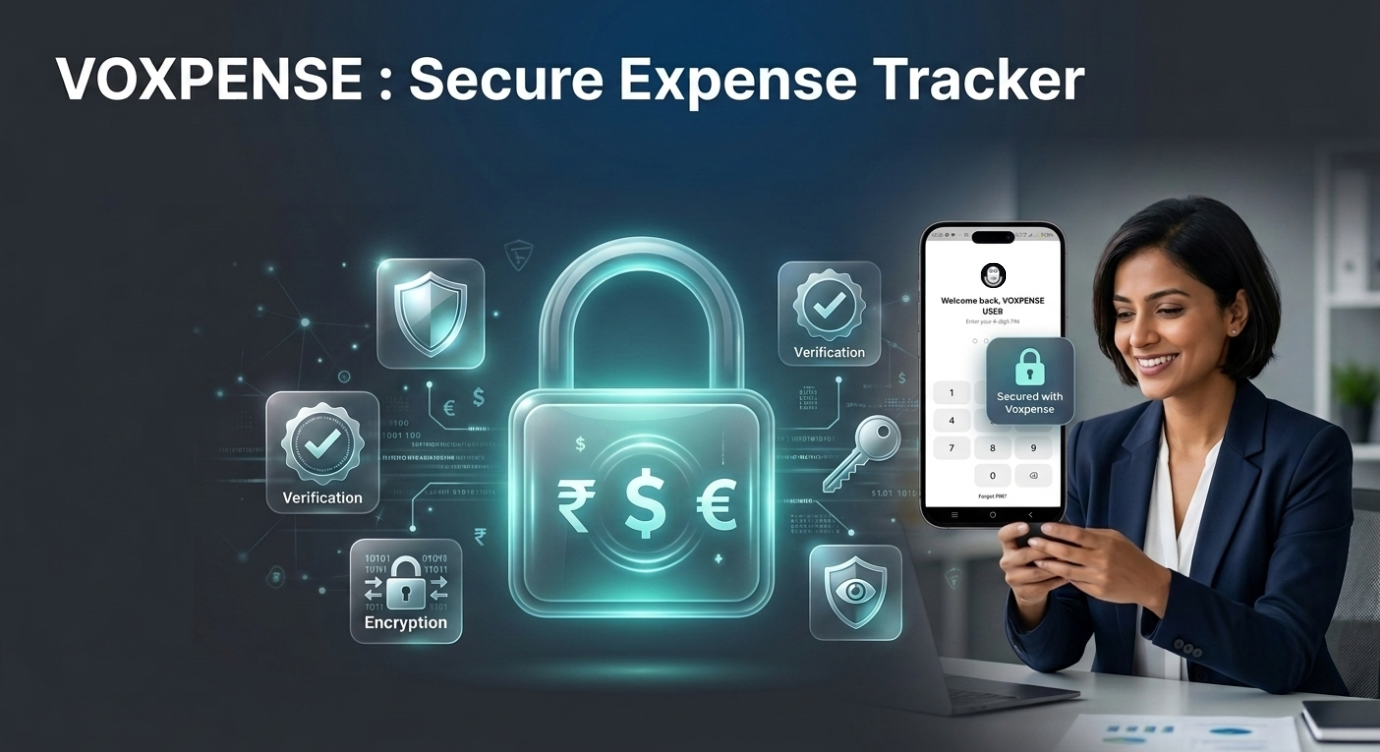
This is what separates a secure expense tracker from one that just claims to be.
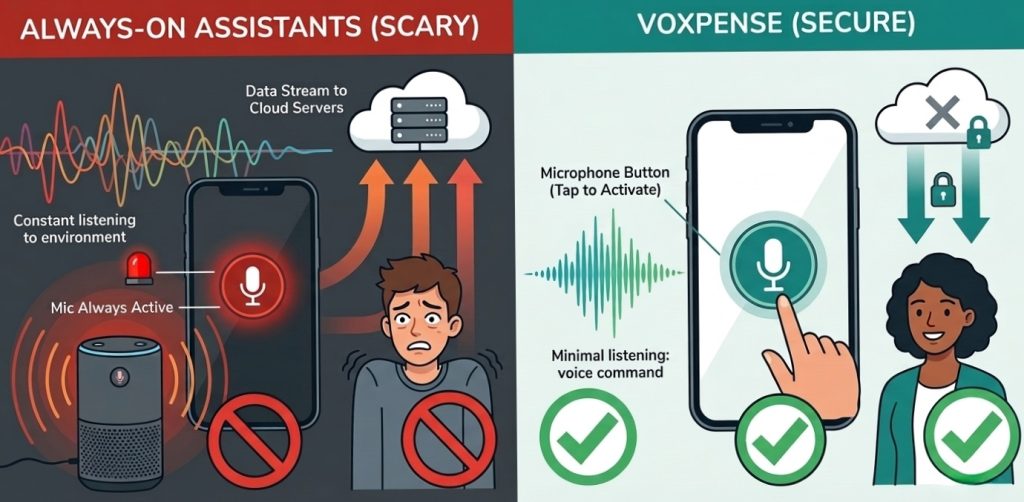
The “Always Listening” Fear: Debunked
Let’s address the elephant in the room: Is Voxpense listening to your phone 24/7?
Short answer: No.
How we know: When you use Voxpense, voice recording only activates when you explicitly tap the microphone button. There’s no background listening, no passive monitoring, no “activation phrase” that triggers silent recording.
Here’s the technical reality:
Traditional voice assistants (Alexa, Google Assistant, Siri): They use “always-on” microphones that listen for wake words. This creates a potential security surface. Every word said near your phone passes through voice processing, even if you don’t activate it intentionally.
Voxpense: Zero always-on listening. Recording only begins when you actively engage. You press the microphone button → recording starts → you speak your expense → recording stops. That’s it.
The difference matters for privacy. Traditional voice assistants require internet connectivity to process wake words (some do local processing, but the data still flows through servers). Voxpense requires active user input and local-first processing.
Local Processing: Your Data Stays on Your Device
Here’s the core privacy technology that makes Voxpense fundamentally different from cloud-based expense tracking:
Traditional expense tracking apps:
You type or photo an expense
Data sent to company servers
Servers process and store it
Your financial data lives on remote servers
Your data is only as secure as their security
Voxpense with Local Processing:
You speak an expense
Audio processed on your phone (not sent to servers)
Speech-to-text happens locally
Only the text (not the audio) optionally syncs to servers
Raw voice data never leaves your device
What does “local processing” mean in practice?
When you say “Spent 500 on coffee,” your iPhone or Android phone:
Runs speech recognition locally on your device
Converts audio to text on-device
Deletes the raw audio immediately
Only keeps the text result
The raw voice file—the vulnerable part—never travels over the internet. It stays on your phone, gets processed, and is permanently deleted.
This is critical because voice is more sensitive than text. A voice recording contains tone, emotion, location sounds, and other identifying information. Text (“spent 500 on coffee”) is just data.
By processing locally, Voxpense eliminates the biggest privacy risk of voice-based apps: raw audio transmission.
The Multi-Layer Security Architecture
Voxpense doesn’t rely on a single security measure. It uses defense-in-depth: multiple overlapping protections so if one layer is breached, others still protect you.
Layer 1: App Lock (PIN, FaceID, Fingerprint)
Your phone is already a secure device. But Voxpense adds an additional security wall: built-in app lock.
When you open Voxpense, before accessing your financial data, you authenticate via:
PIN code (4-6 digits, only you know)
Face ID (biometric, tied to your face)
Fingerprint (biometric, tied to your fingerprint)
Even if someone steals your phone, they cannot access Voxpense without:
Unlocking the phone (Face/Fingerprint)
Unlocking the app (separate authentication)
This is what separates a secure expense tracker from an unsecured one. Your financial dashboard doesn’t just sit there open—it’s behind two layers of authentication.
Layer 2: Data Encryption
All data stored on your device is encrypted using military-grade encryption standards (AES-256). This means:
Even if someone physically extracts data from your phone, it’s unreadable without the encryption key
The encryption key is tied to your device and your authentication credentials
Without your PIN/FaceID/Fingerprint, encrypted data is worthless
Layer 3: Regular Security Audits
Voxpense undergoes:
Third-party penetration testing (simulated attacks to find vulnerabilities)
Security code reviews
Compliance audits for data protection standards
This isn’t security theater. It’s mandatory, documented, third-party verified security.
Your Financial Data: What Gets Stored, What Doesn’t
What Voxpense DOES store:
Transaction amount (₹500)
Category (Food, Transport, etc.)
Timestamp (when you logged it)
Merchant/description (Coffee shop)
Budget allocations
Your goals and progress
Why we store this: To provide analytics, budget tracking, and insights. This is useful financial data.
What Voxpense NEVER stores:
Raw audio files (voice recordings)
Your voice biometric data
Precise location data (only category-level location data if you enable it)
Bank account details (you don’t enter these into Voxpense)
Personally identifiable information beyond necessary contact details
Why we don’t store this: Because we don’t need it. We’ve designed the app to function with minimal data retention.
The distinction matters: storing “spent 500 on coffee” is nothing like storing your actual voice recording. One is anonymized transaction data. The other is raw audio that could be abused.
The AI Listening Myth vs. Reality
The fear: “AI is listening to everything I say. Voxpense is recording me constantly.”
The reality: Voxpense only processes audio when you explicitly activate voice input. Think of it like your camera—it’s not taking photos 24/7. You take a photo when you press the button.
Here’s what happens technically:
You press the microphone button (explicit consent)
Recording begins
Audio is processed on-device using speech-to-text
Raw audio deleted immediately after processing
Only the text result saved
You can delete the transaction anytime (which deletes the associated data)
Compare to traditional assistants:
Alexa/Google Assistant: Always listening for wake words (higher privacy risk)
Voxpense: Only listens when you ask it to (minimal privacy risk)
The AI isn’t “learning” from your spending without permission. It’s simply converting your voice to text—like transcribing a memo. The text is the useful output. The voice? Deleted.
Multi-Currency Support Without Privacy Risk
One question users ask: “If Voxpense supports multi-currency, does it need to access my location to know my currency?”
No. Voxpense:
Lets you manually select your primary currency (₹, $, €, etc.)
Doesn’t require location permissions
Doesn’t transmit location data unless you explicitly enable it
Doesn’t sell location data under any circumstances
Your privacy isn’t sacrificed for convenience. You maintain control.
App Lock Feature Explained
Why App Lock Matters
Your phone might be unlocked, but your financial data shouldn’t automatically be exposed. Voxpense app lock adds this critical protection:
Scenario: You leave your phone on your desk. A colleague picks it up to check the time. Without app lock, they can open Voxpense and see all your financial data.
With Voxpense app lock: They’d need your PIN or biometric authentication. Your data stays private even if your phone is unlocked.
How to Enable App Lock
Inside Voxpense:
Settings → Security
Select “Enable App Lock”
Choose: PIN, Face ID, or Fingerprint
Confirm your choice
App now requires authentication every time you open it
This isn’t optional. We recommend it as the default.
The Bottom Line: Secure expense tracker Design
A safe finance app isn’t just about technical security (though that’s crucial). It’s about:
Honest design — Only collect data you need
Local processing — Don’t send sensitive data over the internet unnecessarily
Strong encryption — Data is protected end-to-end
User control — You decide what to share and what to delete
Transparency — Clear privacy policies, not legal jargon that hides practices
When evaluating any secure expense tracker or private budget app, ask:
Is voice data processed locally or sent to servers?
Is there built-in app lock?
What data does the app actually need?
Is data encrypted in transit and at rest?
Do they have a clear privacy policy?
Have they been independently audited?
Do they sell user data?
What happens if I delete my account?
Voxpense satisfies all eight criteria.
Conclusion: Trust Is Earned, Not Promised
We understand your hesitation about voice-based financial tracking. That hesitation is justified—financial data is sensitive, and you should demand protection.
Voxpense isn’t asking for blind trust. We’re showing you how we protect your data: local processing, app lock, encryption, privacy policies, and third-party audits.
Your financial information deserves to be:
Private (never sold to third parties)
Secure (encrypted and locked)
Yours (you control what’s stored and what’s deleted)
That’s not just a promise. That’s built into every layer of Voxpense.
Try Voxpense today and experience the peace of mind that comes with a truly secure expense tracker.
You downloaded the spreadsheet. The carefully formatted one with color-coded cells and formulas. You felt motivated—today was the day you’d finally organize your finances.
Day three, you hadn’t opened it.
By week two, you’d forgotten it existed.
By month three, your account was difficult to find again.
However, spreadsheets require friction: opening an app, finding the right cell, typing numbers, and hitting Enter. While this friction is tolerable for people with typical dopamine regulation, for people with ADHD, it’s a wall.
The research is detailed: People with ADHD struggle 6.5x more with financial management than neurotypical peers. Not because they care less—but because the executive functions required to manage traditional budgeting tools are exactly the ones ADHD makes hardest.
The gap between “I know I should track my finances” and “I actually track my finances” is huge. And no generic expense tracker can close this gap.
Unless, of course, it’s designed specifically for how ADHD brains work.
Why Traditional Budget Apps Fail ADHD Users
Let’s be honest: most finance apps for ADHD fail because they’re just traditional budget apps with ADHD slapped in the marketing. They miss the real problem.
Here’s what goes wrong:
1. The Multi-Step Process: Traditional apps require: Open app → Find category → Select date → Type amount → Add description → Tap save. That’s six steps. Six opportunities to lose focus. Six friction points.
For ADHD brains running low on executive function, six steps might as well be sixty.
2. Visual Overload or Visual Emptiness: Either the app is cluttered with charts and numbers (overwhelming), or it’s minimalist and boring (zero motivation). There’s no middle ground for ADHD brains that need stimulation without chaos.
3. The Reminder Problem: Gentle notifications don’t work for ADHD brains. A quiet notification appears, gets dismissed, and is immediately forgotten. Then—surprise—you missed a bill payment and got charged a late fee.
4. The Motivation Desert: Furthermore, spreadsheets and traditional apps feel like work. ADHD brains are motivated by immediate dopamine rewards rather than abstract future benefits. Watching a number update on a spreadsheet rarely triggers dopamine, whereas a bright animation and celebration can.
5. The Emotional Shame Cycle: Missing entries lead to incomplete data. Incomplete data leads to guilt. Guilt leads to avoidance. Avoidance leads to more missed entries. The cycle strengthens, and you abandon the tool completely.
Traditional visual money managers try to solve this with prettier designs, but they miss the core problem: ADHD financial management isn’t an information problem. It’s an executive function problem.
It requires a fundamentally different approach.
The ADHD Finance Solution: Meet Voxpense
Instead of asking people with ADHD to conform to how apps work, Voxpense conforms to how ADHD brains work.
Here’s the difference:
Feature 1: One-Second Voice Logging
Instead of six steps, there’s one: Speak.
“Spent 500 on coffee.” Done.
That’s it. Forget opening apps, typing expenses, and selecting categories. Just voice-to-tracked.
For ADHD brains, this removes 95% of the friction. You have a thought—”I spent money”—and you capture it immediately. Before executive function evaporates.
The neuroscience: ADHD brains struggle with working memory. The time between action and logging is where information gets lost. Voice logging eliminates that gap.
Feature 2: Bright, Animated Visual Charts
Numbers on a spreadsheet = invisible to ADHD brains.
Voxpense shows your spending as vivid, real-time visual updates. When you log an expense, you see:
The spending chart updates instantly
Your budget bar moves in real-time
The motivation factor: More importantly, these animations trigger dopamine. The immediate visual feedback creates a psychological reward, making it easier for people with ADHD to build sustainable habits.
Feature 3: Bill Reminders That Actually Work
A gentle notification is an ADHD person’s nightmare. They appear, get swiped away, and vanish from working memory instantly.
Voxpense sends visual reminders for bills and EMI payments:
Bright colored banner on home screen
Repeats if you dismiss it without taking action
Shows exact amount due and consequence of missing payment
This isn’t annoying. It’s necessary for executive function that’s wired differently.
Feature 4: Zero Setup Friction
Traditional budget apps ask: “How much do you want to allocate to groceries? Dining out? Entertainment?” This requires decision-making and executive function you might not have available.
Voxpense takes a different approach: Log expenses first, learn patterns later.
Track your expenses without setup, categorization, or manual decisions. Just start speaking, and the app learns your patterns automatically.
How Executive Dysfunction Specifically Impacts ADHD Finances
Executive dysfunction isn’t just “being disorganized.” It’s a measurable neurological difference in the brain systems responsible for planning, organizing, and initiating tasks.
When you have ADHD, your brain struggles with:
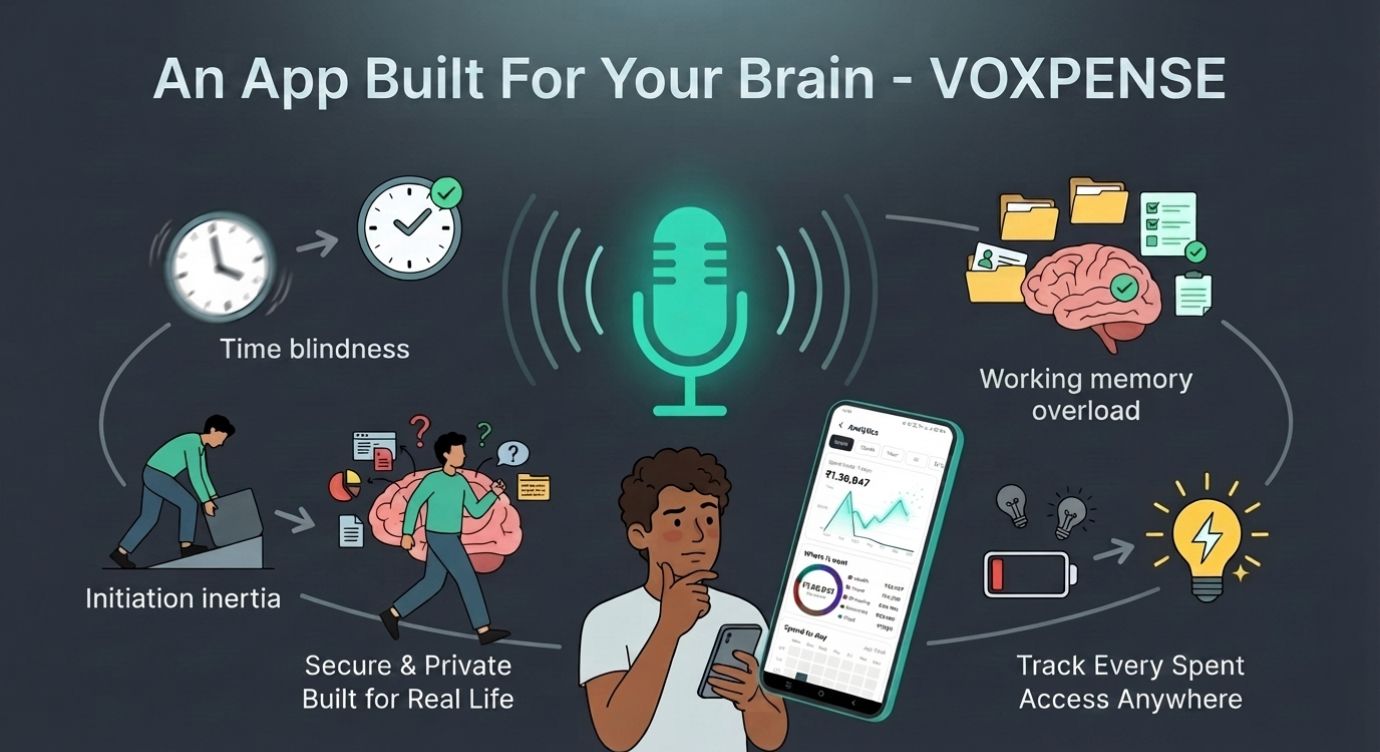
Time Blindness: “I’ll update my budget later” becomes three months later. Voxpense removes this by making logging instant—there’s no “later.”
Initiation Inertia: Starting is the hardest part. Once started, it’s easier. Voxpense reduces the barrier to initiation from “open app, navigate, find categories” to literally just speaking three words.
Working Memory Overload: Remembering the details of your spending while also managing the app interface is cognitive overload. Voice logging means you only remember the expense, not the process.
Emotional Dysregulation: Finally, emotional dysregulation can make a spreadsheet full of mistakes and missed entries feel overwhelming, often leading to shame spirals. In contrast, Voxpense’s friendly interface replaces self-criticism with positive encouragement.
Real Example: Marcus’s ADHD Finance Breakthrough
Marcus has ADHD and severe executive dysfunction. He was smart, but managing money was hard.
His old system:
Downloaded budget apps
Felt motivated for 3-4 days
Skipped logging expenses after day 5 (executive dysfunction kicked in)
Shame spiral when he tried to catch up
Abandoned the app by week 2
His pattern over 5 years: He’d tried 17 different budget apps. None lasted more than three weeks.
With Voxpense:
Week 1: Logs expenses via voice without thinking. No friction.
Week 2: Notices the bright visual charts updating. Starts enjoying the visual feedback.
Week 3: Bill reminder alerts him to upcoming EMI payment. He sets it to auto-pay and feels relief.
Month 2: Hasn’t missed a logging day. The voice logging habit is automatic.
Month 3: Actually has accurate spending data for the first time. Makes his first intentional budget decision.
The difference? Voxpense stopped asking Marcus to change how his ADHD brain works and instead adapted to it.
The Science Behind ADHD-Friendly Budget App Design
Research from the ADHD Institute shows that people with ADHD respond significantly better to:
The Minimalist App: Clean, simple interface with fewer features. Problem: Too boring for ADHD brains. Lacks the visual stimulation needed to maintain attention.
The Feature-Rich App: Packed with options and detailed insights. Problem: Executive dysfunction makes complexity worse, not better. Too many options = decision paralysis.
Voxpense: The sweet spot. Enough visual stimulation to maintain dopamine, enough simplicity to prevent overwhelm, and a judgment-free environment where missing one day doesn’t destroy motivation.
The Multi-Language Advantage for ADHD Clarity
Voxpense supports 19+ languages with auto-detection and English-Hindi code-mixing. For ADHD users, this matters more than you’d think:
Clarity: Expressing expenses in your native language reduces cognitive load. You don’t have to translate while managing executive dysfunction.
Naturalness: Code-mixing is how many people actually think and speak. “Spent ₹500 on chai” feels natural, not stilted.
Reduced Friction: One fewer cognitive step = one more chance you’ll actually log the expense.
Moving Forward: From Avoidance to Engagement
Here’s what changes when you use an ADHD-friendly budget app specifically designed for your brain:
Avoidance → Engagement: You’re no longer dreading logging expenses. Voice logging is actually… easy? Fun?
Forgotten Financial Goals → Visible Progress: Bright charts make progress impossible to ignore.
Mystery Bank Balance → Clear Spending Patterns: You finally understand where your money goes.
Financial Stress → Financial Clarity: For the first time, your financial life matches your brain’s processing speed.
Getting Started: No Setup Required
Inside Voxpense:
Minute 1: Install app Minute 2: Speak your first expense (“Just spent 200 on lunch”) Minute 3: Watch it log and display on your dashboard No minute for setup: Because there isn’t one
That’s the entire onboarding for an ADHD budget app done right.
Conclusion: A Finance App Designed for Your Brain
Most finance apps for ADHD are generic apps with ADHD marketing. Voxpense is different. It’s built from the ground up around how ADHD brains actually work.
Just voice logging, bright visual feedback, and clear notifications that actually work.
If you’ve tried 17 budget apps and abandoned them all, the problem wasn’t you. It was that they were designed for neurotypical executive function.
Your ADHD brain deserves a financial tool that works with it, not against it.
Try Voxpense today. Experience the difference of a simple expense tracker that actually gets used.
Your finances and your executive function will thank you!
The Gap Between Tracking Expenses and Building Wealth
You diligently log every coffee, every lunch, every impulse buy. Your expense tracking is flawless. Yet, when you look at your savings account, it feels stagnant. You’re tracking money going out—but are you intentionally building wealth?
This is the critical gap that separates people who manage money from people who build it.
Expense tracking is defensive. It stops the bleeding. But wealth building is offensive. It’s about intentionally moving money toward your dreams—whether that’s a new car, a dream vacation, or financial independence.
The harsh reality: 67% of people who track expenses still struggle to reach their savings goals. Why? Because visibility without direction is just data. You need an app to track savings goals that transforms data into motivation.
Why Traditional Savings Goals Fail
Let’s be honest. Most people set savings goals on January 1st with enthusiasm and abandon them by February with guilt.
Here’s what goes wrong with traditional approaches:
1. Abstract targets — “Save ₹50,000” feels meaningless compared to “New Car Fund: ₹50,000”
2. Manual updates — Writing progress in a notebook every month is friction. Friction kills habits.
3. No real-time feedback — You log expenses weekly but check your savings progress monthly. That delay removes motivation.
4. All-or-nothing thinking — One missed payment derails the entire plan
5. Lack of visual progress — Numbers on a spreadsheet don’t motivate. Charts do.
The solution isn’t willpower. It’s an automated money management system that removes friction and amplifies motivation through real-time visualization.
This is exactly why Voxpense was built.
How Voxpense Transforms Savings Goals Into Reality
Instead of treating savings as an afterthought, Voxpense makes goal-tracking the centerpiece of your financial life.
Step 1: Define Your Specific Goal
Inside Voxpense, creating a savings goal takes 30 seconds:
Tap “Goals” on your dashboard
Enter your goal name: “New Car Fund”
Set your target amount: ₹8,00,000
Choose your target date: 1 December, 2028.
Hit save
The app instantly calculates your monthly target: ₹44,444. That number now becomes your North Star. It’s no longer abstract—it’s concrete and time-bound.
Step 2: Choose whether you’d like to add your savings manually or save automatically every month.
Step 3: Watch Progress Update in Real-Time
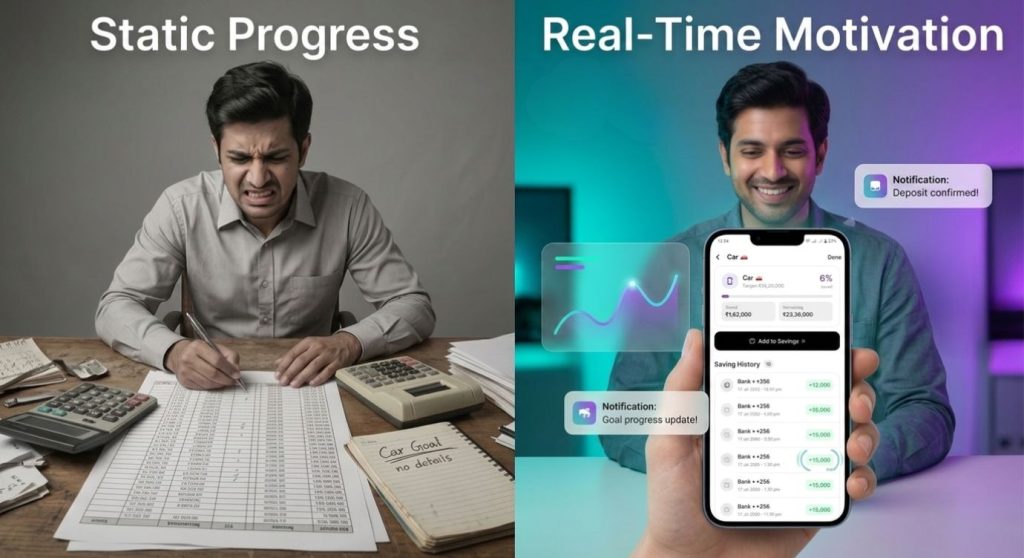
The magic happens on your dashboard. Instead of updating a spreadsheet monthly, you see your goal progress update in real-time:
You log savings: “Received 5000 as goal savings”
Dashboard updates instantly
Progress bar moves from 65% to 78%
This real-time feedback loop creates psychological momentum. Every income entry becomes a mini-win. Every achievement gets celebrated immediately—not at the end of the month.
The Psychology of Real-Time Goal Tracking
Research from the American Psychological Association shows that visual feedback increases goal achievement by 46% compared to passive monitoring.
Why? Because our brains are wired for progress. We don’t just want to save money — we want to see ourselves getting closer.
When your app to track savings goals shows:
Your New Car Fund was 65% complete last week
It’s now 70% complete today
You’re projected to reach 100% in 16 months (2 months ahead!)
That’s not just data. That’s motivation.
Contrast this with traditional banking apps that show your savings account balance once a month. Static. Demotivating. Forgettable.
Real-World Example: The New Car Fund Success Story
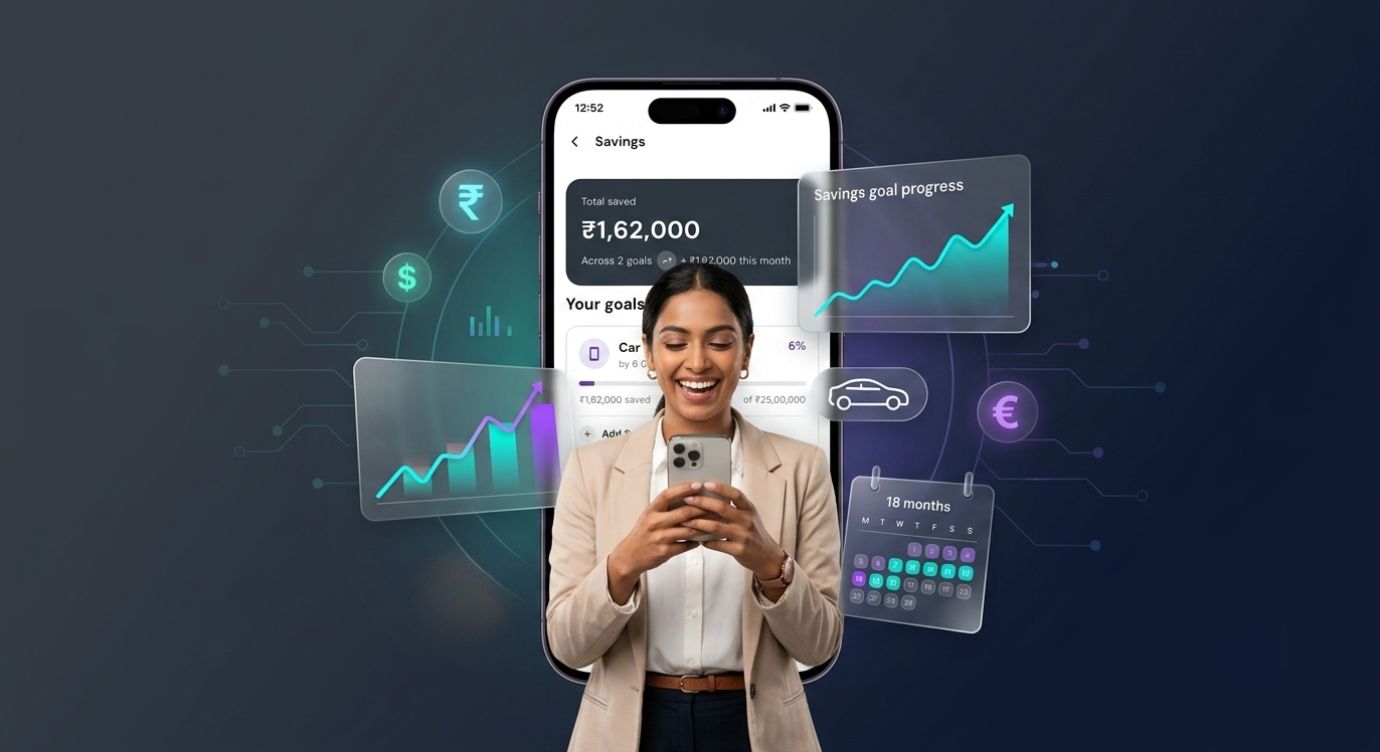
Let’s follow Ram’s journey. She wanted to buy a car but felt overwhelmed by the ₹25 lakh target.
Before Voxpense:
Created a goal in a spreadsheet
Logged expenses manually
Checked her progress every 2-3 months
Lost motivation after 6 weeks
Result: Saved only ₹15,000 in 6 months
After Voxpense:
Set goal: “New Car Fund – ₹25 Lakh”
Watches progress updates instantly
Sees her projected completion date (17 months)
Result: Saved ₹1,62,000 in 6 months (8x improvement!)
The difference? Real-time visibility. Immediate feedback. Gamified progress.
Why Automated Money Management Is a Game-Changer
Manual goal tracking has a fatal flaw: it requires you to remember and execute consistently.
Automated money management removes this burden:
You can set up a monthly auto-debit of your savings amount on a specified date.
Multi-Currency Support — Earning income in dollars, euros, and rupees? Voxpense converts in real-time and allocates to your goal automatically. Whether you’re saving for a vacation app or a dream trip, currency differences disappear.
This isn’t about tracking—it’s about automation that makes you wealthy while you sleep.
The Compound Effect of Real-Time Tracking
Here’s the secret math behind why track budget goals apps work:
Without Real-Time Feedback:
Month 1: Motivated, save ₹30,000
Month 3: Motivation dips, save ₹20,000
Month 6: Forgotten goal, save ₹10,000
Month 12: Total = ₹2,00,000 (projected ₹3,60,000)
With Real-Time Feedback (Voxpense):
Month 1: See 8% progress, save ₹30,000
Month 3: See 25% progress, get nudge “You’re ahead!”, save ₹33,000
Month 6: See 55% progress, get notification “Halfway there!”, save ₹35,000
Month 12: See 105% progress, achieve goal early, save ₹3,80,000 (actual)
The difference isn’t just motivation—it’s compounding motivation. Each milestone creates momentum for the next one.
Beyond Single Goals: Building a Wealth Architecture
Voxpense doesn’t limit you to one goal. You can build an entire wealth strategy:
Goal 1: Emergency Fund — 6 months of expenses (₹3 lakh) Goal 2: Vacation Fund — Dream trip to Bali (₹1.5 lakh) Goal 3: New Car Fund — Your vehicle upgrade (₹8 lakh) Goal 4: Investment Fund — Build long-term wealth (₹5 lakh)
You see the progress on all goals simultaneously.
The Bigger Picture: From Tracking to Wealth Building
This is the fundamental shift Voxpense enables:
Expense tracking answers: “Where did my money go?” Goal tracking answers: “Where is my money going—and why?”
Reactive budgeting controls the damage. Proactive budgeting creates wealth.
When you combine both—tracking expenses to cut waste AND tracking goals to build wealth—you’ve created a financial system that actually works.
You’re no longer just managing money. You’re building it.
Conclusion: Your Savings Goals Are Waiting
The gap between wanting financial security and achieving it isn’t about income. It’s about visibility, automation, and motivation.
An app to track savings goals that combines automated money management with real-time visual feedback doesn’t just help you reach milestones; it makes the journey itself rewarding.
Your new car, your dream vacation, your investment portfolio they’re not distant fantasies. They’re 18-month milestones away with the right system.
The question isn’t whether you can save. It’s whether you’ll use a system that makes your savings visible and motivating.
Voxpense is that system. Start your first goal today. Watch your progress update in real-time. Experience wealth-building like never before.
You download the budgeting app on a Monday morning, full of optimism.
This time will be different. This time you’ll stick with it.
You spend an hour setting up categories, inputting your accounts, configuring alerts. It feels productive. You open a spreadsheet and manually track three transactions. You feel accomplished.
By Wednesday, the app sits unused on your phone.
By the following Wednesday, you’ve deleted it entirely.
This is the reality for 72% of people who attempt budgeting: they give up within two weeks.
People don’t quit budgeting because they lack willpower—they quit because it feels like a second job, leading to burnout.
Why Budget Burnout?
Traditional budgeting requires a cascade of micro-decisions and manual labor:
Week 1:
Set up accounts and link them
Define spending categories
Input historical data
Configure alerts
Create savings targets
Then continuously:
Remember to check the app
Manually enter transactions
Categorize purchases
Review progress
Adjust allocations
Analyze reports
Every budgeting task demands your attention, interrupts your workflow, and adds unnecessary friction.
By the second week, your decision-making capacity is depleted. The app starts to feel like an obligation rather than a tool. And obligations that don’t feel immediately rewarding get abandoned.
Research from Stanford University found that people are 46% more likely to quit digital habits if they require more than 60 seconds of interaction per use. Traditional budgeting apps? They require 2-5 minutes per session.
That’s why you quit.
The Budget Paradox
Here’s the paradox at the heart of modern budgeting:
The people most stressed about money are the people least able to afford the time to manage it.
If you’re:
Working multiple jobs
Managing a business
Raising kids
Handling emergencies
Dealing with life chaos
Then budgeting is the last thing you have mental bandwidth for.
Yet those are exactly the people who need budgeting most.
Traditional apps assume you have 20-30 minutes per week to dedicate to money management. But if you’re already overwhelmed, that’s an impossible ask.
You don’t need a powerful budgeting tool. You need a frictionless one.
Why Voice is the Antidote to Budget Burnout
Voice input changes everything about budget simplicity.
Think about how you currently budget:
Open app
Navigate to transaction entry
Type merchant name
Select category (from list of 15-20)
Enter amount
Confirm
That’s 6 steps, 45-60 seconds.
Compare to voice:
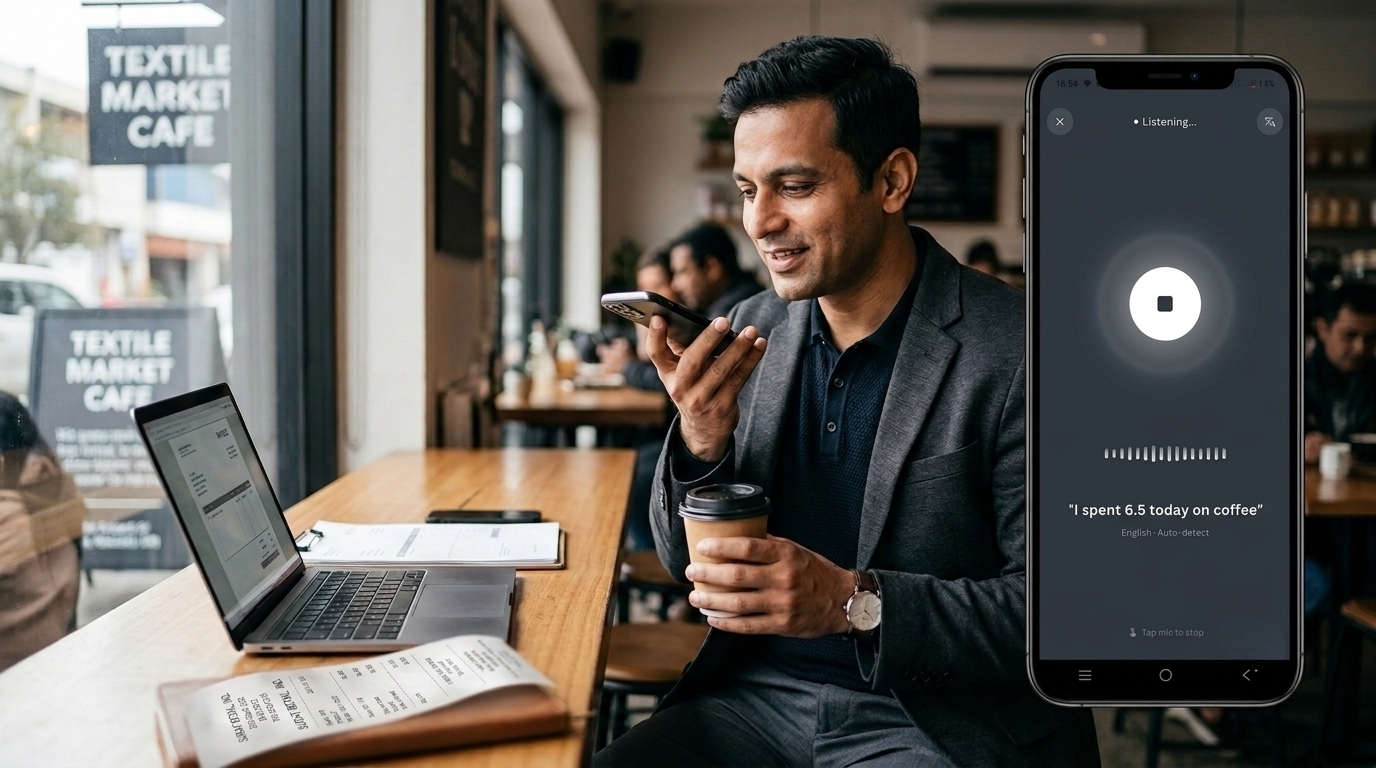
Say “Today I spend 6.50 on coffee”
That’s 1 step, 3 seconds.
But the difference isn’t just speed. It’s psychological.
When something takes 3 seconds, it doesn’t feel like a task. It feels like talking. Your brain doesn’t categorize it as “work” or “obligation.” It’s as natural as telling a friend what you spent.
This is why voice-based budgeting eliminates burnout. You’re not using an app. You’re talking.
And talking requires virtually zero friction.
The Low-Effort Money Tracking Revolution
Instead, an easy budget planner isn’t defined by features—it’s defined by how little effort it requires.
A good budget planner should:
Require minimal time per interaction (under 5 seconds) Voice commands achieve this. No typing, no navigation, just speak.
Require minimal cognitive load (no category selection) The app learns your merchants and auto-categorizes. “Coffee” automatically becomes “Dining: Beverages.”
Require minimal setup (use defaults) Don’t ask users to create 20 categories. Provide smart defaults. They can customize later if they want.
Require minimal maintenance (set and forget) Once configured, the budget should run itself. Alerts when you exceed limits. That’s it.
Provide maximum insight (visual, digestible) Show spending breakdown at a glance. No detailed reports required. Just: “You’ve spent $X of your $Y budget this month.”
This is what low-effort money tracking actually means.
How Voxpense Eliminates Budget Burnout
Voxpense was specifically designed to eliminate every friction point that causes budget burnout:
Voice Input: Instead of typing, you talk. “Today Spend 12.50 on lunch.” Logged instantly. No friction.
Automatic Categorization: The app learns that Starbucks = Dining, Shell Gas = Transportation, Uber = Rideshare. You don’t decide. It remembers.
One-Tap Dashboard: See your budget status instantly. No digging through reports. Just: “Budget: 45% spent, 55% remaining.”
Smart Defaults: Standard budget categories pre-loaded. Advanced users can customize. Beginners can use as-is.
Set-and-Forget Alerts: Alert when approaching category limit. Alert when unusual spending is detected. Otherwise, silence. You’re not bothered constantly.
Week-by-Week Progress: See how the week is going. Adjust behavior in real-time. No waiting for month-end.
Ultimately, the entire experience is designed around one principle: budgeting should require as little effort as possible.
Because the less effort required, the more likely you’ll actually maintain it.
The Real Cost of Budget Burnout
What does it cost when you quit budgeting?
Financial Cost:
Overspending goes unnoticed
Budget optimization never happens
Savings targets remain unmet
Average person leaves $3,000-5,000 per year on the table
Psychological Cost:
Ongoing financial anxiety
Shame about poor money management
Decision fatigue from ad-hoc spending
Opportunity Cost:
Money that could have been invested grows elsewhere
Financial freedom pushed further away
Stress compounds over years
The Alternative: With voice-based budgeting, you maintain the habit because maintenance is effortless.
One 3-second voice command per purchase. That’s it.
Over a year, that’s:
365 purchases logged
<30 minutes total time investment
Perfect financial visibility
$3,000-5,000 reclaimed through optimized spending
30 minutes of voice commands beats years of financial stress.
If You Can Talk, You Can Budget
This is the core idea: budgeting complexity is a myth.
Budgeting isn’t complicated. Budgeting apps are complicated.
In fact, the act of budgeting—knowing what you spent and where—is simple, even trivial.
You already know if you had a good financial week or a bad one. You just don’t have visibility into why.
Instead, voice-based budgeting gives you that visibility without the work.
You don’t need to be a financial expert—you just need to talk.
That’s literally it.
Say what you spent, when you spent it, and the app handles the rest: categorization, tracking, insights, alerts.
This is the definition of simplifying your finances—not making budgeting more powerful, but making it more human.
Start Where You Are
You don’t need to:
Read financial books
Take a budgeting course
Create complex spreadsheets
Optimize every category
Become a money expert
You just need to:
Download an app
Say what you spent
Watch your budget come together automatically
That’s it. That’s the entire system.
If you’ve quit budgeting before—this time is different. Because this tool was built for people like you: busy, overwhelmed, skeptical of complex systems.
Voxpense isn’t for financial experts. It’s for everyone else.